www.schaerer.com
Operation
BASCSOUL_EN
V02 | 10.2017
44
Settings
Log-in/Log-out
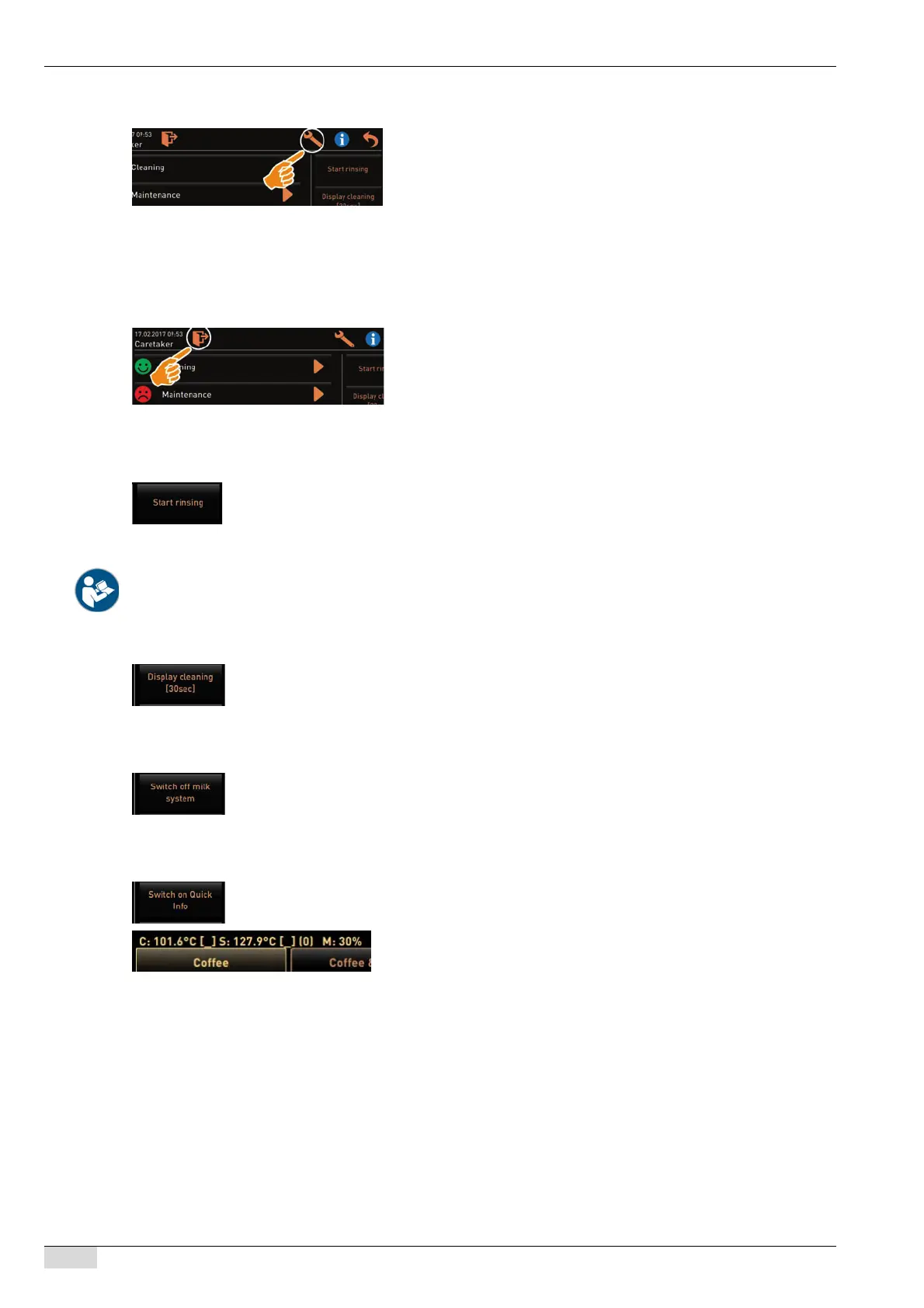
[Start rinsing] direct selection
[Touch screen cleaning] direct selection
[Milk system on/off] direct selection
[Quickinfo on/off] direct selection
PIN-protected function.
► Select the [Settings] field.
The main menus are displayed.
These make the parameter settings available.
The access authorization for parameter settings depends on the reg-
istered profile.
See also "Programming" for a detailed description.
Logging in and selecting a profile.
► Select the [Log-in/Log-out] field.
The window for selecting a profile appears.
See "Operation" – "Touch main window" – "Log-in and log-out" for a
detailed description.
► Select the [Start rinsing] field.
Hot rinsing starts.
Cancelling is not possible.
See "Cleaning" – "Rinsing intervals".
► Select the [Touch screen cleaning [30 sec]] field.
The display is insensitive for a period of 30 sec and can be
cleaned.
► Select the [Switch milk system on/off] field.
The milk system is switched on or off according to the current
status.
► Select the [Switch Quickinfo on/off] field.
The Quickinfo window appears at the top left of the user inter-
face.
The Quickinfo window provides information on the two boiler
temperatures, hot water (C) and steam (S).
(M:xx%) Provides information on the memory used.














 To Next Page