BASCSOUL_EN
V02 | 10.2017
39
www.schaerer.com
Operation
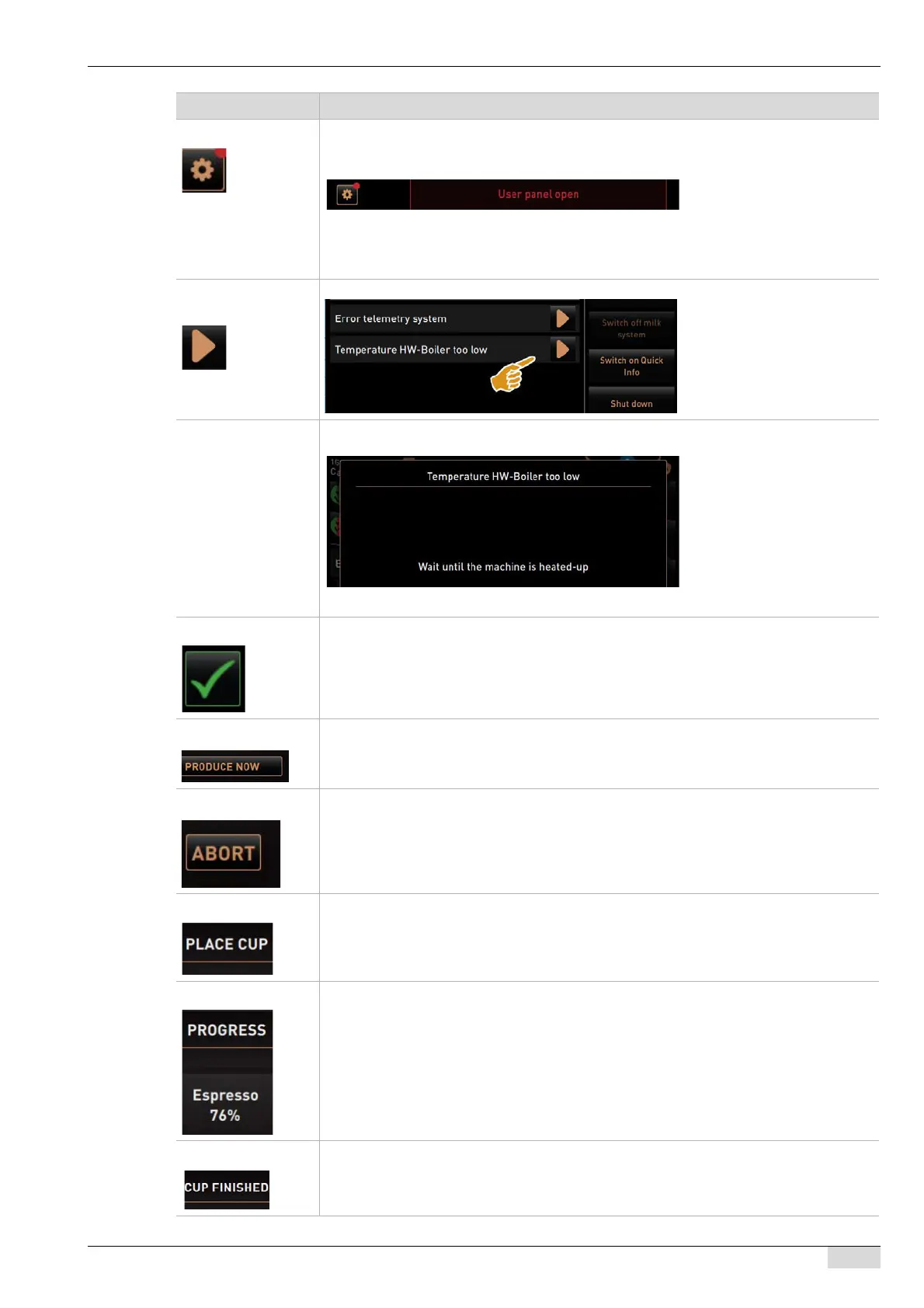
Fault message Fault messages are displayed in the user interface on the lower edge. If a fault message
is active, intervention by a user or service technician is needed.
► Select the [Fault message] field.
The Service menu appears.
► Select the pending fault message with the [>] field in the service menu.
The "Fault message" window with additional information appears.
Open fault message
or action.
The [>] field opens the window for a pending action or fault message.
Fault message
window
The "Fault message" window contains additional information on the pending fault messa-
ge.
The window appears after the [>] field is selected while a fault is pending.
Confirmation The [Confirmation] field starts pending actions or confirms displayed action requests.
Starting dispensing The [Start dispensing] field is displayed during beverage selection.
► Select the [Start dispensing] field.
The beverage is dispensed.
Cancel The [Cancel] field is only displayed while a beverage is being dispensed. The beverage
currently being dispensed and any other previously selected beverages can be cancelled
using this button.
Positioning During beverage dispensing, the instruction for positioning the mug/cup appears.
The instruction appears if the parameter is activated in the "Configuration - Operating
mode" menu.
Progress During beverage dispensing, information on the dispensing progress appears.
The information appears if the parameter is activated in the "Configuration - Operating
mode" menu.
Beverage complete If dispensing is complete, the display indicates this with [Beverage complete].
The information appears if the parameter is activated in the "Configuration - Operating
mode" menu.
Symbol Description














 To Next Page