www.schaerer.com
Programming
BASCSOUL_EN
V02 | 10.2017
98
"Beverage statistics" menu card
Display text Description Setting range Notes
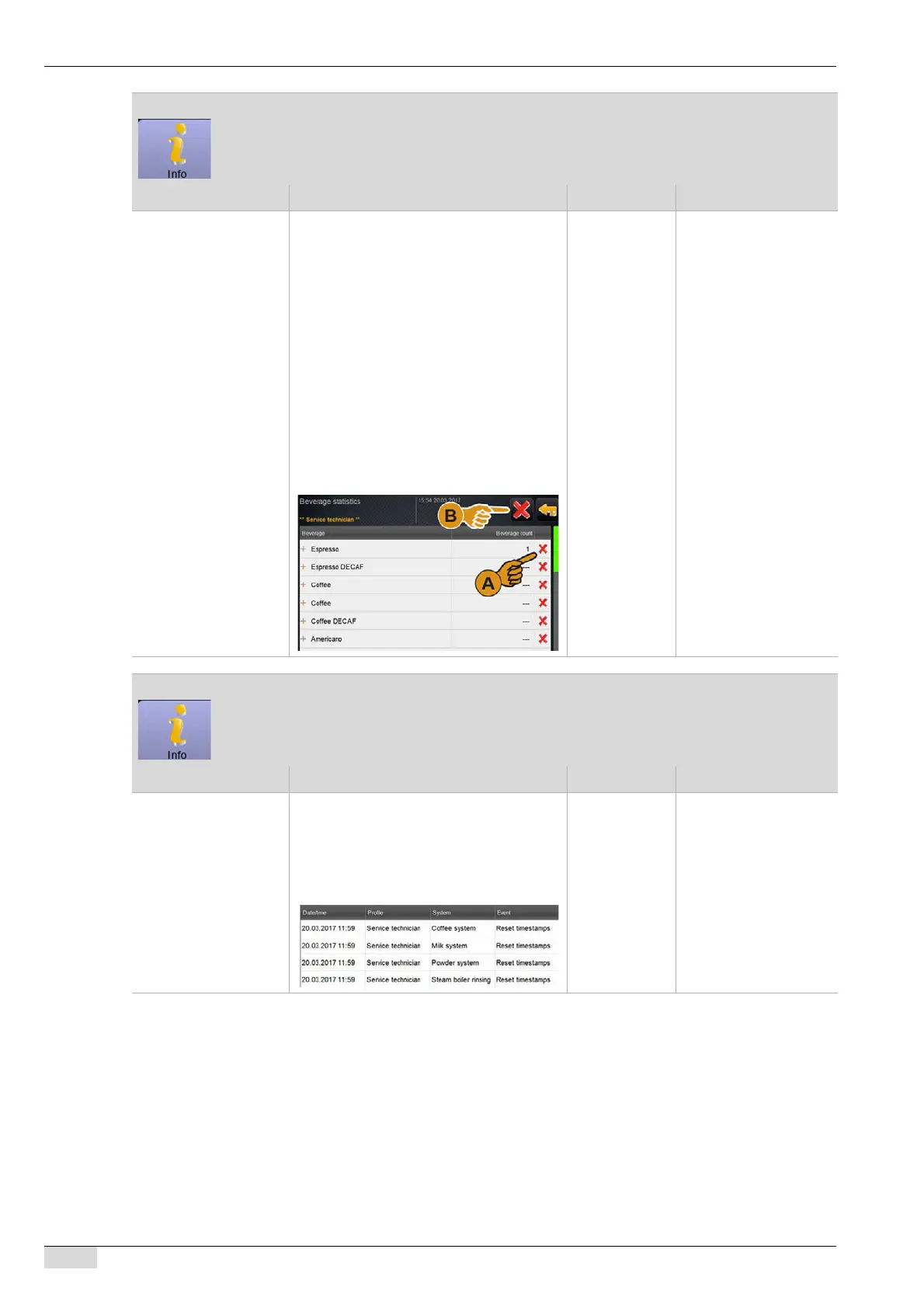
Beverage statistics Overview of beverage counters
The beverage counters can be deleted indi-
vidually or all together.
To clear individual counters:
► [A] Select the small [X] field in the right
column for the respective beverage.
One beverage counter is reset to [0].
To clear all counters:
► [B] The large [X] field at the top of the
window deletes all listed beverage
counters.
All beverage counters are reset to
[0].
– All beverages added on
the menu card are li-
sted.
"Cleaning statistics" menu card
Display text Description Setting range Notes
Cleaning statistics The following information is listed.
•Date
•Profile
•System
•Event
– Executed, cancelled or
reset cleaning proces-
ses are shown in the
"Event" column.














 To Next Page