22 •
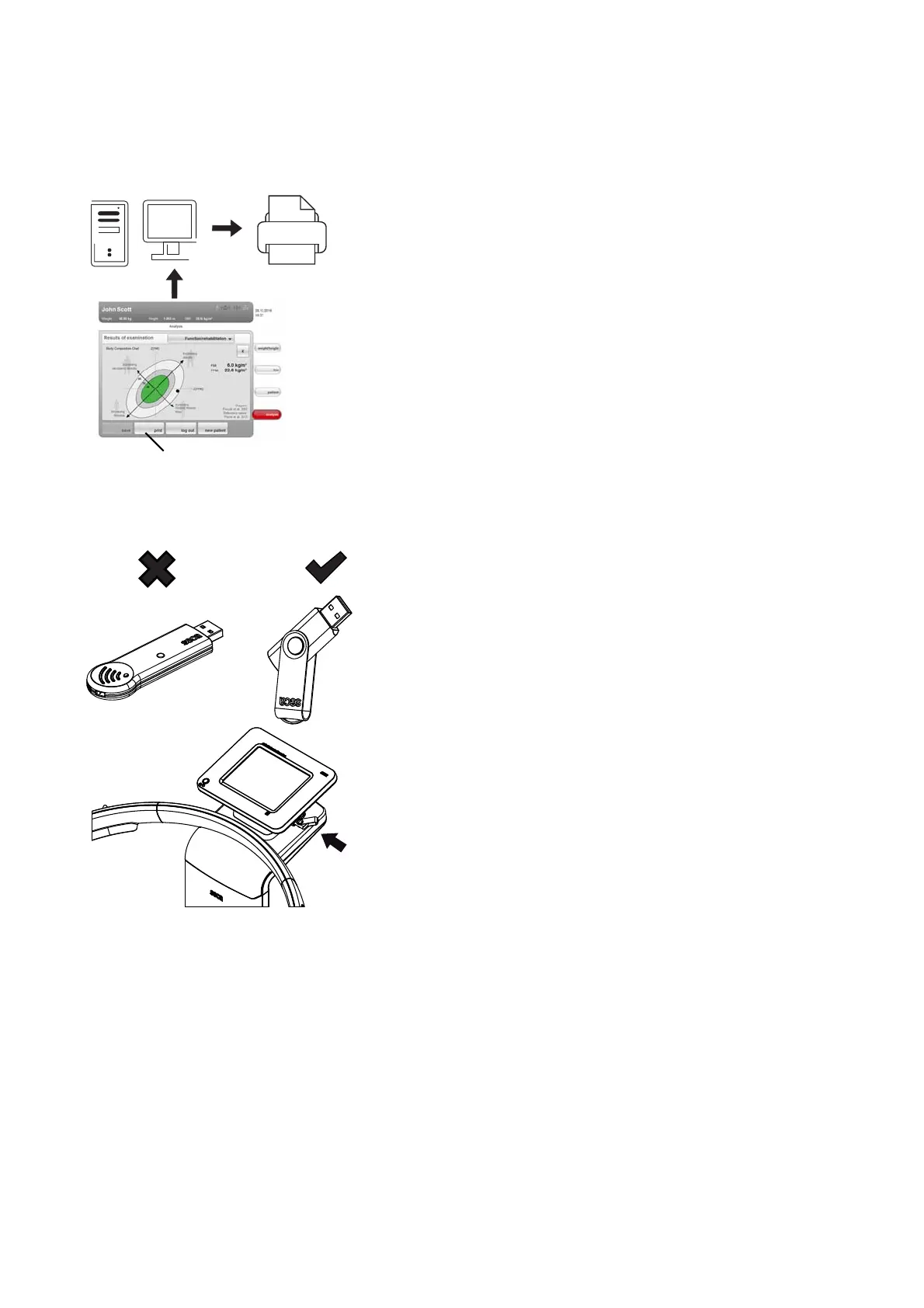
Print If the device is connected to the seca 115PC software via seca 360° wireless
network or Ethernet, you can use the special print function of the seca 115 PC
software and print out detailed results reports on a PC printer.
The print function is a component of the so-called seca mediator service, a
function module of the
seca 115 PC software. The seca mediator service
performs the tasks outlined below.
• Calculating bioimpedance analysis from the raw data for impedance of the
device
• Graphical processing of the bioimpedance analysis
• Collation and printing of a detailed results report
Printing of a results report can be started directly from the device. The raw
data for impedance are sent to the
seca 115 PC software and the seca
mediator service starts automatically.
In order to be able to use this function via Ethernet, the device must be incor-
porated in a seca CLS network. Details on this can be found in the section
entitled “Setting up seca CLS network (via Ethernet only)” from page 38 and
in the Administrator Manual for the
seca 115 PC software.
Indirect connection via USB
memory stick
If the device is not to be integrated directly in a PC network, you can create
seca patient files and save measurements on the seca USB memory stick
supplied.
The seca USB memory stick is supplied initialized, which means that it con-
tains a seca patient database and is secured with an initial USB PIN (0000).
If you wish to use additional USB memory sticks (seca original accessories
recommended), these must also be initialized before patient files can be
saved on them. Details on this can be found in the Administrator Manual for
the
seca 115 PC software.
You can synchronize the seca patient database on the USB memory stick
with the seca patient database of the
seca 115 PC software.
The steps below are necessary.
• Install the
seca 115 PC software on the PC
• Administer the
seca 115 PC software
• Configure the
seca 515/514
• If already available, load seca patient files from the seca 115 PC software
onto the USB memory stick
Details on the steps mentioned can be found in the section entitled “Configur-
ing the device” from page 28 and in the Administrator Manual for the
seca 115
PC software.



 To Next Page