48 •
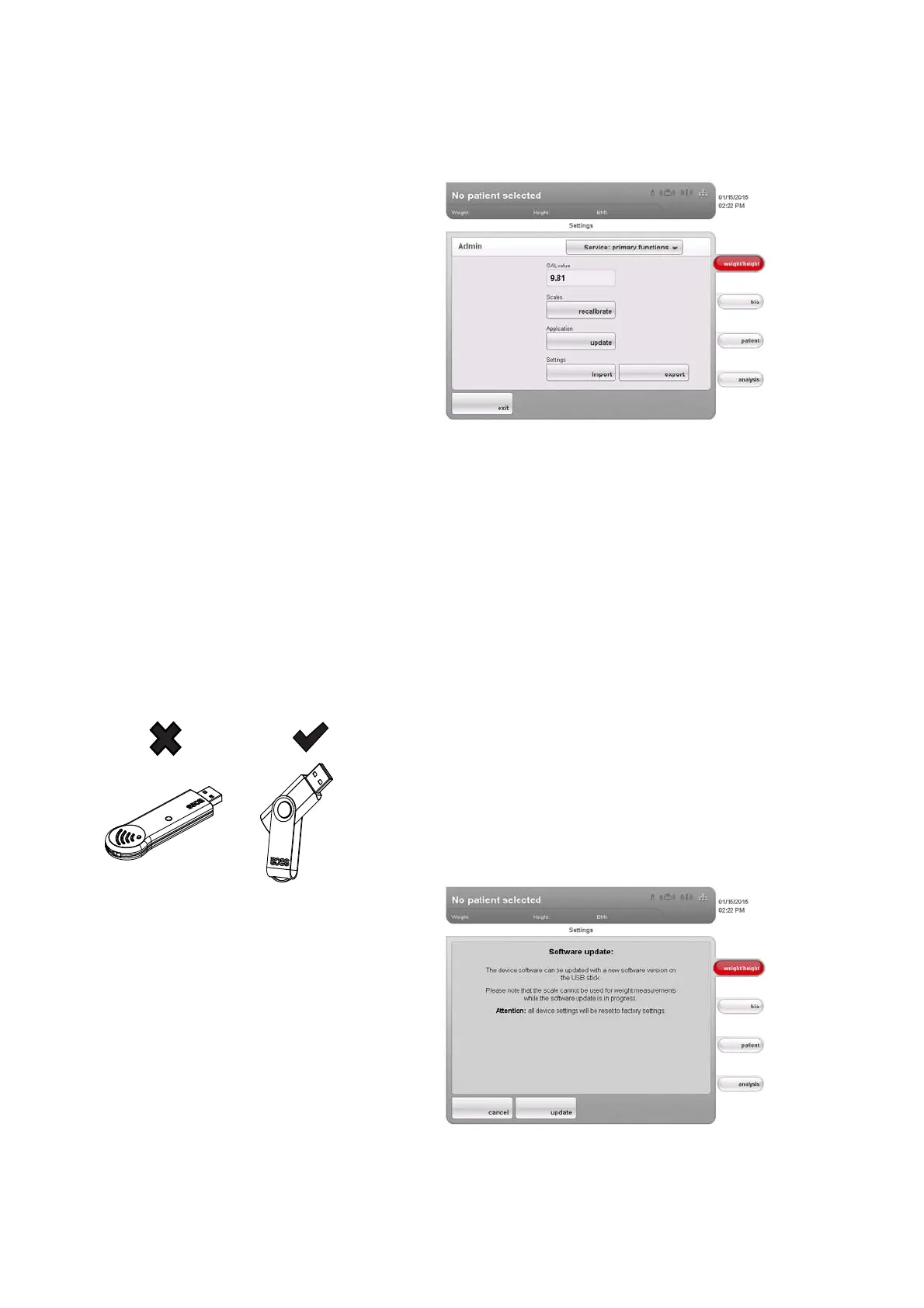
Using service functions The Service: primary functions dialog window contains functions your service
engineer uses frequently.
The following functions may only be used by your service engineer. The
functions are protected by a special access code (SEED).
• Correcting GAL value
• Readjusting the device
The functions below can also be used by you as administrator. To do so,
proceed as described on the pages which follow.
• Setting the quality check for the BIA
• Updating device software
• Exporting system settings
• Importing system settings
The functions in this dialog window are included as extras with other service
functions in the
service menu. Contact your service engineer if required.
Updating device software
This function allows you to install a software update on your device. We
provide software updates on our website for you to download.
NOTE:
The firmware of the weight recording module
cannot be updated
using this function.
To install a software update, proceed as outlined below.
1. Load the software update onto a USB memory stick.
2. In the
Service: primary functions dialog window, press the update button.
Security information about the software update appears on the screen.



 To Next Page