Configuring the device • 29
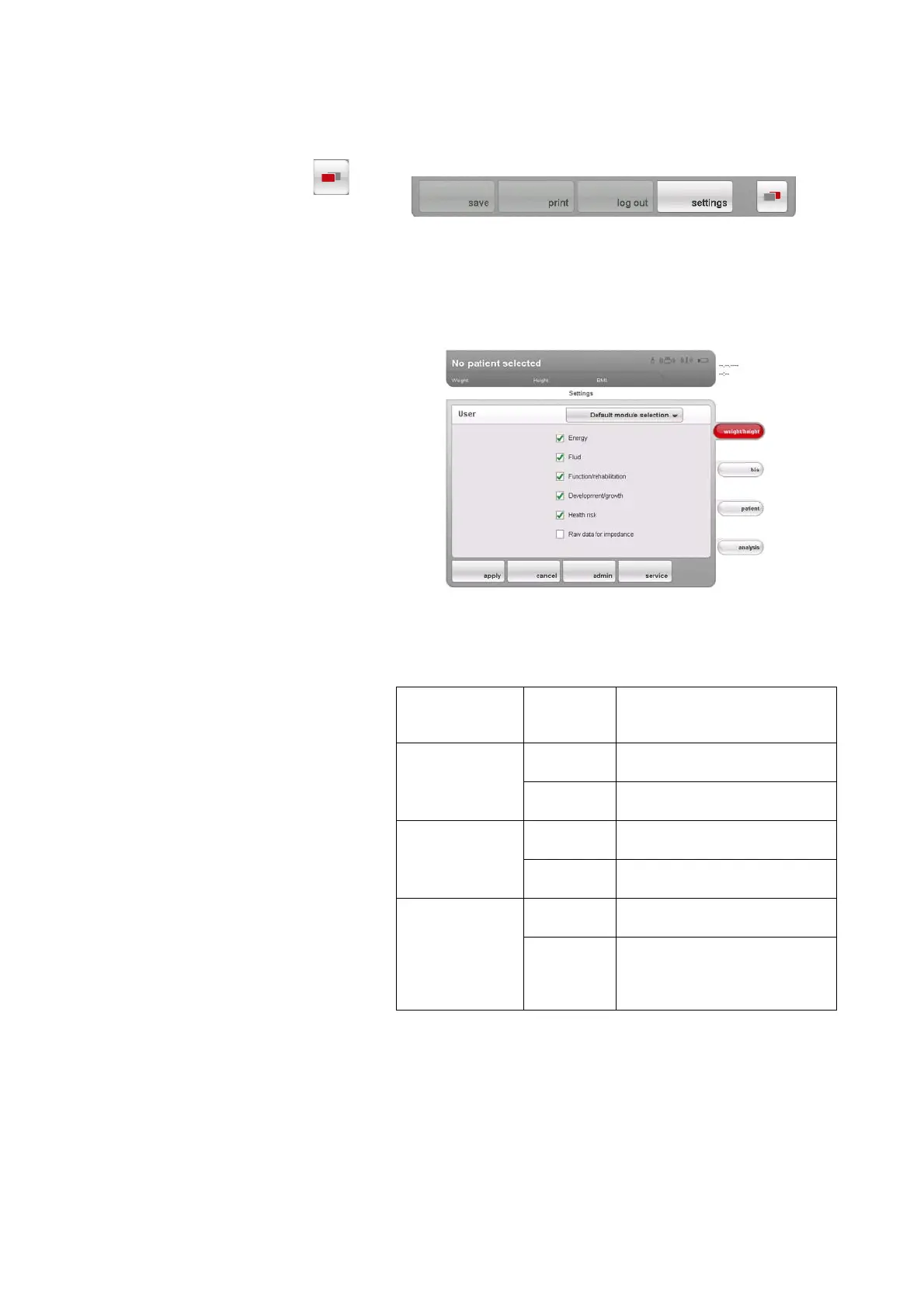
Creating default module selection To create an in-house default module selection, proceed as outlined below.
1. Press the
menu changeover button.
The secondary menu is displayed.
2. Press the
settings button.
The
User menu appears.
3. Press the drop-down menu.
The drop-down menu opens.
4. Press the
Default module selection menu element.
The current module selection is displayed.
The
Raw data for impedance evaluation module is deactivated at the fac-
tory. Activation/deactivation of the Raw data for impedance, Energy and
Health risk evaluation modules affects the course of the bioimpedance
measurement as outlined in the table below.
5. Press all modules you wish to deactivate.
The tick in the checkbox is no longer displayed.
NOTE:
Press on a module again to reactivate it.
Evaluation module
Setting
• = activated,
- = deactivated
Effect
a
a.Interrogation of PAL and WC in the Module-specific entries dialog win-
dow. Dialog window is skipped if the Energy and Health risk evaluation
modules are deactivated.
Energy
•
Physical activity level (PAL) is
interrogated
-
No interrogation of physical
activity level (PAL)
Health risk
•
Waist circumference (WC) is
interrogated
-
No interrogation of waist
circumference (WC)
Raw data for
impedance
-
Duration of measurement:
max. 17 s
•
Duration of measurement:
max. 75 s
Raw data for impedance available
for 19 frequencies



 To Next Page