Portable X-ray Units
Service Manual
SM-1076R2
132
5.4.14.6 POWER / COMMUNICATION HARNESS
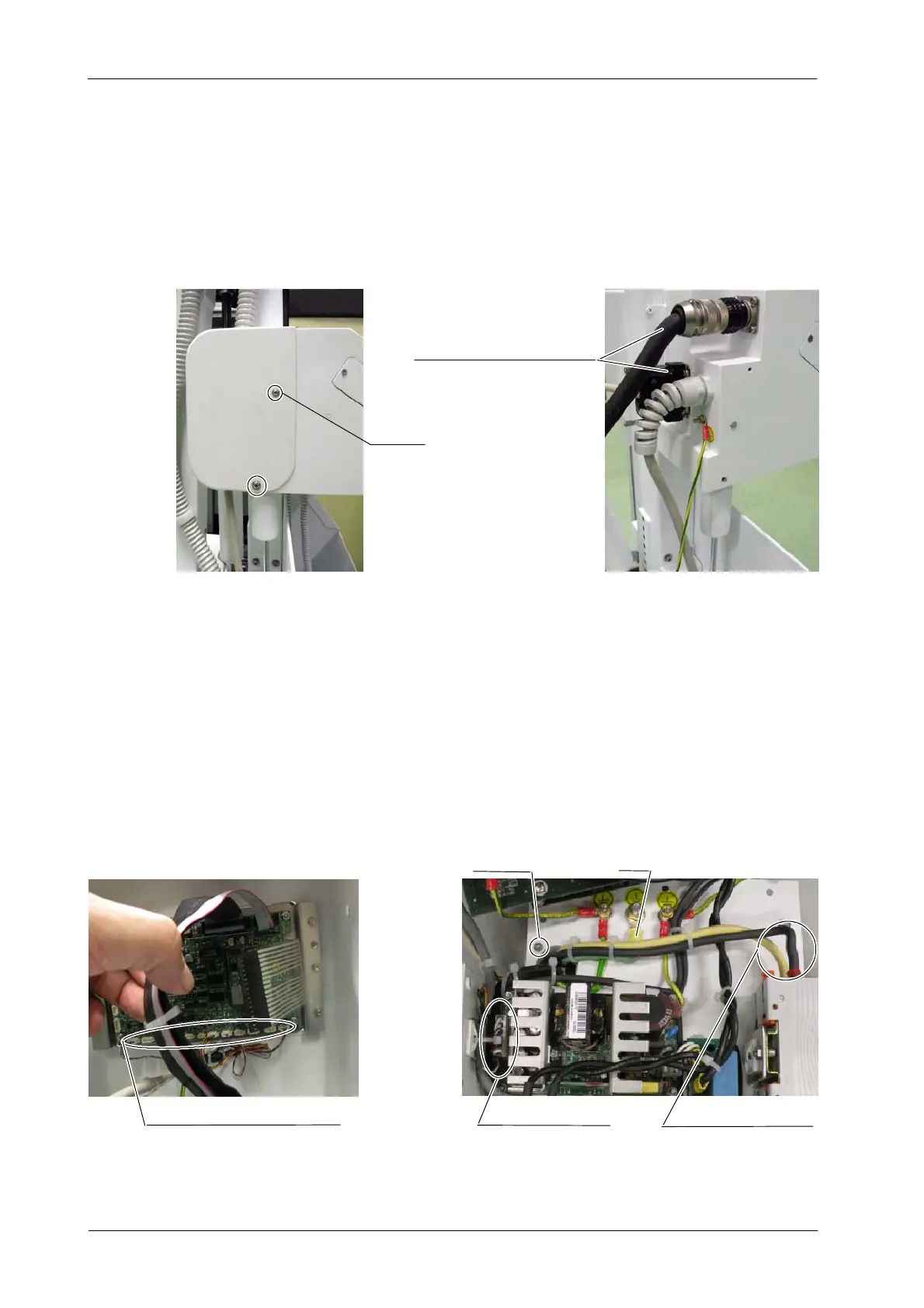
1. Remove the four screws from the Connector Module’s cover of the
T rolley and disconnect the two cables of the Power / Communication
Harness attached to the Power Unit.
Screws (4)
Power / Communication Harness
2. Release the Power / Communication Harness from the Cable Clamps
attached to the Arm.
3. Access inside the Central Support as described in Section 5.4.14.1.
4. Cut the needed T ie Wraps and Heat Shrinks. Disconnect the connectors
and wires of the Power / Communication Harness in their respective
connectors of the Portable Control Board (J1, J6, J9, J12), Power Supply
(J2), Circuit Breaker and GND stud of the Central Support.
5. Remove the four (4) screws of the Power / Communication Harness from
the Central Support.
Communication wires
in the Power Supply
Screw (4)
Power line wires
in the Circuit Breaker
GND
Wires in the Portable Control Board



 To Next Page