Portable X-ray Units
Service Manual
SM-1076R2
29
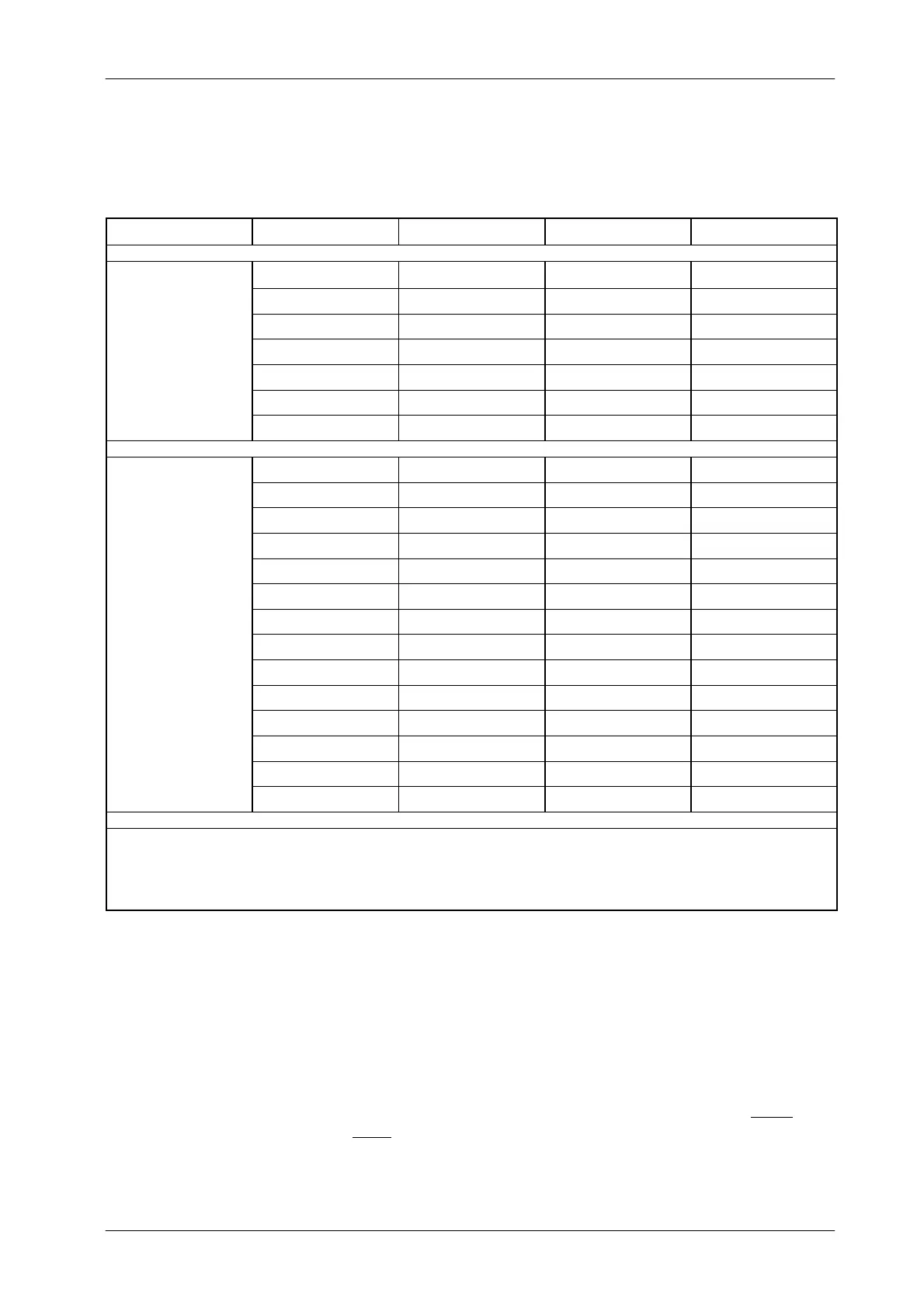
Table 3-2
Example of manual calibrated data for Filament Current in a 4 kW Unit.
mA Stations 40 kVp 80 kVp 110 kVp (or 100 kVp)
5mA 710 700 697
6.4 mA 725 713 708
8mA 737 727 722
FOCAL
10 mA 749 738 729
SPOT
12.5 mA 763 754 --
16 mA 781 759 --
20 mA 798 764* --
5mA 708 697 694
6.4 mA 721 712 706
8mA 737 728 722
10 mA 752 740 735
12.5 mA 765 756 750
16 mA 784 769 767
LARGE
20 mA 800 784 782
F
AL
SPOT
25 mA 816 801 798
32 mA 837 823 813
40 mA 853 838 829*
50 mA 872 855 --
64 mA 895 874* --
80 mA 916 888* --
100 mA 939 -- --
NOTES: 1) Some of the values with * should be entered manually following the numeric trend, the values with -- are not calibrated.
2) mA and kVp ranges depend on the Portable Unit model.
2.0 kW Units are calibrated at 40, 80 and 100 kVp.
4.0 kW and 8.0 kW Units are calibrated at 40, 80 and 110 kVp.
It is suggested to write down the Autocalibration or Manual
Calibration data in the table below. Keep in mind that pressing
“mA” to check a value, the data will be increased in 1 point.
Example: in order to read the Calibration value for 80 kVp, 25 mA
and Large Focal Spot, press “kVp Increase/Decrease”
push-buttons to select 80 kVp, press” mAs Increase/Decrease” to
select 25 mAs and then press “mA”. The kVp display shows 802,
the correct value is 801. To check the following mA station,
press
twice
“mAs Increase” and once “mA”.The display shows 824 while
the correct value is 823.
Note .



 To Next Page