10R
17
English
4 GETTING STARTED
4.1 Button Operation
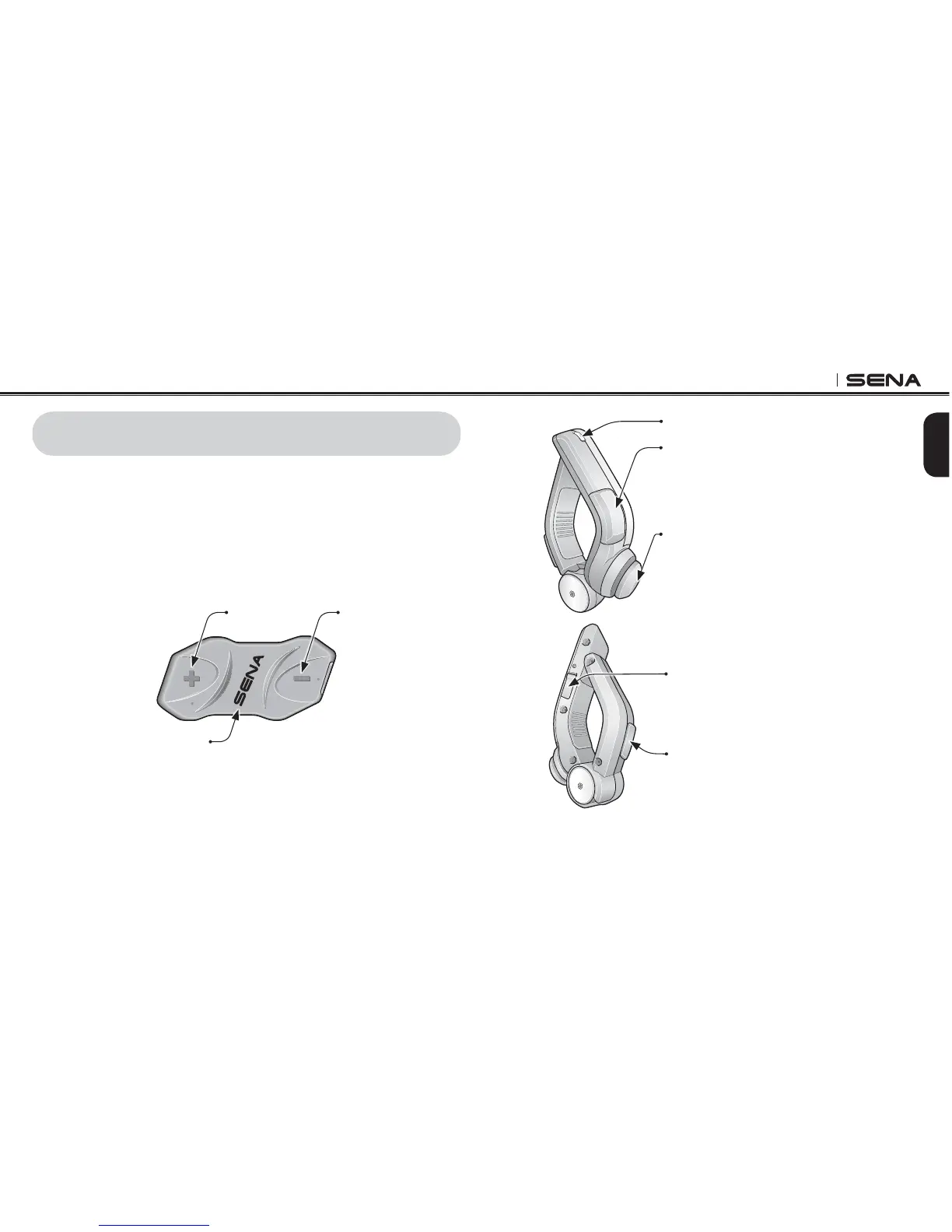
The 10R is mainly controlled by the Bluetooth Handlebar Remote. The
two are paired from the factory and are ready for immediate use. If the
Handlebar Remote runs out of battery, you can use the headset
buttons on the headset to operate all functions. The headset button
operation guide is explained in tables at the end of each section.
(+) Buttons
Center Buttons
(-) Buttons
10R Headset Buttons
Status LED
Front Button
Enter into intercom pairing mode
Start and end an intercom conversation
Answer and end a mobile phone call
Reject an incoming mobile phone call
Enter into voice configuration setting
Joystick
Enter into mobile phone pairing mode
Volume adjustment
Play and pause Bluetooth stereo device
Track forward and track back music
Navigate through configuration menu
Seek FM radio station
Rear Button
Answer and end a mobile phone call
Speed Dial
Turn on/off FM tuner
DC Power Charging Port
Handlebar Remote Buttons



 To Next Page