10R
37
English
1. If a non-Sena headset does not support a multipoint connection,
it cannot use a phone call connection while using the Universal
Intercom.
2. As for Sena headsets, the Universal Intercom affects the multipoint
connection.
3. If non-Sena headset (already paired as Universal Intercom with
Sena) is turned on, then the multipoint connection is automatically
deactivated. And the non-Sena headset is automatically
connected to Sena headset as a Universal Intercom. So you
cannot use multipoint connection device such as GPS, while a
non-Sena headset is turned on.
4. Even though you disconnect the non-Sena headset as a Universal
Intercom, it will not automatically restore the multipoint connection.
To restore the multipoint connection, you should turn off the
NON3ENA HEADSETlRSTTHEN TRYTO CONNECT TO MULTIPOINT DEVICE
manually from the device screen or simply reboot the device so
that it automatically connects to the Sena headset.
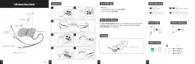
10.1 Universal Intercom Pairing
The 10R can be paired with non-Sena Bluetooth headsets for Bluetooth
intercom conversation. You can pair the 10R with only one non-Sena
Bluetooth headset so if you pair with a different non-Sena Bluetooth
headset, the previous pairing will be removed.
1. Turn on the 10R and a non-Sena Bluetooth headset that you want
to pair with.
2. Press and hold the Front Button on the 10R for 8 seconds until the
BLUE,%$mASHESRAPIDLY9OUWILLHEARAVOICEPROMPT“Universal
intercom pairing”.
3. Perform the operation required for handsfree pairing on the
non-Sena Bluetooth headset (refer to
the User’s Manual for the
headsets
you want to use). The 10R will automatically pair with
a non-Sena Bluetooth headset when each are in pairing mode.



 To Next Page