10R
44
11.6 Region Selection
You can select the proper FM frequency region from the Sena Device
Manager. With the region setting, you may optimize the seek function
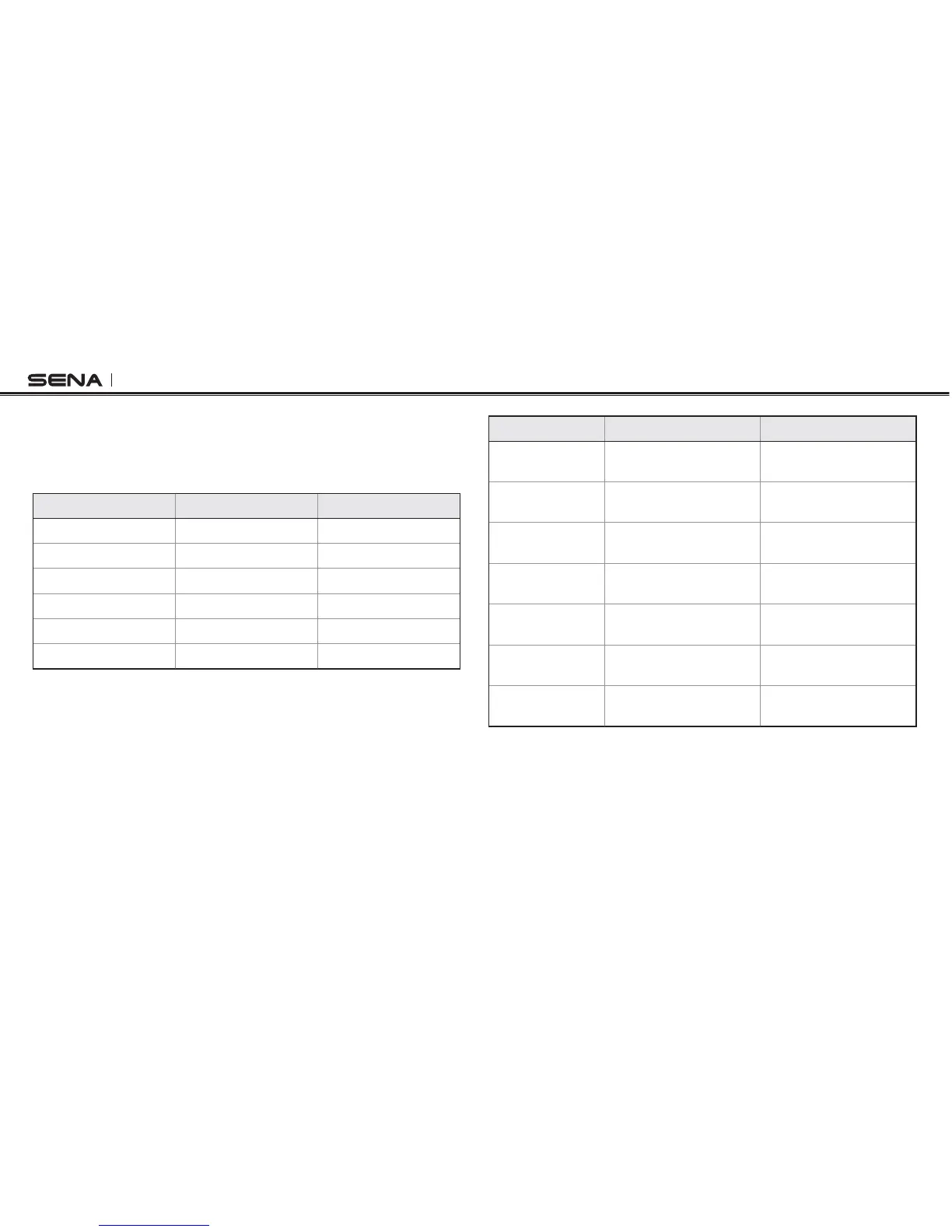
TOAVOIDUNNECESSARYFREQUENCYRANGESFACTORYDEFAULTWORLDWIDE
Region Frequency Range Step
Worldwide ^-(Z ± 100 kHz
Americas ^-(Z ± 200 kHz
Asia ^-(Z ± 100 kHz
Australia ^-(Z ± 200 kHz
Europe ^-(Z ± 100 kHz
Japan ^-(Z ± 100 kHz
Function Handlebar Remote Headset
FM radio on/off
Press the Rear Button for
1 second
Press the (-) Button for
1 second
Select preset
Tap the Rear Button
Press the Center Button
for 1 second
Seek stations
Move the Joystick left or
right for 1 second
Double tap the (+) Button
or the (-) Button
Scan up FM
band
Double tap the Rear
Button
Press the (+) Button for
1 second
Stop scanning
Double tap the Rear
Button
Press the (+) Button for
1 second
Save preset
while scanning
Tap the Rear Button Tap the Center Button
Temporary
preset
Triple tap the Rear Button Triple tap the (+) Button
Button Operation Table for FM Radio



 To Next Page