10R
15
English
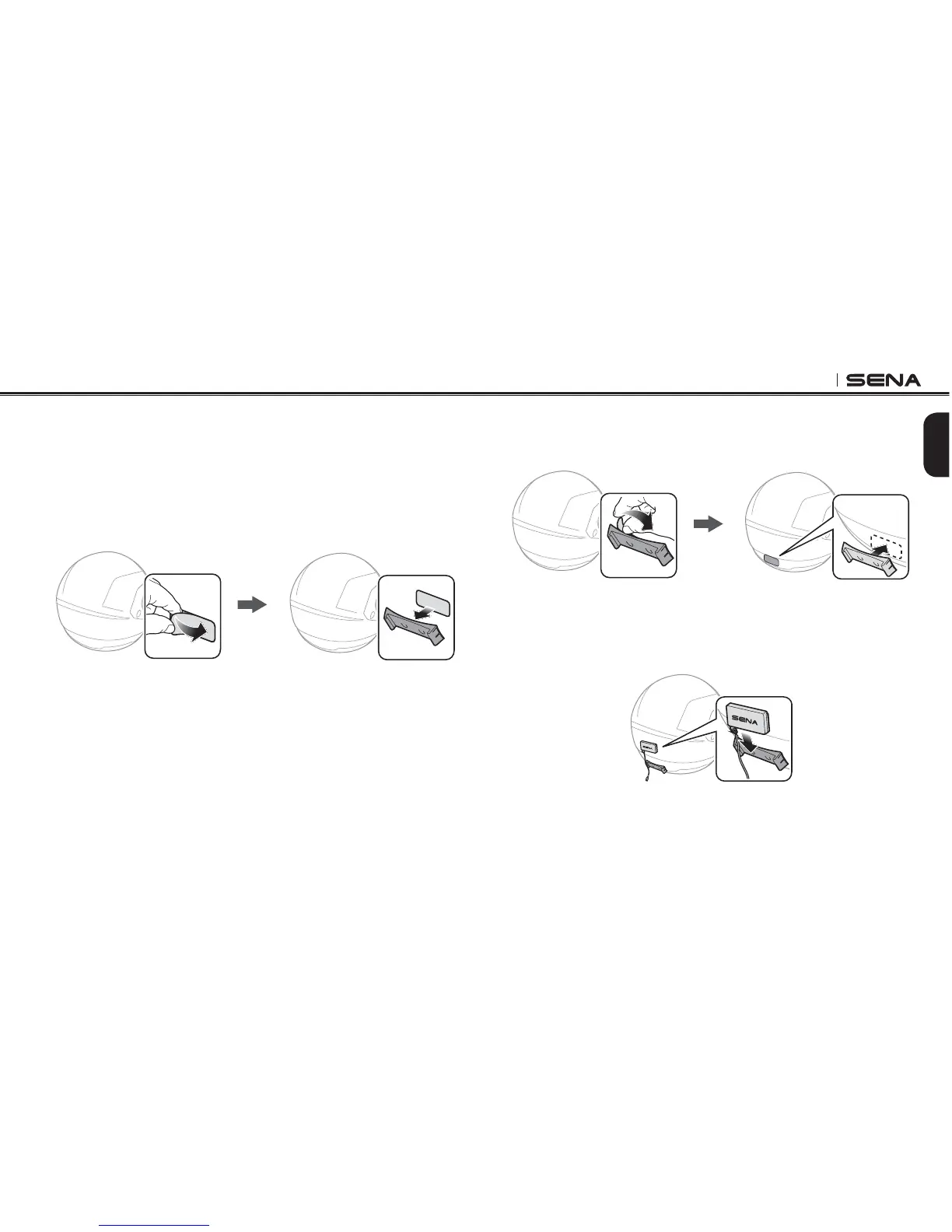
3.4 Installing the Battery Pack
1. Clean the area on the back side of the helmet where you will
attach the double sided adhesive tapes with moistened towel and
dry thoroughly.
2. Peel off the cover from one side of the double sided adhesive
tapes for battery pack holder and attach it to the back plate of the
battery pack holder.
3. Peel off the cover from the other side of the double sided adhesive
tapes and attach the battery pack holder on the back side of your
helmet.
4. Make sure that the double sided adhesive tapes sticks on the
HELMETlRMLY-AXIMUMADHESIONOCCURSAFTERHOURS
5. To secure the battery pack, slide the battery pack into the battery
pack holder until you hear it click.



 To Next Page