Configuring the conference system via the central unit
62 | ADN Digital Conference System
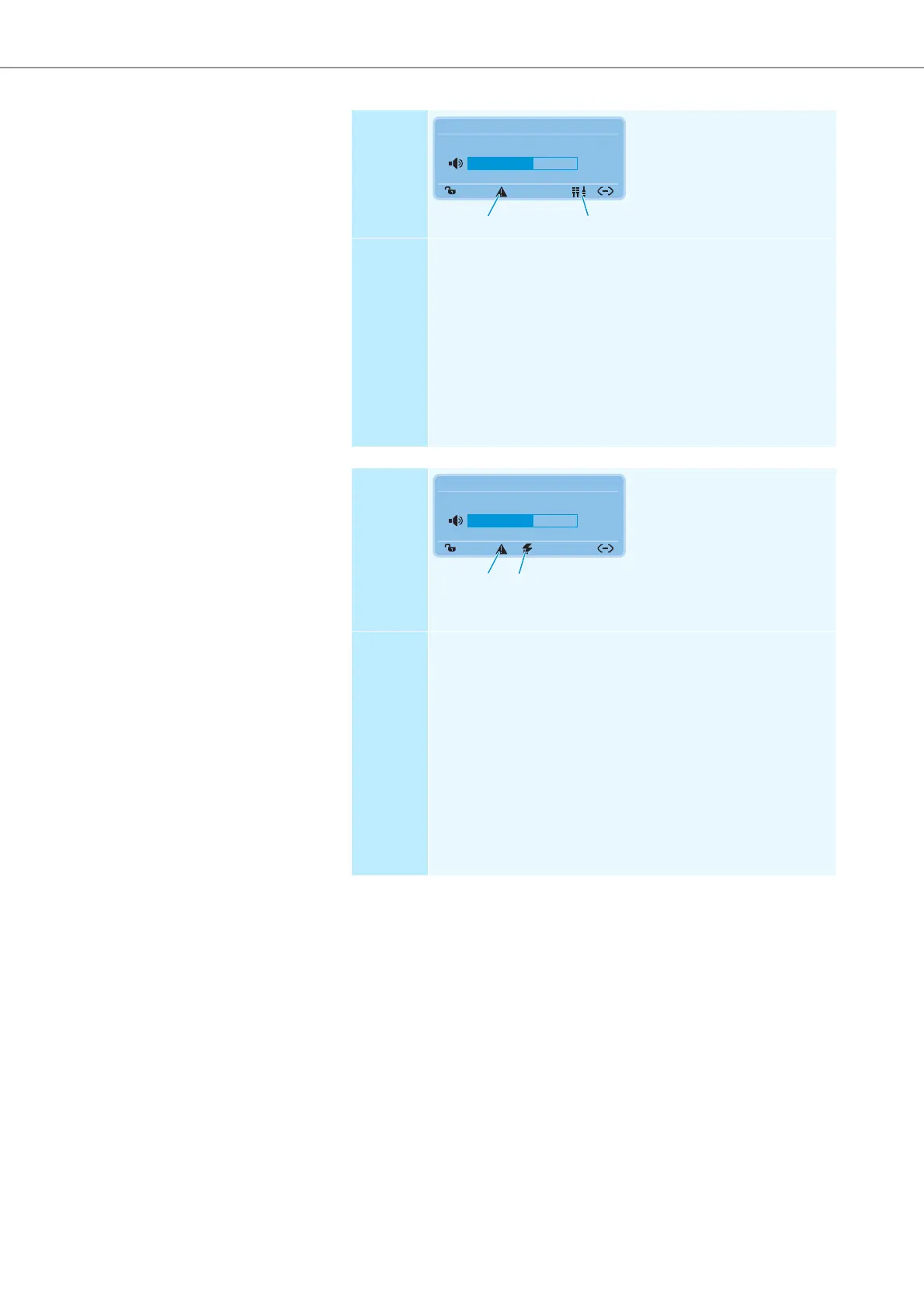
Display The warning triangle and the
structural change icon are
displayed.
Error and
remedy
Change in the number of conference units during the self-test:
After switch-on, an automatic self-test is performed which simu-
lates a running conference with all the conference units connected.
If a failure of conference units occurs, the above mentioned error
icons appear.
A failure of conference units can be caused by undervoltages or
overcurrents:
왘 Follow the steps described in the “System Load” menu item (see
page 64).
왘 Perform a manual self-test (see page 67).
Display The warning triangle and
the short-circuit icon are
displayed.
The “Units” display displays no
conference units (“--”). The PORT
status LED of the affected ADN PS
power supply flashes orange.
The corresponding connection socket PORT on the ADN CU1 central
unit or on the ADN PS power supply is deactivated.
Error and
remedy
Short-circuit caused by:
• metal parts (e.g. paper clips) that bridge the contacts of the plug
connections
• faulty system cables
• wrong cables (e.g. crossover cables)
왘 Check if you are using the correct system cables.
왘 Follow the steps described under the “System Load” menu item
(see page 64).
왘 Perform a manual self-test (see page 67).
The “Units” display displays the connected conference units
(e.g. “08”), the previously deactivated connection socket PORT
is activated again.
Direct Access
30 Units
20
N
K
Direct Access
– – Units
20
M
N



 To Next Page