Installation
1–10 700-1014 R002
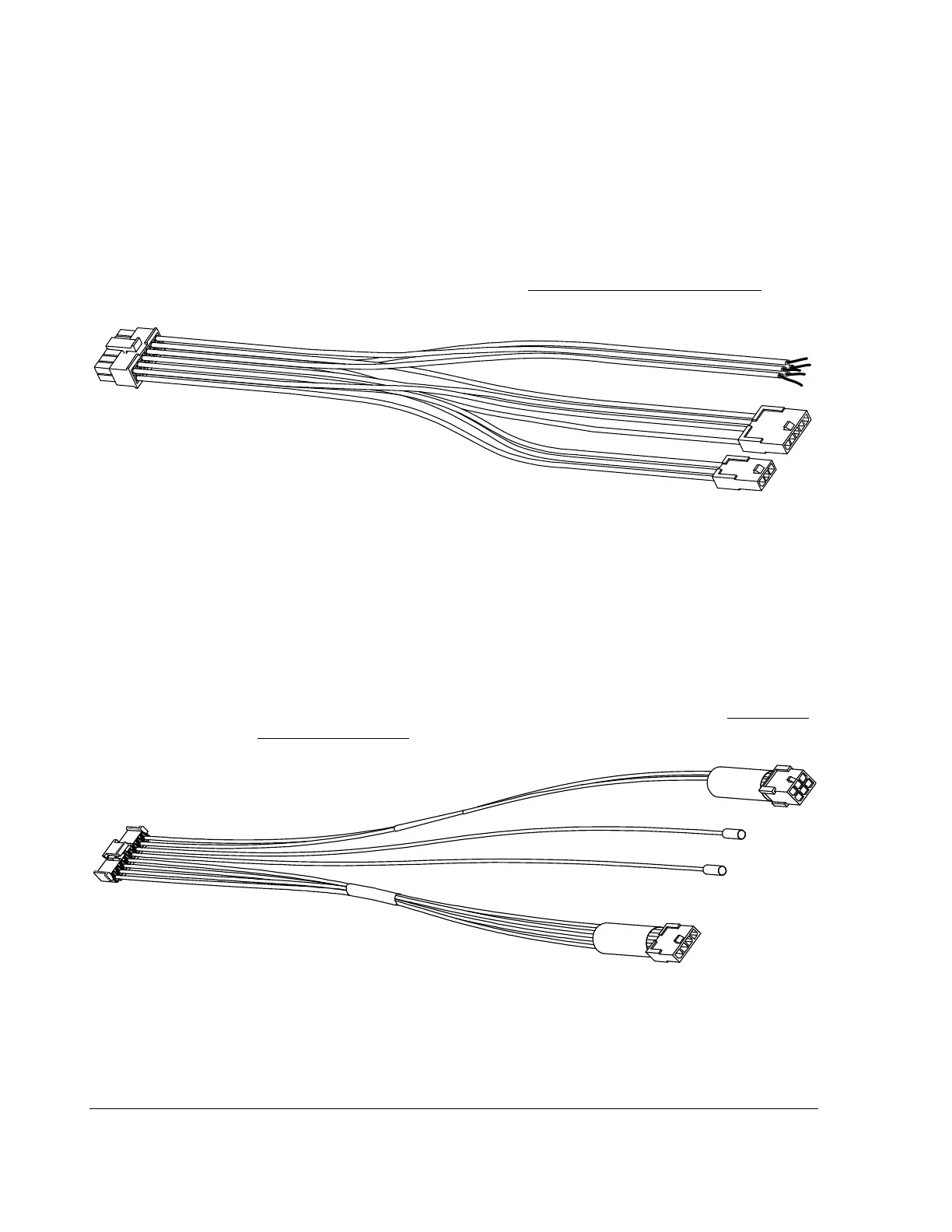
1.6.4. Adapter Harness Installation
To install the adapter harness:
1. Connect the 12-pin connector to the SIGNALS socket on the DVR.
2. Connect the 3-pin harness to the active high DVR wake signal (optional).
3. Connect the 5-pin to the Diagnostic Button or RGY Illuminator (optional).
4. Connect the 5 signal wires as shown in Installation Diagram, on page 1–3
.
1.6.5. Expansion Harness Installation (Optional)
To install the Expansion Harness:
1. Connect the 12-pin connector to the EXPANSION socket on the DVR.
2. Connect the 4-pin to the Student Tracking harness (optional).
3. Connect the 6-pin to the Rear Vision System harness (optional).
4. Connect the Digital Out black and blue wires (optional) as shown in Installation
Diagram, on page 1–3.
Figure 1-3
Adapter Harness
Figure 1-4
Expansion Harness



 To Next Page