DVR Configuration Menus
700-1014 R002 4–19
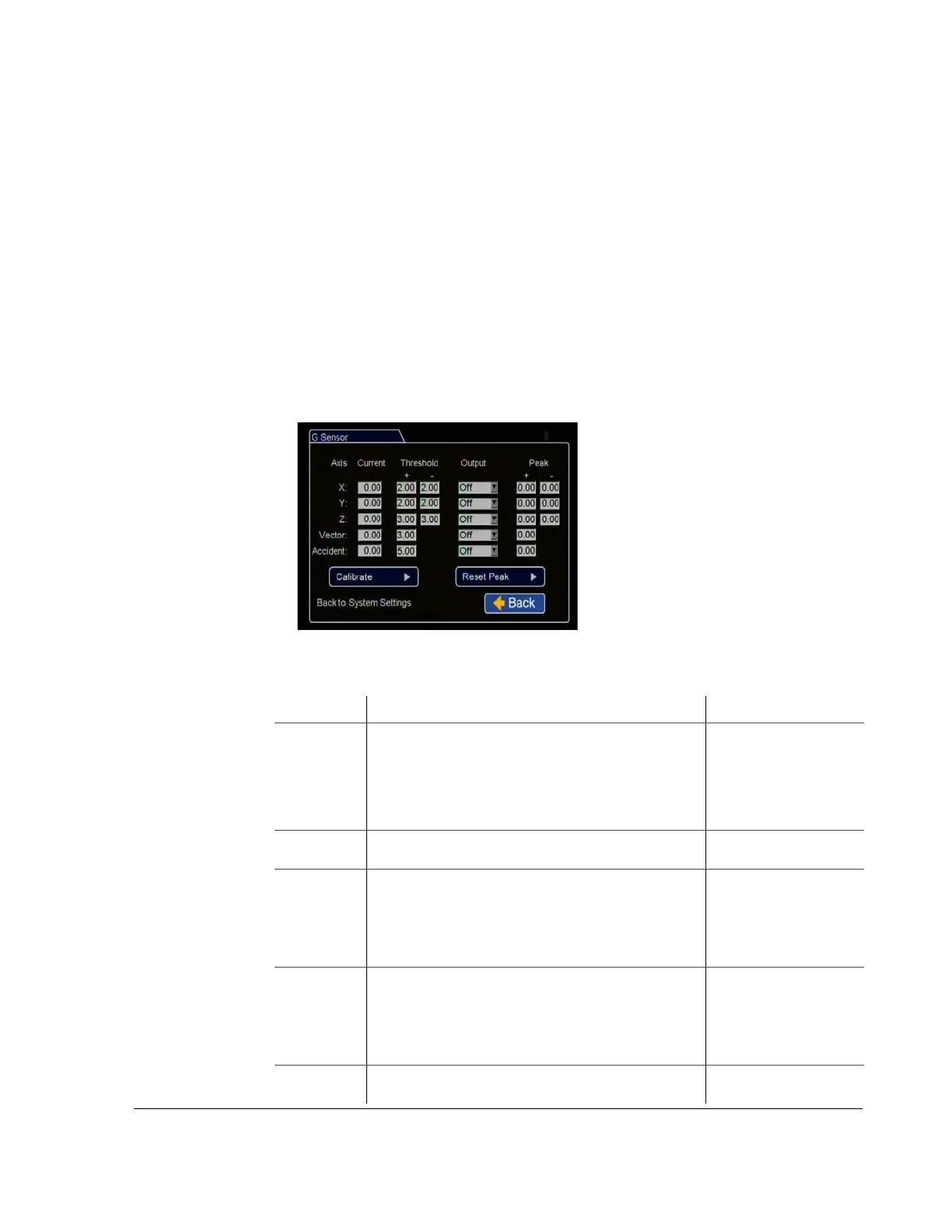
4.5.5. G Sensor Menu
Use the G Sensor Settings menu to set the options for recording vehicle acceleration,
deceleration, and lateral motion data.
• X – Forward/Back axis, default setting: +2.0/-2.0.
• Y – Left/Right axis, default setting: +2.0/-2.0.
• Z – Vertical axis, default setting: +3.0/-3.0.
• Vector – Combination of X and Y axes, set to capture driver behaviour
incidents, default setting: +3.0.
• Accident – Combination of X, Y and Z axes, set to capture vehicle accident
incidents, default setting: +5.0.
These settings can be adjusted to fit specific requirements. If the thresholds are set too
low, they will generate many alarms.
Figure 4-18
G Sensor Menu
Table 16
GPS Settings Configuration Items
Menu Item Description Value [Default]
Axis X – Forward/Back axis.
Y – Left/Right axis.
Z – Vertical axis.
Vector – Combination of X and Y axes.
Accident – Combination of X and Y axes, higher
threshold settings.
Current Display only. This field displays the current values
measured by the G Sensor.
[+/- 0.00]
Threshold Set from 0 to 5.0. This value sets the threshold level. Any
value beyond the set threshold will trigger the output, as
set in the next field.
X = [+/- 2.00]
Y = [+/- 2.00]
Z = [+/- 3.00]
V= [+ 3.00]
A= [+ 5.00]
Output If the user-selected G Sensor value is exceeded, the DVR
will trigger the selected output:
[Off], Log, E-mail,
S01, S02, S03, S04,
S05, S06, S07, S08,
S09, S10, ALM1,
ALM2, ALM3, ALM4
Peak Display only. Indicates peak detected levels for each axis
and Vector and Accident activity.
[+/- 0.00]



 To Next Page