DVR Configuration Menus
700-1014 R002 4–21
4.5.7. Others Menu
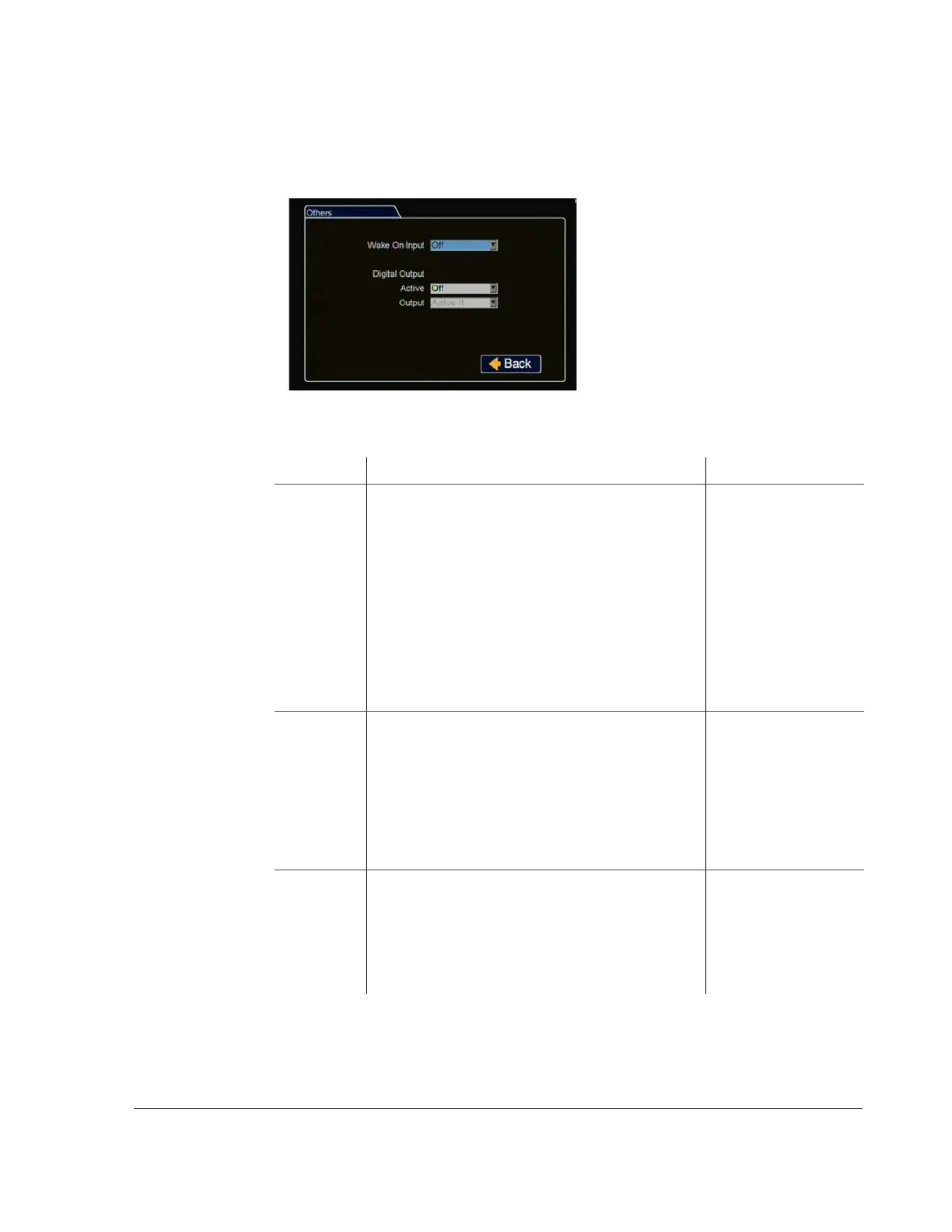
In the Others menu, set DVR wake inputs and digital outputs.
Wake On Input
:
Select if requested
.
Digital Output: Select if requested.
Click Back to save the menu settings.
Figure 4-20
Others Settings Menu
Table 17
Others Menu Items
Menu Item Description Value [Default]
Wake On
Input
Select the input action which will wake the DVR.
If Off is selected, the DVR will ignore the Wake on input.
If TEMP PWR is selected, the DVR will wake into temp
power mode and be active for 5 minutes before shutting
down.
If ALM 1 is selected, the DVR will wake up and enter
Alarm 1. In the Alarm menu, configure the Alarm 1
duration, pre alarm time, record quality, and email settings
as required.
A 12 VDC or Open Collector input can be used.
[Off], ALM 1, TEMP
PWR
Digital
Output:
Active
Select the type of system event which, if detected by the
DVR, will generate a DVR output signal to AVL, lamp,
audio, etc. through the Expansion port.
If Alarms is selected, the DVR will generate an output
whenever an alarm is detected.
If Video Loss is selected, he DVR will generate an output
whenever a video loss event is detected.
[Off], Alarms, Video
Loss
Digital
Output:
Output
If Alarms or Video Loss is selected above, set the type of
signal output that the DVR will send out the Expansion
port to the output destination (AVL, lamp, audio etc.).
Active H: 12 V 150mA source
Active L: 0V 350mA sink
When Off or not triggered, this output is at high
impedance.
[Active H], Active L



 To Next Page