DVR Configuration Menus
4–10 700-1014 R002
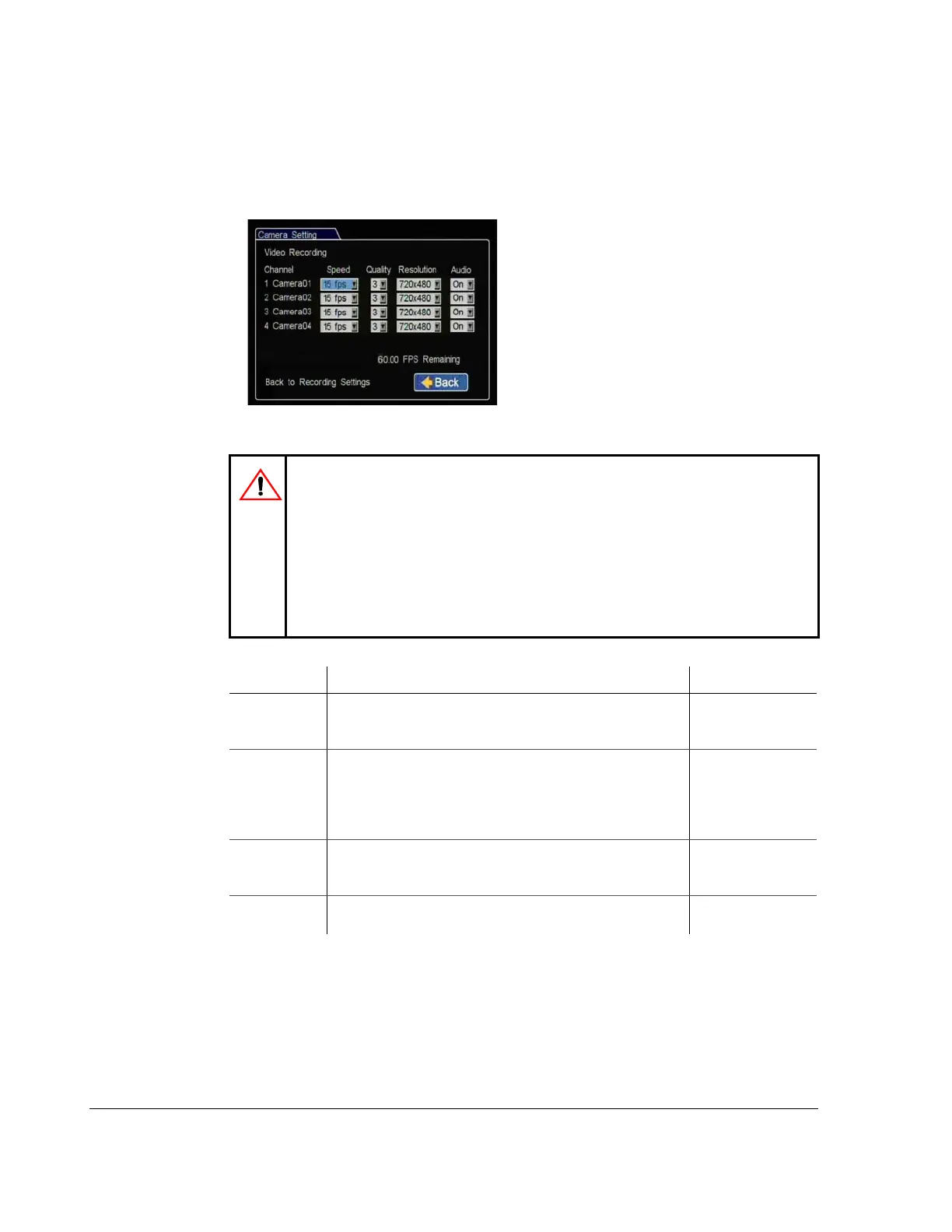
4.4.1. Camera Menus
Use the Camera Settings menus to set the FPS, picture quality, recording resolution,
and audio recording for up to four cameras.
Figure 4-9
Camera Settings Menu
CAUTION: Set Unused Cameras Off
When a DVR is installed with less than the full complement of cameras
connected, disable unused camera input settings to prevent the DVR from
generating Video Loss (VLoss) events for those camera inputs. In the DVR
Configuration menus, disable unused camera inputs as follows:
• Record Settings menu: Camera Speed OFF,
Camera Audio OFF (to save disk space)
• Alarms/Signals menu: Channel Speed OFF.
Table 8
Camera Settings Configuration Items
Menu Item Description Value [Default]
Speed Set the recording frame rate. The TL-HD has a maximum total
combined frame rate of 120 frames per second which can be
distributed between up to 4 analog cameras.
Off, 1, 5, 7.5, 10,
[15], 30 fps
Quality Set the picture quality option. Setting 1 is the lowest quality,
setting 4 is the highest quality. The higher the quality, the more
space is used on the hard drive. The DVR uses MPEG and
H.264 video compression to extend the recording time on the
hard drive.
1, 2, [3], 4
Resolution Set the recording resolution in pixels. The higher the recording
resolution, the shorter the recording time on the hard drive.
[720 × 480],
720 × 240,
360 × 240
Audio
Recording
Enables audio recording for the input channel.
Turn off audio for camera channels that are not used.
Off, [On]



 To Next Page