DVR Configuration Menus
700-1014 R002 4–11
4.4.2. Timer Menu
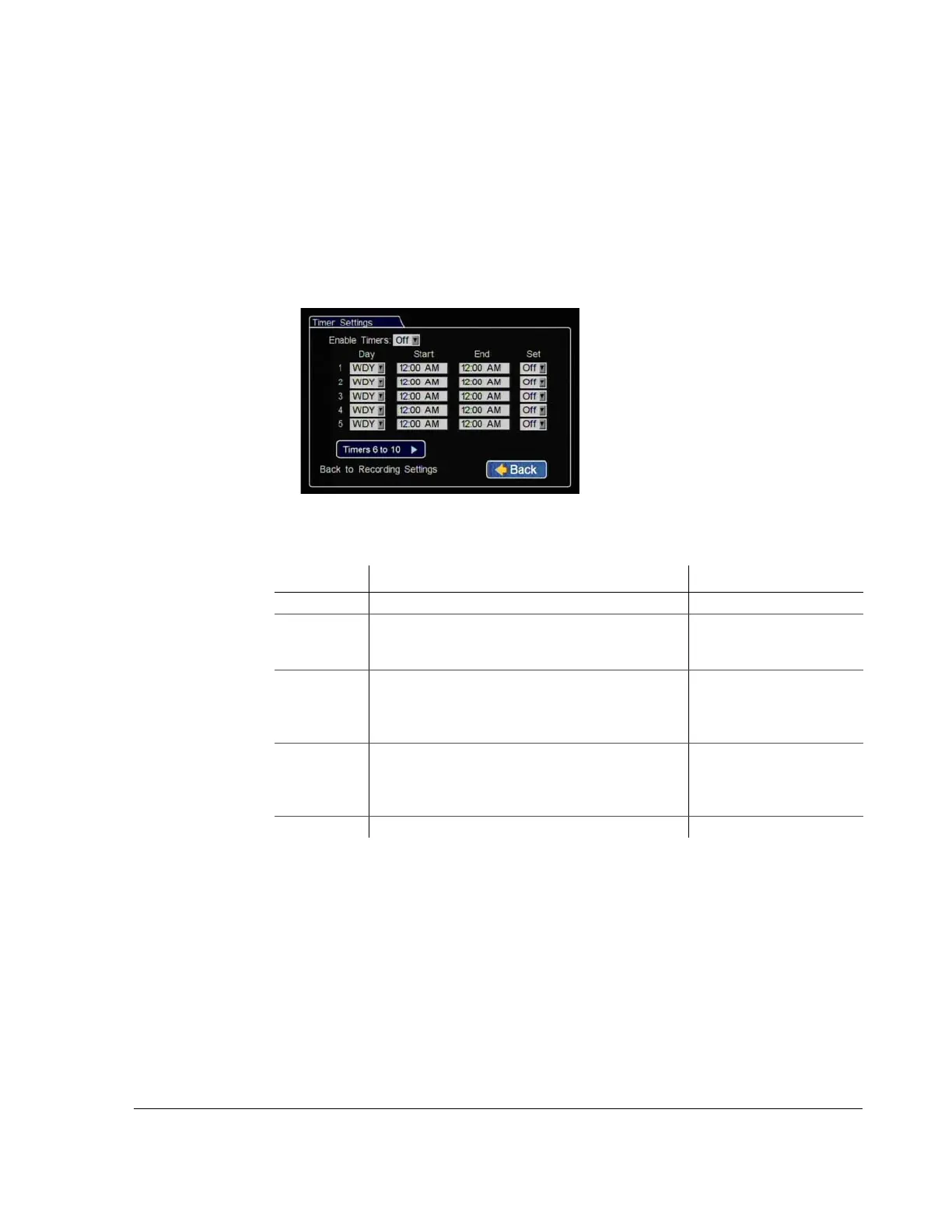
Use the Timer Settings menu to set the timer schedules to turn the recording on and
off.
The timer function can only operate when the ignition is on. It cannot be set to record
when the vehicle is off.
The DVR supports ten independent timers that can be used to control when and how
the DVR records.
Figure 4-10
Timer Settings Menus
Table 9
Timer Settings (1 to 10)
Menu Item Description Value [Default]
Enable Timers Enables preset times for recording. [Off], On
Day Set the timer to record on a specific day, daily, every
weekday (WDY), or only on the weekend (WND).
DLY, [WLY], WND, SUN,
MON, TUE, WED, THU,
FRI, SAT
Start Set in 12-hour format.
Set in 24-hour format.
• [12:00 AM] to 11:59 PM
for 12 hr format,
• 00:00 to 23:59 for 24 hr
format
End Set in 12-hour format.
Set in 24-hour format.
• [12:00 AM] to 11:59 PM
for 12 hr format,
• 00:00 to 23:59 for 24 hr
format
Set Enables and disables the timer. [Off], On



 To Next Page