DVR Configuration Menus
4–12 700-1014 R002
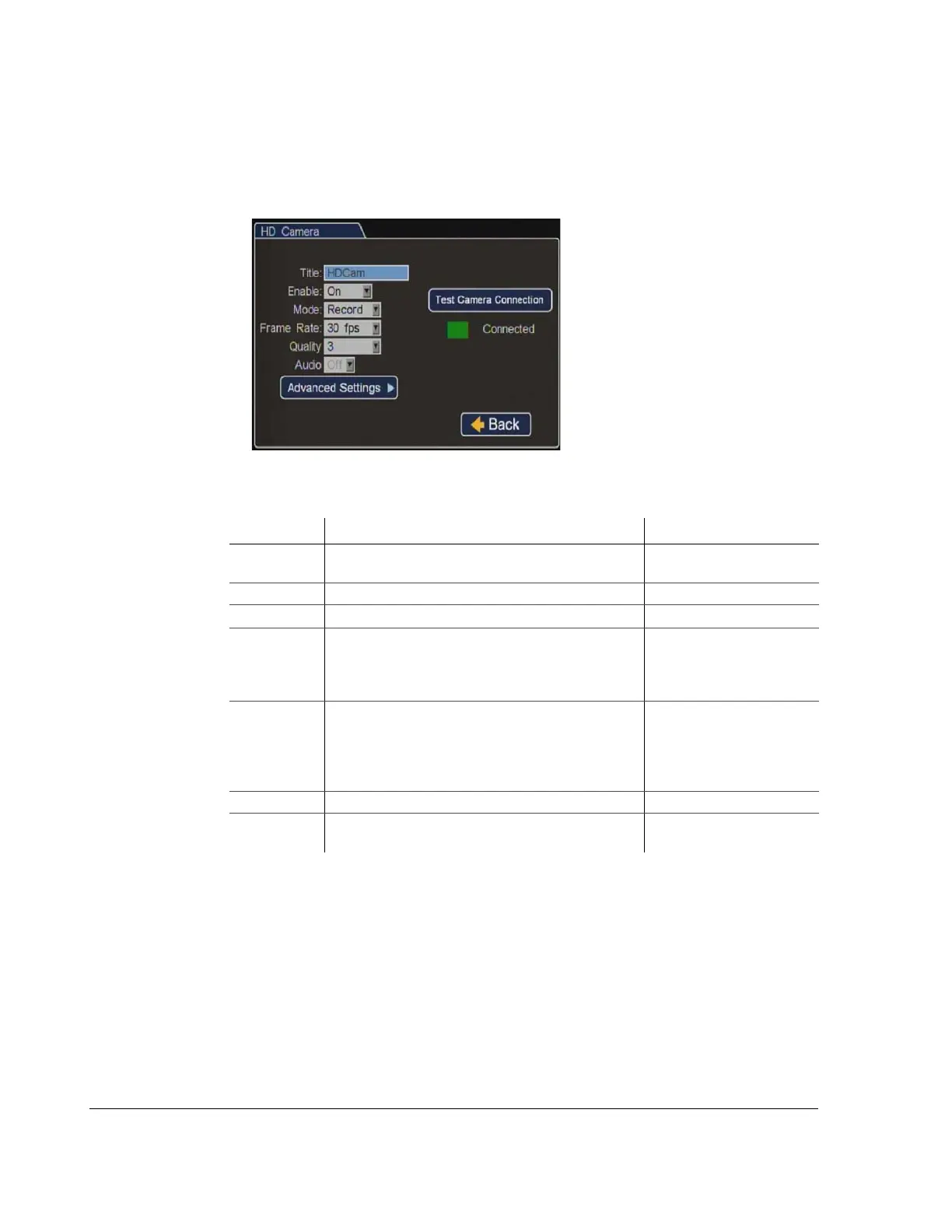
4.4.3. HD Camera Menu
Use the HD Camera menu to change the CHW camera settings to meet different video
recording requirements.
Figure 4-11
HD Camera Settings Menus
Table 10
HD Camera Settings
Menu Item Description Value [Default]
Title Enter a camera title. [HD Cam]
Maximum 8 characters
Enable Select to enable or disable the camera to record video. [On], Off
Mode Select the recording mode.
[Record], Record2
Frame Rate Depending on the mode selected, select a frame rate
for the camera. When Record2 mode is selected, 5 is
the maximum frame rate available.
Record:
5, 10, [15], 30 fps
Record2: 1, [5] fps
Quality Depending on the mode selected, select a recording
quality for the camera. When Record2 mode is
selected, 3 is the maximum recording quality available.
See Estimated Recording Time tables in the TL-HD
User Guide.
Record: 1, 2, [3], 4
Record2: 1, [2], 3
Audio Not available. [Off]
Test C amera
Connection
Click to test camera connection. Green = working
Red = not working.



 To Next Page