Advanced Setup
3–14 700-1014 R002
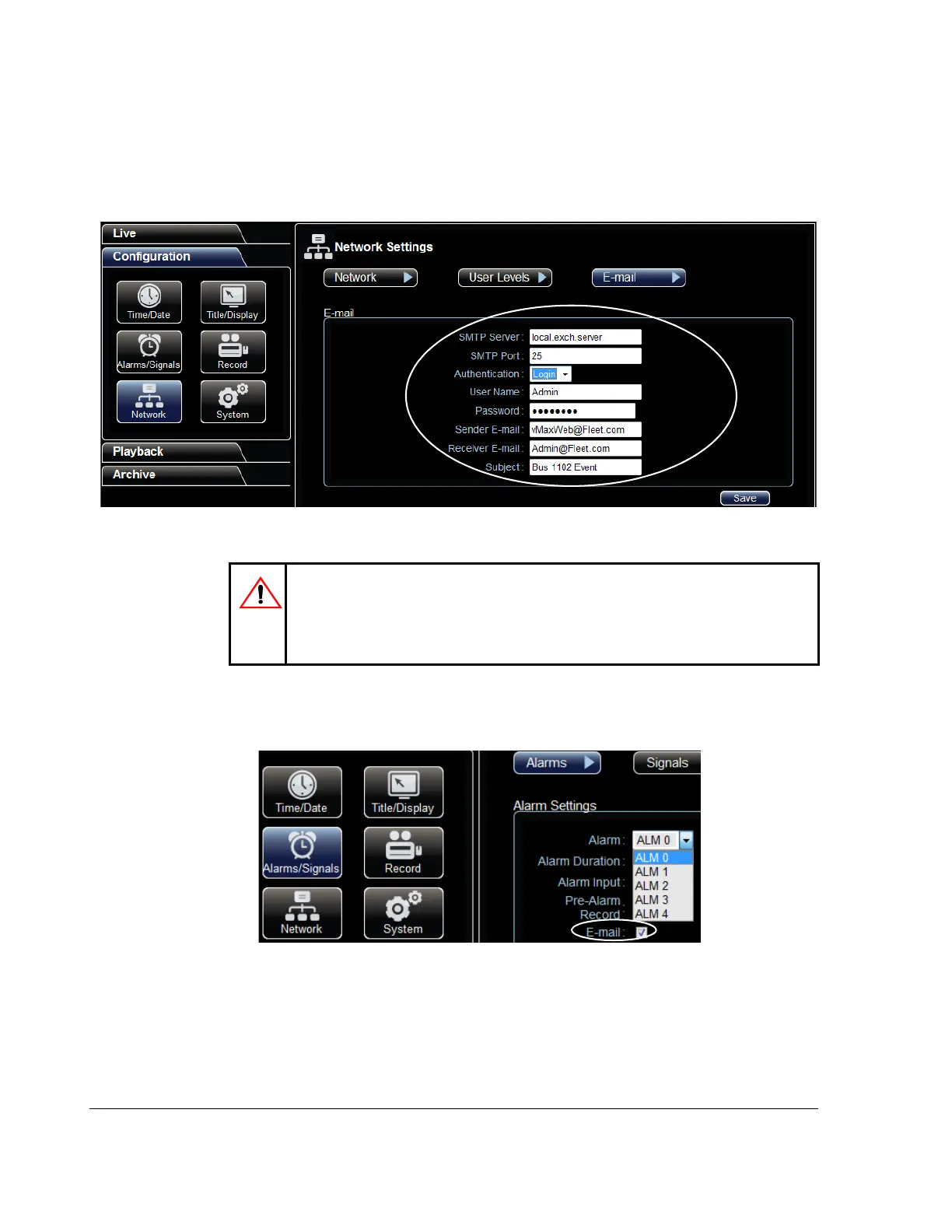
3.3.2. vMax Web Email Setup
1. In the Network Email settings window, populate the E-mail configuration fields as
required.
2. In the Alarm configuration menu, select the E-mail check box for each alarm
configuration requiring email notification.
Figure 3-27
vMax Web E-mail settings
CAUTION: DVR Password Security
The default password is 11111111. For security purposes, Seon recommends that
the user default login and system settings passwords should be changed. Seon is
not responsible if the password is lost or forgotten.
Figure 3-28
Alarm Email Setting



 To Next Page