DVR Configuration Menus
4–6 700-1014 R002
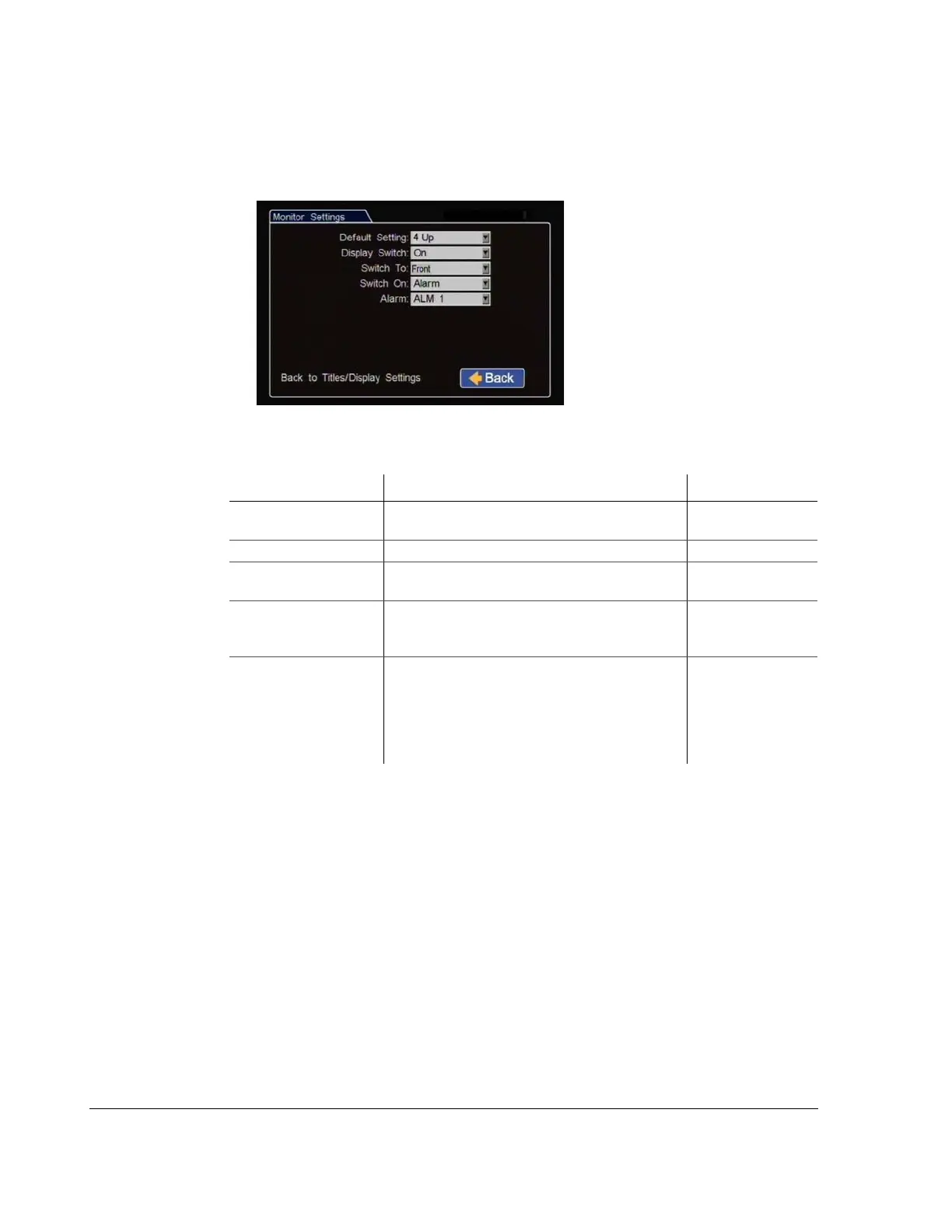
4.3.1. Monitor Settings Menu
Use the Monitor Settings menu to set monitor default and switched views.
Figure 4-5
Diagnostic Display Menu
Table 4
Diagnostic Display Configuration Items
Menu Item Description Value [Default]
Default Setting Select the default monitor display setting, all
cameras or a single camera.
[4 Up], CH1 - CH4
Display Switch Enable or disable switched display. [Off], On
Switch To When Display Switch is set to On, select the camera
to view.
[CH1], CH2 to CH4,
9 Up, Sequence
Switch On When the Display Switch is set to On, set the trigger
that will make the camera switch to the view
selected in the Switch To setting.
[Alarm], Signal,
Timer
Alarm (Signal or Timer) When Display Switch is set to On, set which
specific trigger will make the monitor switch from
the default setting to the view selected in the Switch
To setting. For example, ALM1 will make the
monitor switch to the view selected in the Switch To
option for the duration of ALM1.
[ALM 1], ALM2,
ALM 3, ALM4



 To Next Page