DVR Configuration Menus
700-1014 R002 4–23
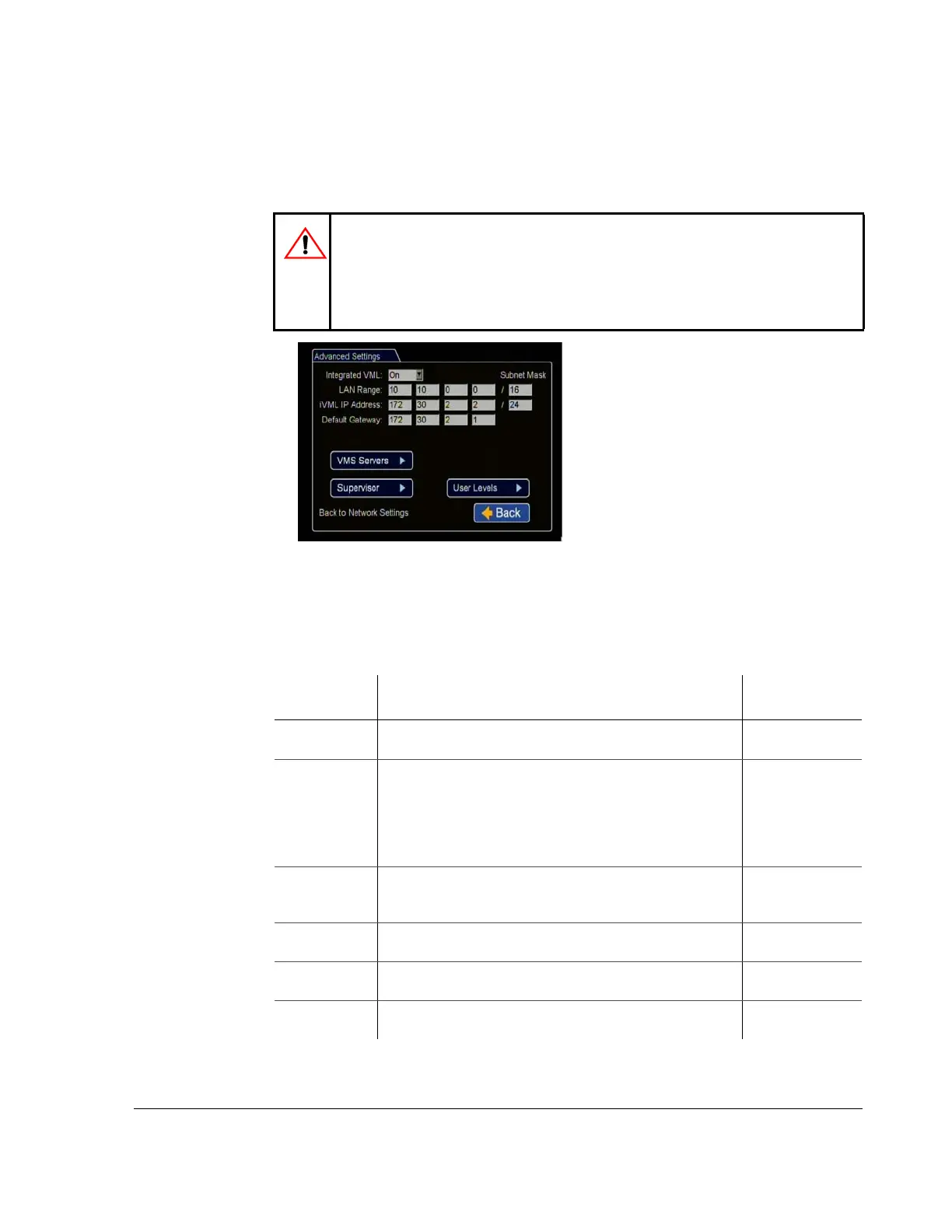
4.6.1. Advanced Network Menu
Use to enable the DVR for live video streaming and vehicle tracking in vMax Live
Plus.
Set up to enable the DVR to simultaneously connect with cellular and Wi-Fi networks
using a Seon Smart-Reach Cellular modem. See the Smart-Reach Cellular Install and
Setup Guide, 700-1018, for details.
CAUTION: Advanced Settings Configuration
For advanced settings, a qualified IT administrator is required to perform any
configuration including assigning IP addresses. A cellular modem or gateway
must also be installed and configured.
Contact Seon Engineering Services or Technical Support.
Figure 4-22
Advanced Network Settings Menu
Table 19
Advanced Network Configuration Items
Menu Item Description
Value
[Default]
Integrated VML Set to On to enable the integrated VML feature.
Off disables the integrated VML feature.
[Off] On
LAN Range Set the customer network’s LAN range as determined by a
qualified network expert. Use if the customer network is
outside of the DVR network.
Note: There must be a value in this field. If not used, enter a
dummy IP address such as 10.10.0.0.
[0.0.0.0]
LAN Subnet
Mask
Set the LAN subnet mask used for the LAN Gateway
Destination range as determined by a qualified network expert.
Use a value between 0 and 32.
[16]
iVML IP
Address
Enter the iVML IP Address as determined by a qualified
network expert.
[172.30.2.2]
iVML Subnet
Mask
Set the subnet mask for the iVML IP Address as determined by
a qualified network expert. Use a value between 0 and 32.
[24]
Default
Gateway
Enter the Default Gateway IP address as determined by a
qualified network expert.
[172.30.2.1]



 To Next Page