Advanced Setup
700-1014 R002 3–7
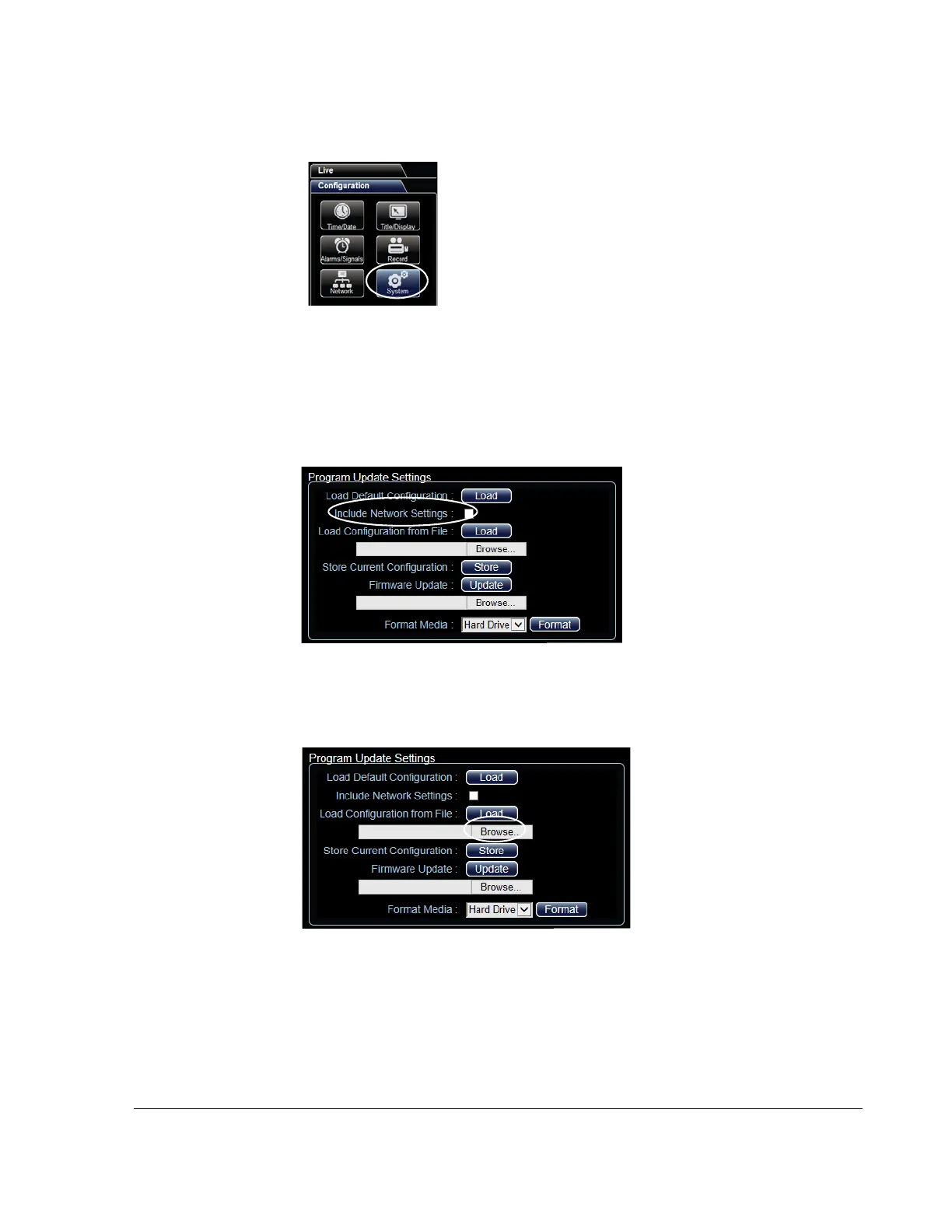
7. Select the Configuration tab and on the Configuration tab, click the System icon.
8. In the Program Update Settings area, the default (cleared) Include Network
Settings check box setting keeps your existing network settings during the
configuration upload.
Select the Include Network Settings check box only if you need to overwrite the
existing DVR network settings with the new configuration settings.
9. In the Program Update Settings area, below the Load Configuration from File
field, select Browse to open the computer search window.
Figure 3-11
vMax Web System Settings
Figure 3-12
vMax Web System Configuration Program Update Settings
Figure 3-13
vMax Web Program Update Settings



 To Next Page