61
Obviously, if the joystick is initial positioned for 100% of oscillator C (far right)
initially, then the joystick can only increase the mix amounts of oscillators A, B,
and D.
Another performance application for the joystick is editing one point of the
mixer envelope as you play. Simply select one of the four mixer envelope
points, then move the joystick. Instead of changing the entire envelope per
note, the joystick position determines the oscillator blend at that point of the
mixer envelope. All other points and rates are unaected:
1. Select the desired program.
2. Press Envelope Select until the display reads "MIX ENVELOPE".
3. Press point until the desired point is displayed. (Remember that the rst point
is point "0.")
4. As you play the keyboard, adjust the joystick.
5. If desired, select other point numbers, and continue.
6. If desired, you can store the edited program. (See Section 3.)
7. To return the original program, enter the original two digits.
FILTER ENVELOPE
While the mixer envelope is a position control, the lter and amplier
envelopes are level or amount controls. They function similarly to the mixer
envelope, except only in one dimension. The lter envelope generator is
diagrammed with the lter, Figure 7-1. The overall lter envelope depth is
controlled by the envelope amount control.
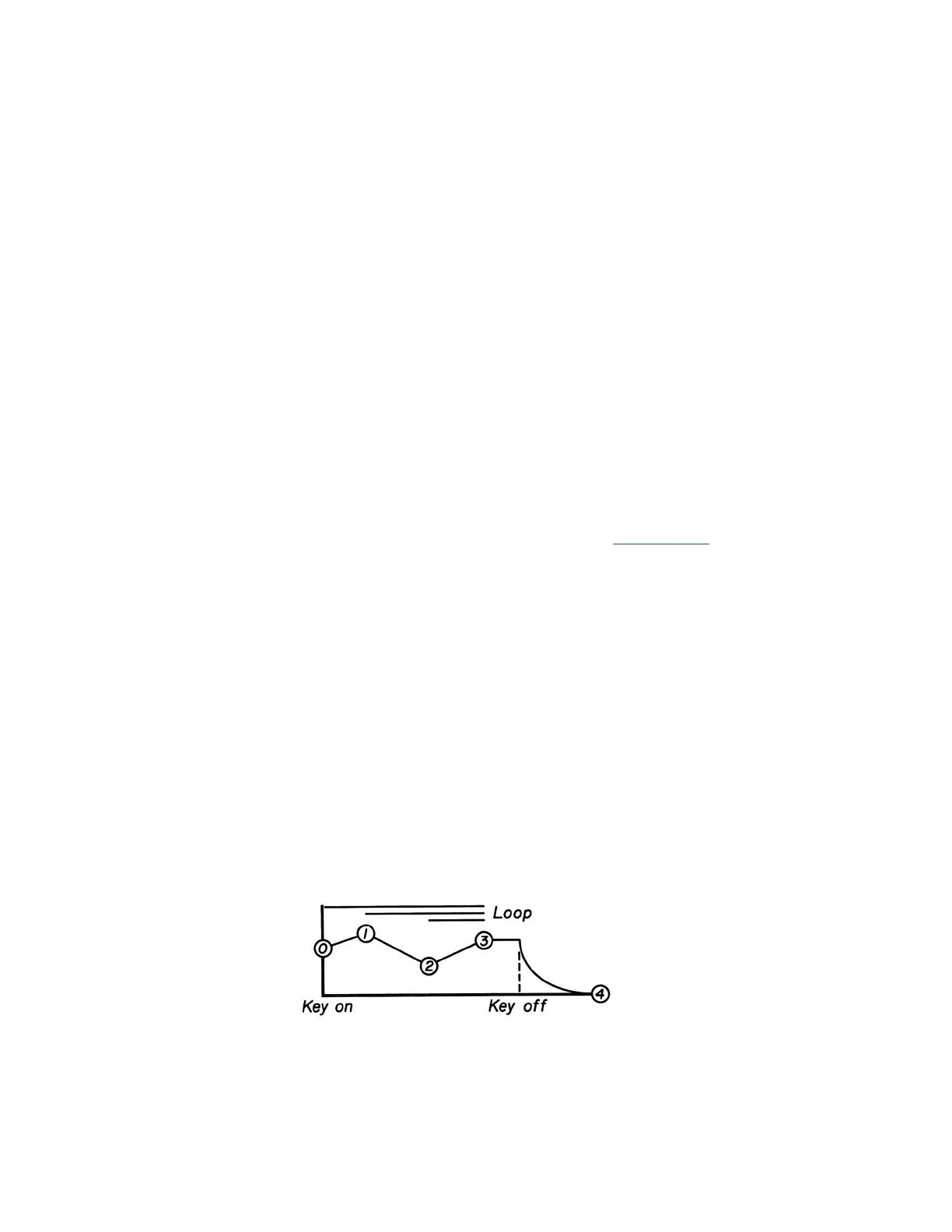
Referring to Figure 8-3, the normal sequence of the lter (or amplier) envelope
is as follows:
Figure 8-3
FILTER/AMPLIFIER ENVELOPE
HOME















 To Next Page