42
GB
MP3/WMA/JPEG/DivX
®
playback
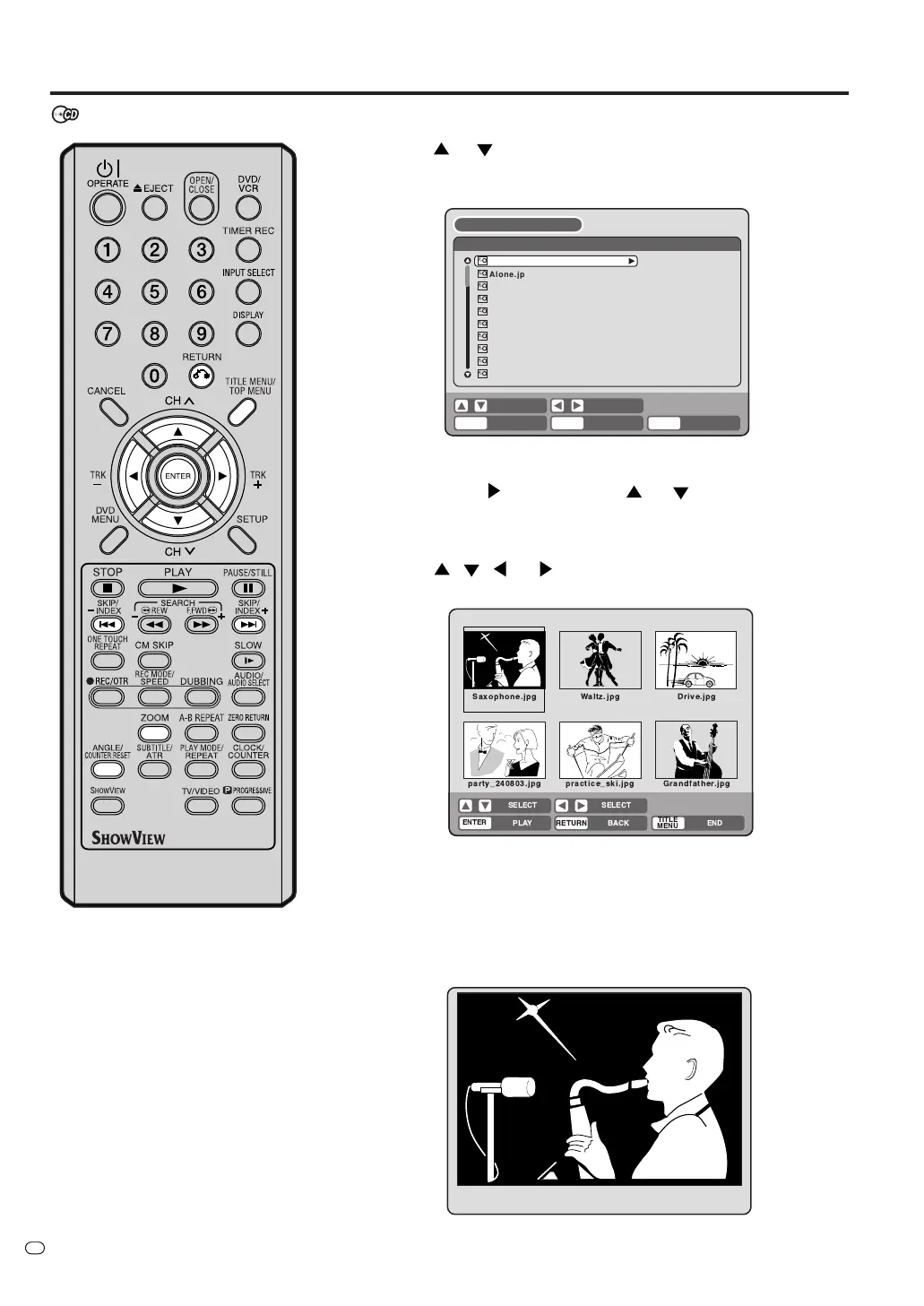
Playing back JPEG files
1
Press
or to select a JPEG file.
• If the disc includes more than 10 files, you can move to the next
or previous page. (See page 38.)
2
Carry out the item a or b listed below.
a: Press ENTER.
b: Press
and then press or to select “PLAY” and
press ENTER.
The thumbnail images of the JPEG files stored in the route direc-
tory or the folder appear.
Press
, , or to select the pages of the thumbnail im-
ages, or select the JPEG file to display first for the slide show.
3
Press ENTER to play the selected picture.
If you have set the interval time for JPEG slide show, the pictures
will be played back one after another automatically. (See page 26.)
• Press ZOOM to enlarge the displayed image.
• Press ANGLE/COUNTER RESET to rotate the image by 90
degrees each time.
•To display the next or the previous picture, press SKIP 7 or
6.
JPEG CD
JPEG files must have the extension
letters “.jpe”, “.jpeg” or “.jpg”.
4
To return to the thumbnail screen, press RETURN.
•To stop the slide show, press TITLE MENU/TOP MENU.
TV/VIDEO
Alone.jpg
Ambassadeurs-Aristide_Bruant.jp
Arlstide Bruant.jpg
At_the_Moulin_Rouge.jpg
Clown Cha-U-Kao.jpg
Dancer Seated.jpg
EI Dorado.jpg
Galerie 65 Cannes.jpg
Jane Avril-1893.jpg
Alfred Ia Guigne.jpg
/popArt
BROWSER
RETURNPLAY BACK
SET
END
SELECT
TITLE
MENU
ENTER
Saxophone.jpg Waltz.jpg Drive.jpg
party_240803.jpg practice_ski.jpg Grandfather.jpg
ENTER
RETURNPLAY BACK END
SELECT
SELECT
TITLE
MENU



 To Next Page