55
GB
SHOWVIEW
®
programming system
4
Press
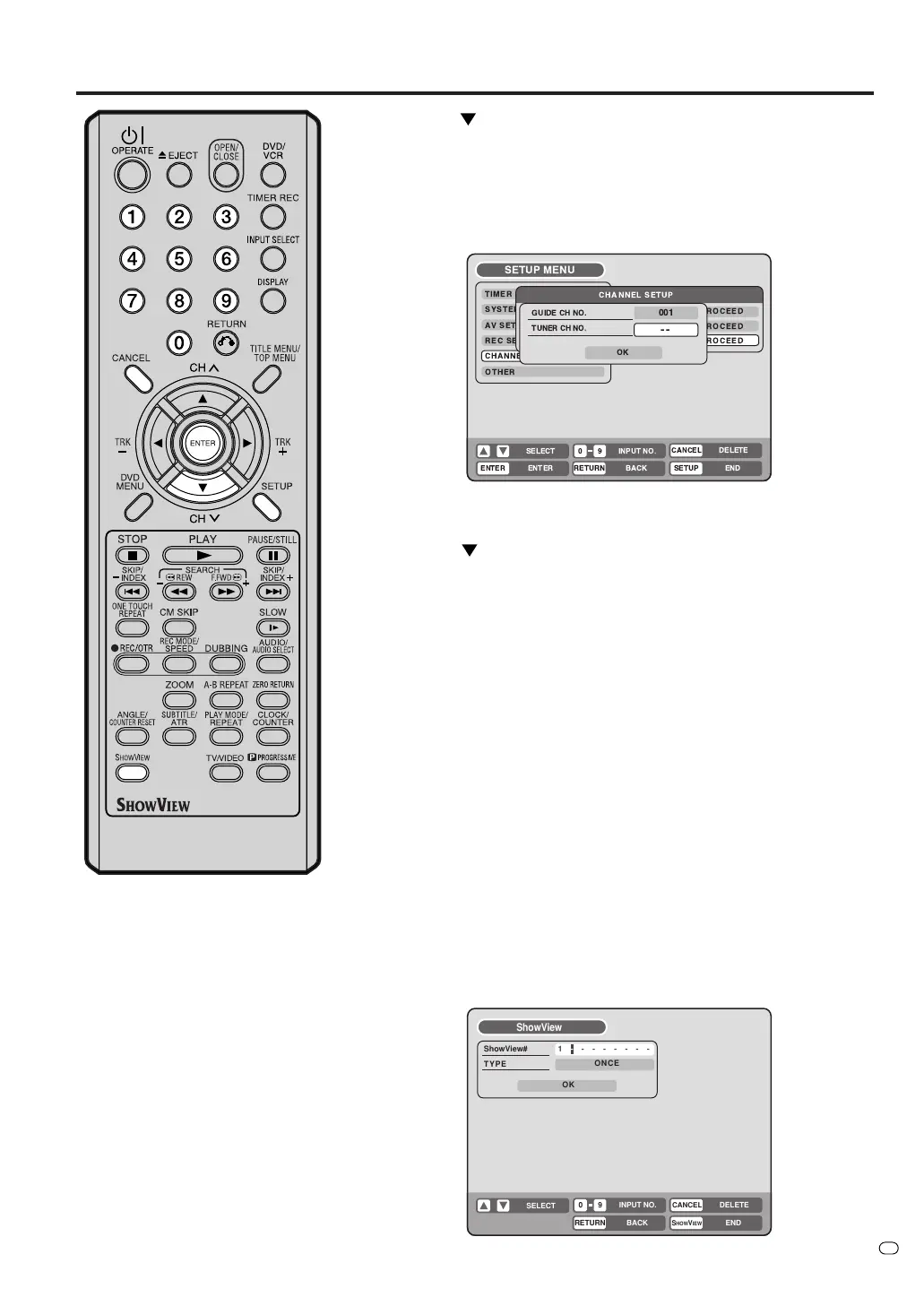
to highlight TUNER CH NO., then enter the corre-
sponding tuner channel number.
• Select a tuner channel number in the same way as you
selected the guide channel number.
•You can also select one of the external inputs (AV1, AV2 or
AV3) instead of a channel number if some channels are
received via an external receiver.
5
Repeat steps 3 – 4 to input the rest of the channel list.
6
Press
to highlight OK and press ENTER.
7
When you’re done, press SETUP to exit.
Setting the timer program using the SHOWVIEW
system
The SHOWVIEW system simplifies timer recording so that you just
enter a ShowView number (which you can find in your TV listings
guide) for the program you want to record, tell the recorder whether
you want to record it just once or regularly, and then select the DVD
or the VCR for recording.
Note that for the S
HOWVIEW system to work correctly, the clock must
be set to the right time and the guide channels must be setup. (See
“Checking the channel setup to use the SHOWVIEW system” on page
54.)
1
Press SHOWVIEW.
If a PROGRAM FULL message appears then you’ll need to
delete one of the existing timer programs before continuing.
Select a timer program from the list and press CANCEL.
2
Use the numeric keys to enter the ShowView number.
RETURN
CANCEL
S
HOW
V
IEW
DELETE
BACK END
SELECT
INPUT NO.
09
ShowView
ShowView#
TYPE
OK
ONCE
1 - - - - - - - -
TV/VIDEO



 To Next Page