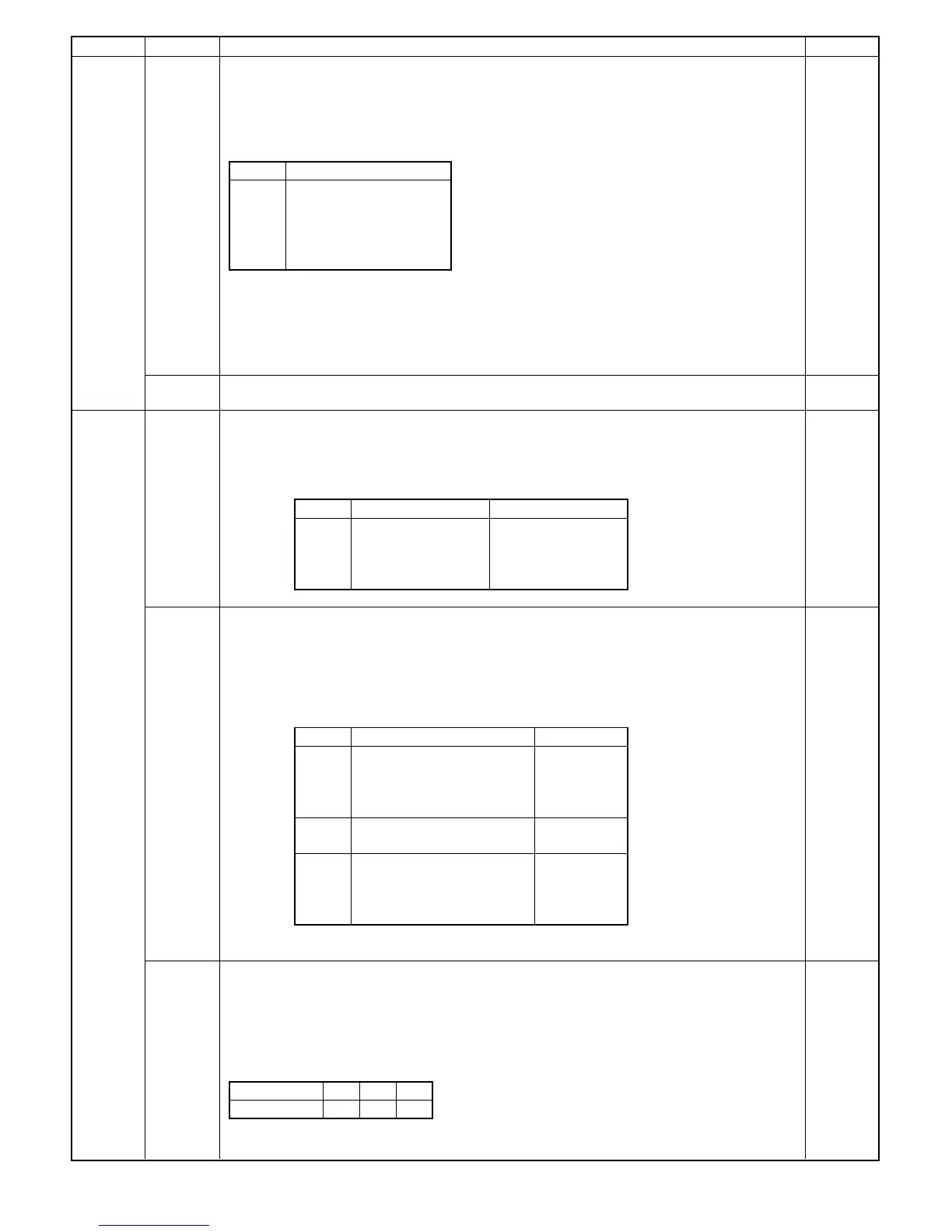
Main code Sub code Description Ref. Page
26 01 Option unit setup
• Used to set up option unit.
1 When the test command is executed, the presently stored machine setup code is displayed with the
READY lamp turned on.
2 After the READY lamp has turned on, enter an appropriate setup code on the keypad and press the
PRINT switch. Then, the date is stored in the memory and the READY lamp turns off.
Code Option
0 No option
+1 RADF
+2 ADU
+4 Desk
+10 Sorter
°
No need to set "+2 (ADU)". If the ADU is installed, "2" is automatically added.
°
Used to set the code that corresponds to an option unit.
(EX): To set the RADF and desk together with ADU, enter 1+2+4=7, or 1+4=5.
NOTES:
(1) Be sure to enter the code that corresponds to the installed option unit.
(2) If option setup is incorrect, a trouble code is displayed. See the trouble code chart.
03 Coin vendor setting
0: Cancel, 1: Setting
26 05 Counter mode setup
1 When the test command is executed, the code of the presently stored mode is displayed with the
READY lamp turned on.
2 After the READY lamp has turned on, enter an appropriate setup code on the keypad and press the
PRINT switch. Then, the code is stored in the memory and the READY lamp turns off.
Code Total counter Maintenance counter
0 Double count Double count
1 Single count Double count
2 Double count Single count
3 Single count Single count
06 Destination setup
Used to set the destination setting.
1 When the test command is executed, the presently stored model number and the destination code
are displayed (see table below) and the READY lamp turns on.
2 After the READY lamp has turned on, enter the model number and the destination code on the
keypad and press the PRINT switch to store the setting in the memory. The READY lamp then
turns off.
Code Destination AB/Inch
0 SEC (ES) America
(Inch)
1 SEC * America
2 SECL Canada
3 Other
4 Japan
(AB Japan)
5 Other
6 SEEG German
(AB Export)
7 SUK U.K.
8 SCA Australia
9 Other
* Energy star
07 Drum sensitivity setup
1 When the test command is executed, the number stored in the memory is recalled and the READY
lamp turns on.
2 A number 1 to 3 may be entered on the keypad while the RPL is active.
3 Press the PRINT switch after the number has been entered. With this, the READY lamp turns off
and the test command number is displayed.
°
Drum
Keypad entry 1 2 3
Sensitivity 1 2 3
8 – 10











 To Next Page