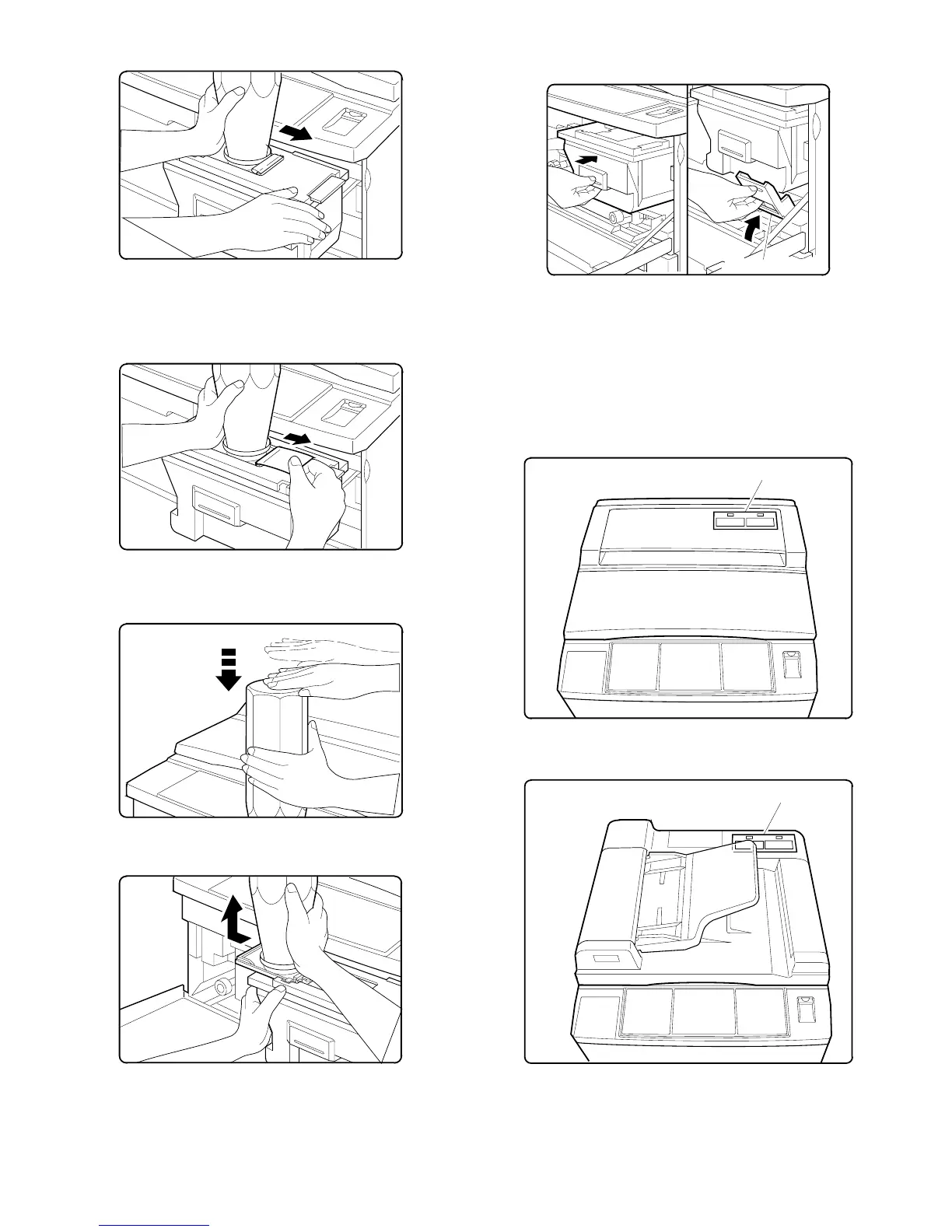
5 Move the toner cartridge in the arrow direction until it stops.
6 While holding the toner cartridge, pull the seal to supply toner.
[Note]
• It takes about 30 minutes to finish supplying toner.
7 Tap the top of the toner cartridge to put down toner attached
inside the toner cartridge.
8 Move the empty toner cartridge in the arrow direction to remove.
9 Push the toner box slowly to the original position, and lift the toner
box lever.
Toner supply is completed with the above procedure. Close the front
cabinet.
11. Label attachment
A. Label attachment
Attach the magnification ratio select label packed together with the
Operation Manual to the position shown below.
• When attaching to the copier with the original cover:
• When attaching to the auto document feeder:
Toner box lever
Magnification ratio select label
magnification ratio select label
5 – 9











 To Next Page