A
1
1
C
4
B
3
D
5
1
4
2
3
5
AC power
supply PWB
DC power
supply PWB
Paper exit gate
solenoid
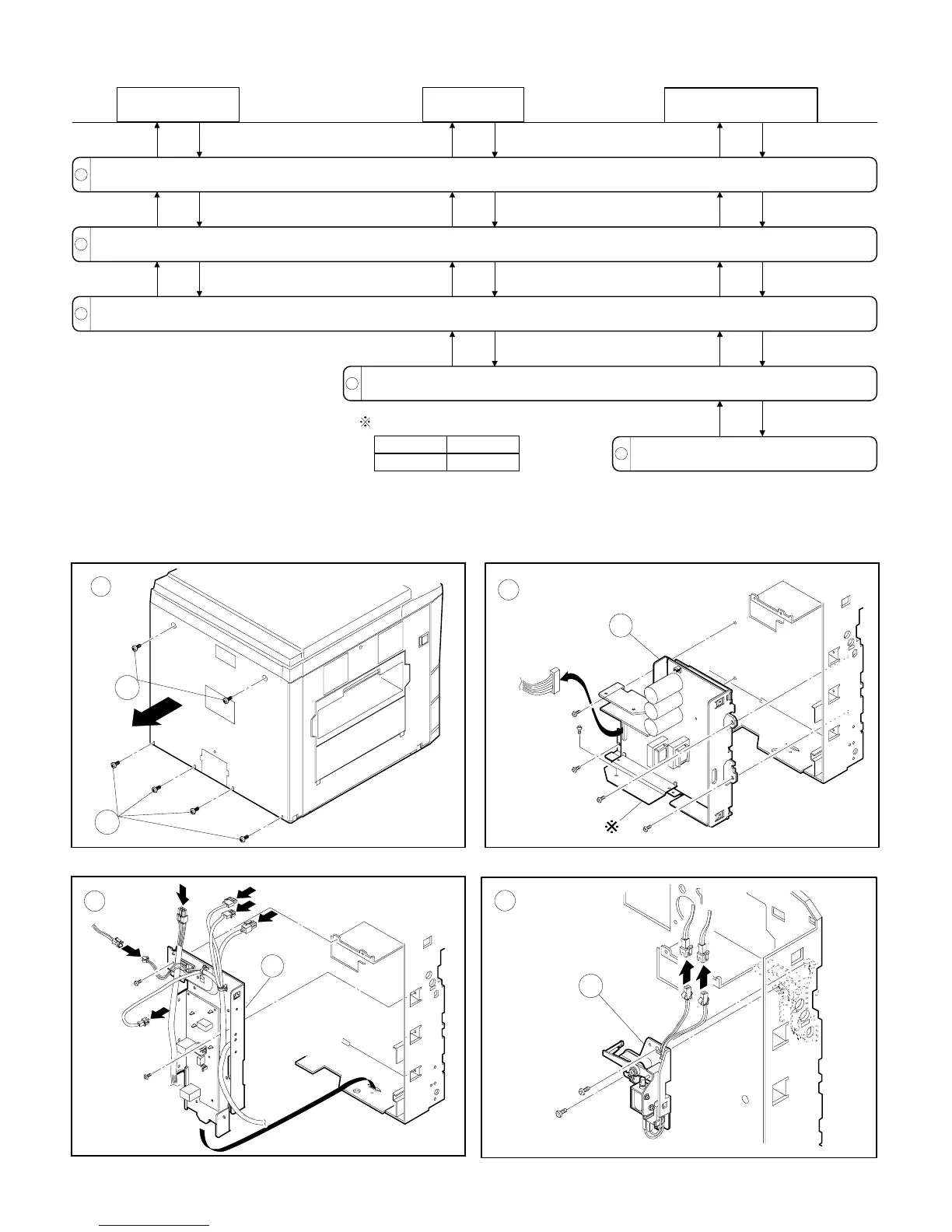
Remove the rear panel of the copier (6 screws).
Remove the rear side screw of the left side panel (1 screw).
Remove the AC power supply board (2 screws, 6 connectors).
Remove the DC power supply PWB (5 screws, 1 connector).
Remove the paper exit gate solenoid
(2 screws, 2 connectors).
DC power PWB identification
100V system
White label
200V system
Red label
6 – 15











 To Next Page