3.4 Installing the Software
3-7
IRAffinity-1
3.4.2 Installation of IRsolution
Install the IRsolution software with the following procedure.
1. Run Windows as Administrator.
2. When the IRsolution Install CD-ROM is in the CD-ROM drive, Click the [Start] button, and then
select the [Run] command.
Select "setup.exe" on the CD-ROM drive, and then click [Run] button.
The Install program starts.
3. In another case, prepare the IRsolution install CD-ROM.
Turn on the power of your personal computer to start up Windows.
If any other software is running, close it.
Insert the CD-ROM into the CD-ROM drive.
The setup program automatically starts up. Execute "setup.exe" if setup program does not run
automatically.
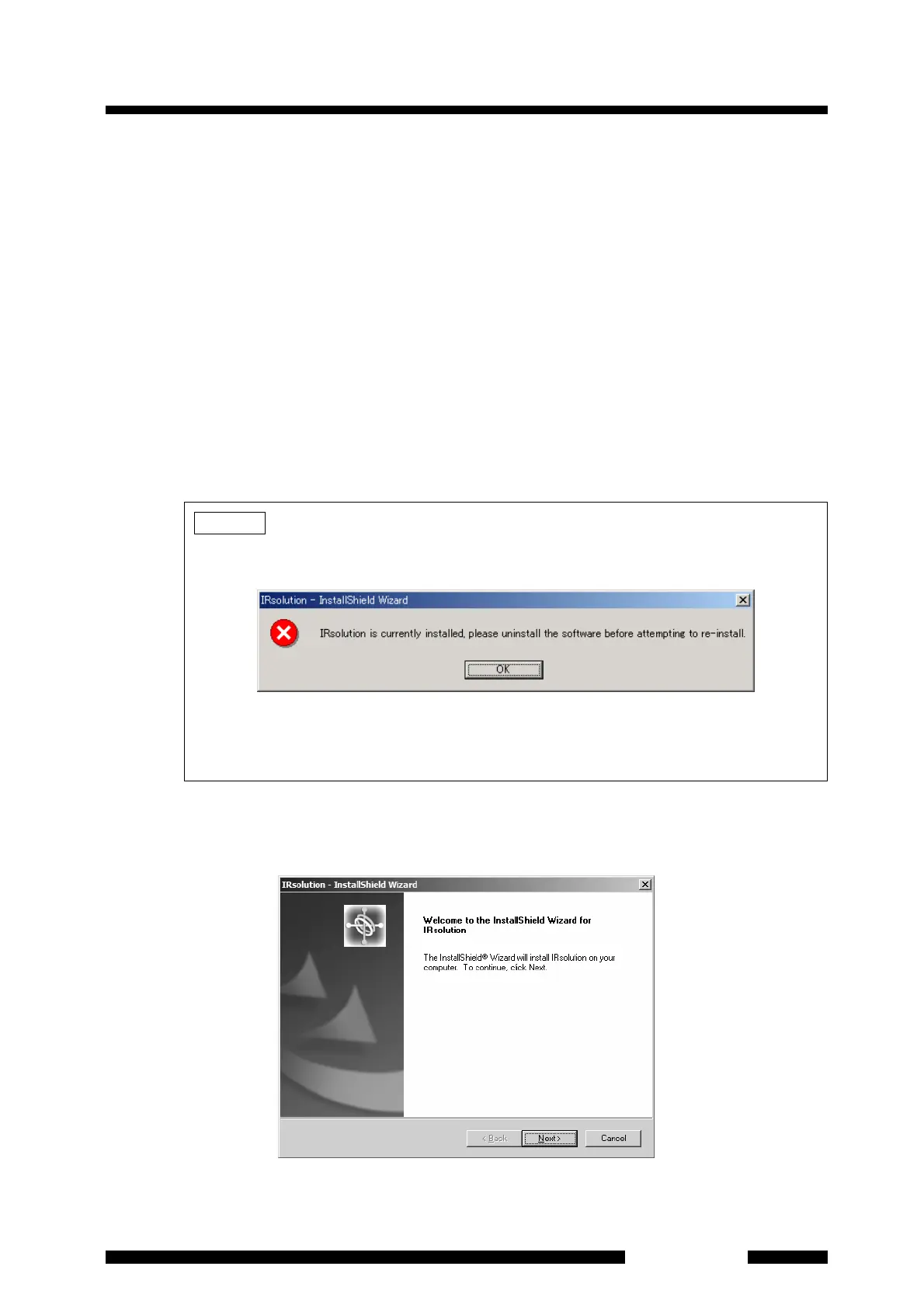
4. [Preparing Setup] dialog box and then [Welcome to the InstallShield Wizard for IRsolution]
dialog box are displayed. Click the [Next] button.
Fig. 3.3 [Welcome] Dialog Box
NOTE
• If an old version of IRsolution is already installed, a message shown in Fig. 3.2 is displayed.
Un-install the old version of IRsolution first, and then install latest IRsolution again.
Fig. 3.2 A Message when the Old Version of IRsolution is Installed
• The English version of IRsolution install program is activated on another version of
Windows other than Japanese.












 To Next Page