Configuration / diagnostics using remote mechanisms
6.3 Configuration using Web Based Management (WBM) and Command Line Interface (CLI)
SCALANCE X-200
166 Operating Instructions, 12/2011, A5E00349864-19
6.3.5.3 "System C-PLUG" WBM menu
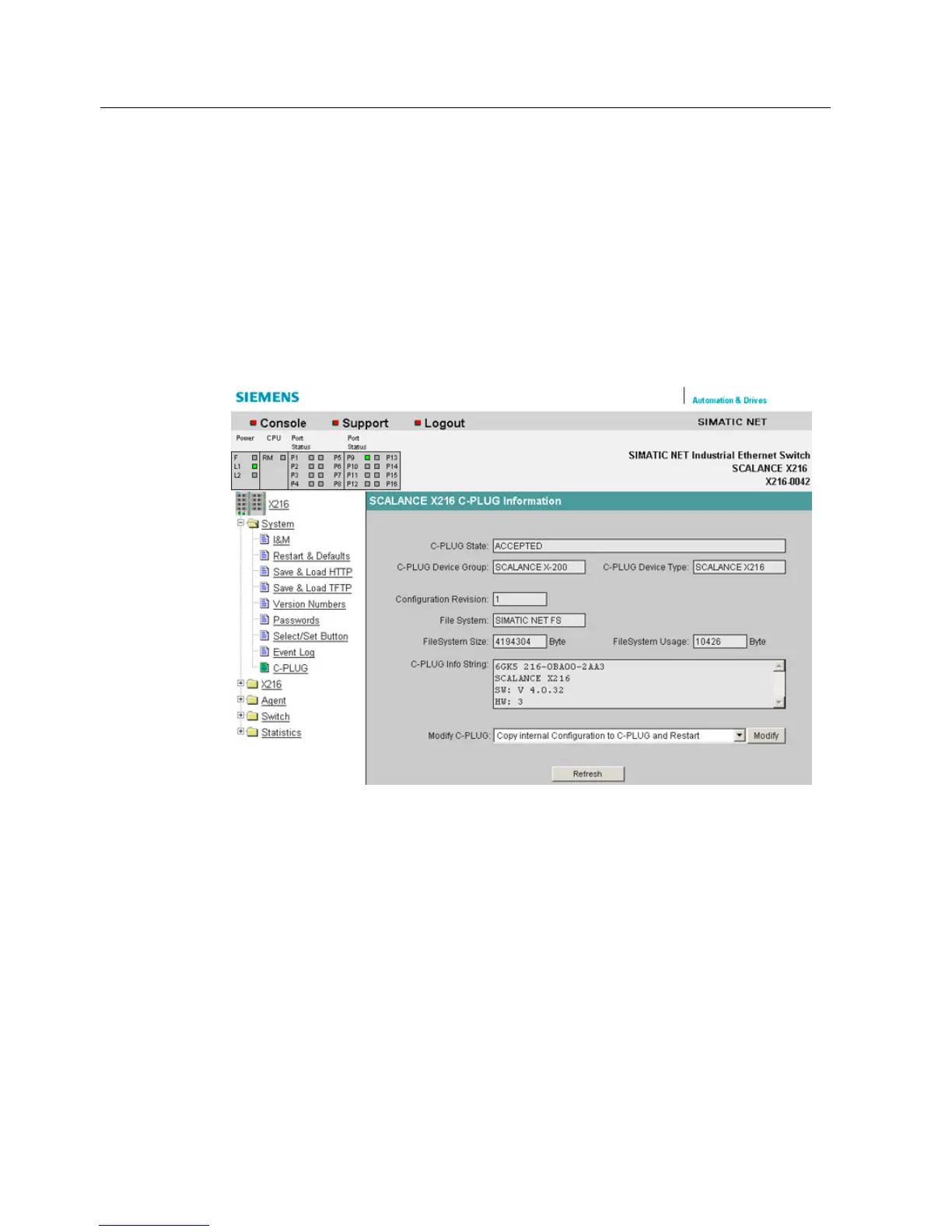
C-PLUG Information
This dialog tells you whether a C-PLUG is inserted and whether it is valid for the IE Switch X-
200.
If a C-PLUG is inserted, the dialog displays the configuration data it contains.
You cannot modify the contents of the boxes.
Figure 6-9 "C-PLUG Information" dialog
C-PLUG State
The status of the C-PLUG is displayed here.
● ACCEPTED
There is a C-PLUG with a valid and matching content inserted in the device.
● NOT ACCEPTED
No C-PLUG or C-PLUG inserted but invalid or incompatible content. This status is also
displayed if the C-PLUG was formatted during operation.
● NOT ACCEPTED, HEADER CRC ERROR
A C-PLUG with bad content is inserted.


 To Next Page
 Loading...