Configuration / diagnostics using remote mechanisms
6.3 Configuration using Web Based Management (WBM) and Command Line Interface (CLI)
SCALANCE X-200
170 Operating Instructions, 12/2011, A5E00349864-19
Syntax of the Command Line Interface
Table 6- 4 System Identification & Maintenance - CLI\SYSTEM\IM>
Command Description Comment
info Displays information on the
"Identification & Maintenance"
menu item.
function [function] Specifies the function (max. 32
characters).
Administrator only.
location [location] Specifies the location (max. 32
characters).
Administrator only.
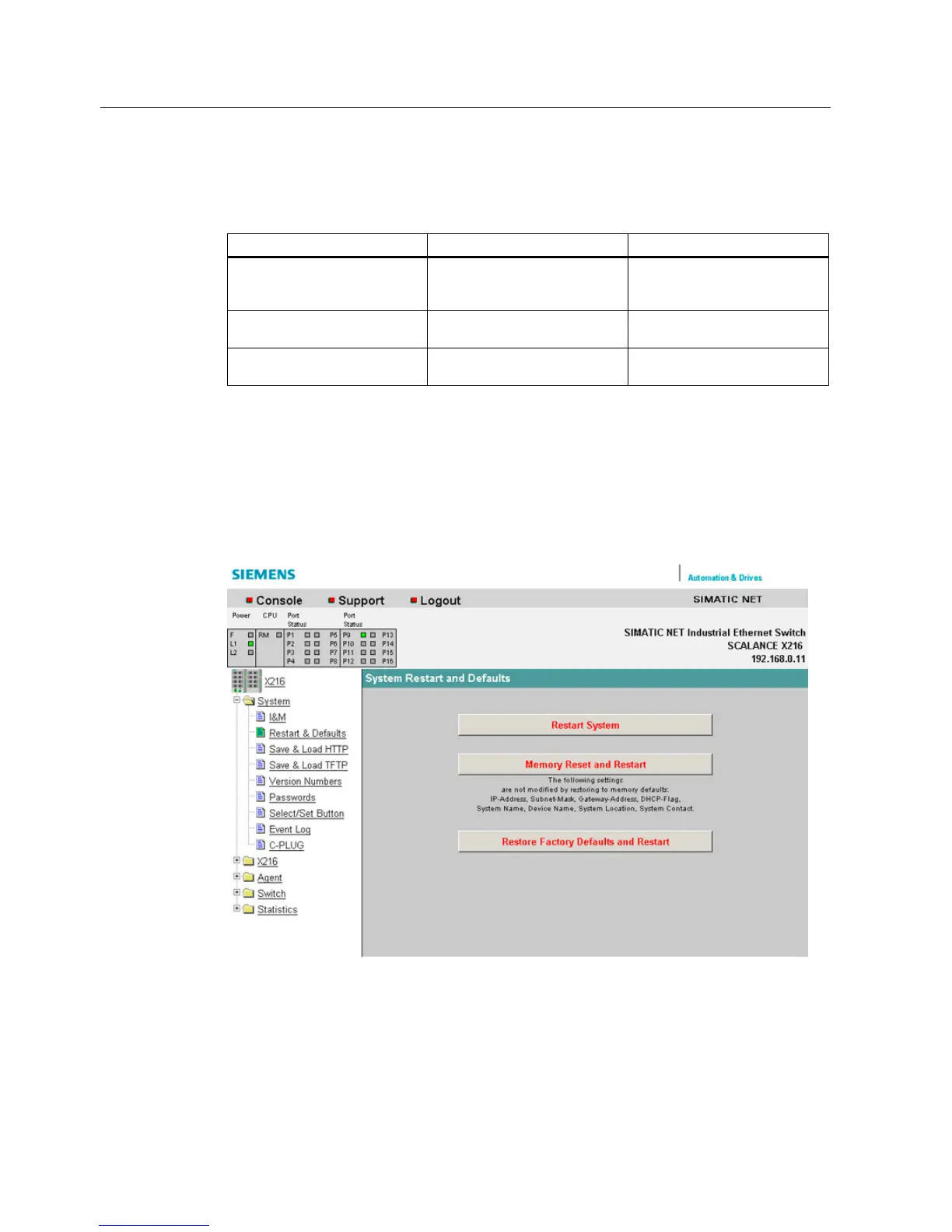
6.3.5.5 The "System Restart & Defaults" WBM menu
System Restart & Defaults
In this screen, there is a button with which you can restart the device and various options for
resetting to the device defaults.
Figure 6-11 "Restart and Defaults" dialog


 To Next Page
 Loading...