Configuration / diagnostics using remote mechanisms
6.3 Configuration using Web Based Management (WBM) and Command Line Interface (CLI)
SCALANCE X-200
192 Operating Instructions, 12/2011, A5E00349864-19
6.3.5.16 The "Agent" WBM menu
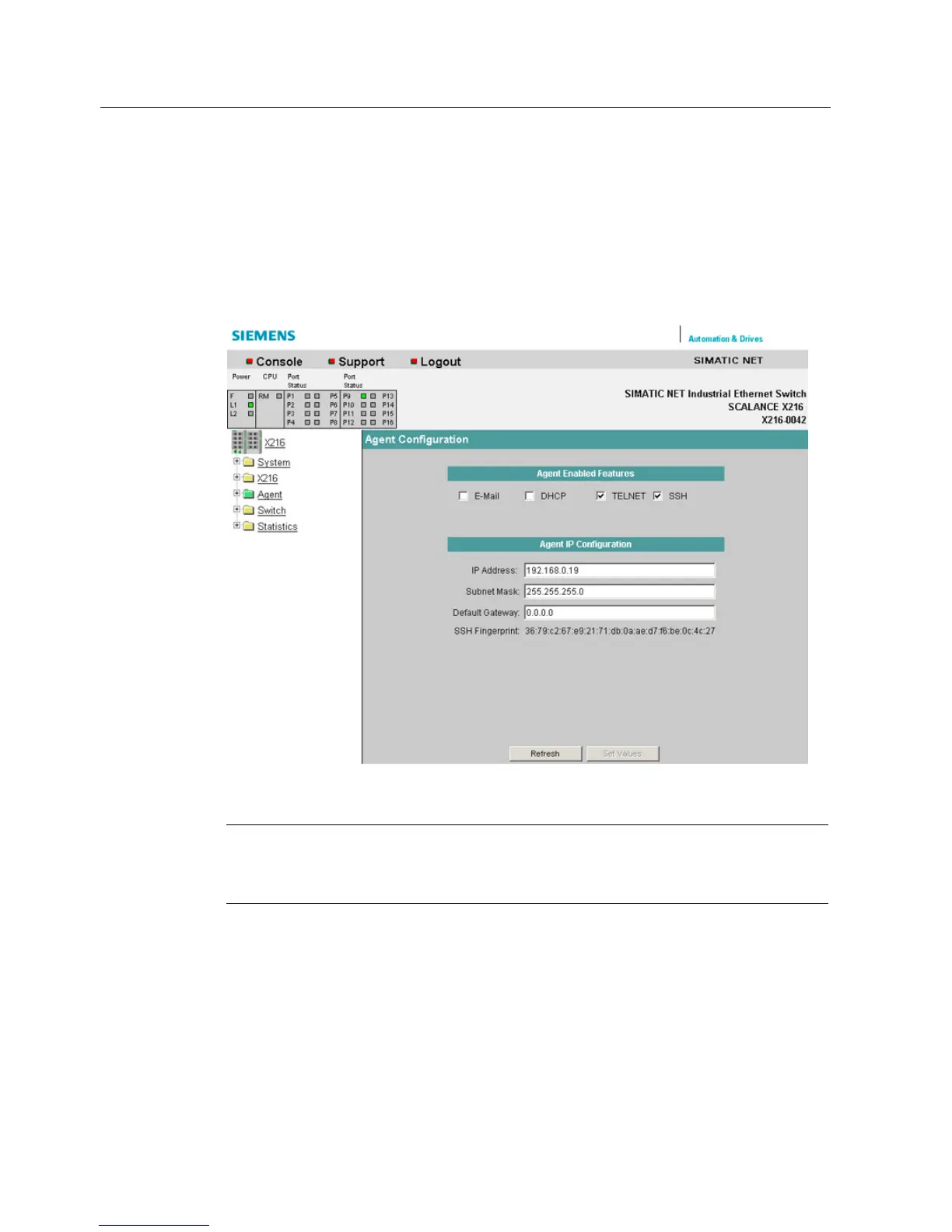
Agent Configuration
This menu item provides you with options for the IP address. You can specify whether or not
the IE Switch X-200 obtains its IP address dynamically or has a fixed address. You can also
enable options for accessing the IE Switch X-200 such as TELNET.
Figure 6-22 "Agent Configuration" dialog
Note
Whe
n supplied, SSH and TELNET are activated.
When supplied, DHCP (identification via MAC address) is enabled.


 To Next Page
 Loading...