Configuration / diagnostics using remote mechanisms
6.3 Configuration using Web Based Management (WBM) and Command Line Interface (CLI)
SCALANCE X-200
224 Operating Instructions, 12/2011, A5E00349864-19
Syntax of the Command Line Interface
Table 6- 30 Switch DCP - CLI\SWITCH\DCP>
Command Description Comment
info Displays the current DCP settings.
dcpport [ports]
<enabled ¦ disabled>
Enables or disables the sending of DCP
frames on one or more ports.
Example:
The command "dcpport 1,2,3 rx" specifies
that DCP frames are only received on ports
1-3.
Administrator only.
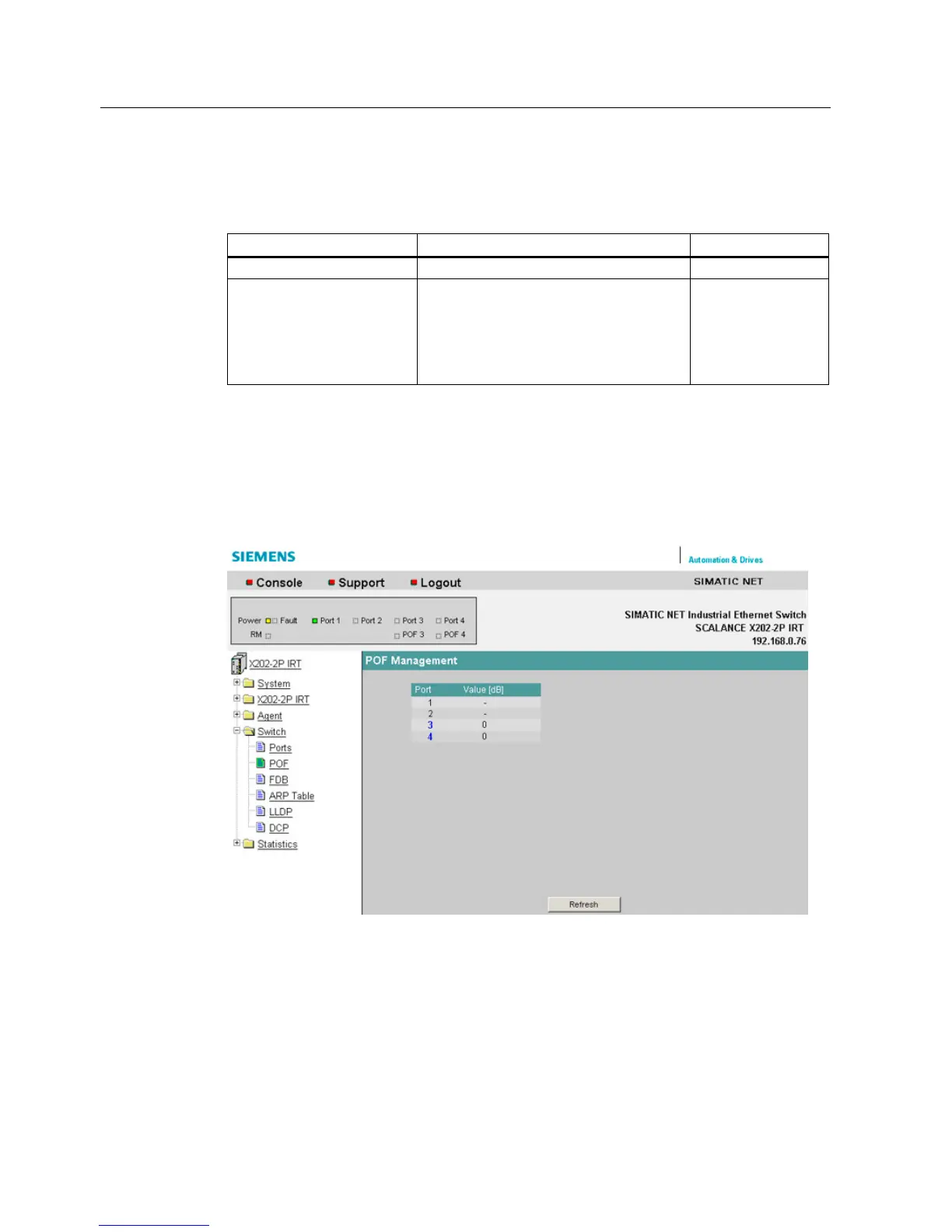
6.3.5.34 The "Switch POF" WBM menu
Plastic Optical Fiber Management
This screen displays the diagnostic data for interfaces with plastic FO cables.
Figure 6-37 POF Management
Here, you can see the currently available link power margin as a numerical value for each
POF port.


 To Next Page
 Loading...