Configuration / diagnostics using remote mechanisms
6.3 Configuration using Web Based Management (WBM) and Command Line Interface (CLI)
SCALANCE X-200
Operating Instructions, 12/2011, A5E00349864-19
207
6.3.5.25 The "Agent E-Mail Config" WBM menu
Agent E-Mail Configuration - Network monitoring with E-mails
An IE Switch X-200 provides you with the option of automatically sending an E-mail (for
example to a network administrator) if an alarm event occurs. The E-mail contains the
identification of the sending device, a description of the cause of the alarm in plain language,
and a time stamp with the time since the device started up. This allows centralized network
monitoring to be set up for networks with few nodes based on an E-mail system. When an E-
mail event message is received, the WBM can be started by the browser using the
identification of the sender to read out further diagnostic information.
E-mails can only be sent when
● the E-mail function is activated on the IE Switch X-200 and the E-mail address of the
recipient is configured.
● the E-mail function is enabled for the relevant event.
● there is an SMTP server in your network that can be reached by the IE Switch X-200.
● the IP address of the SMTP server is entered on the IE Switch X-200.
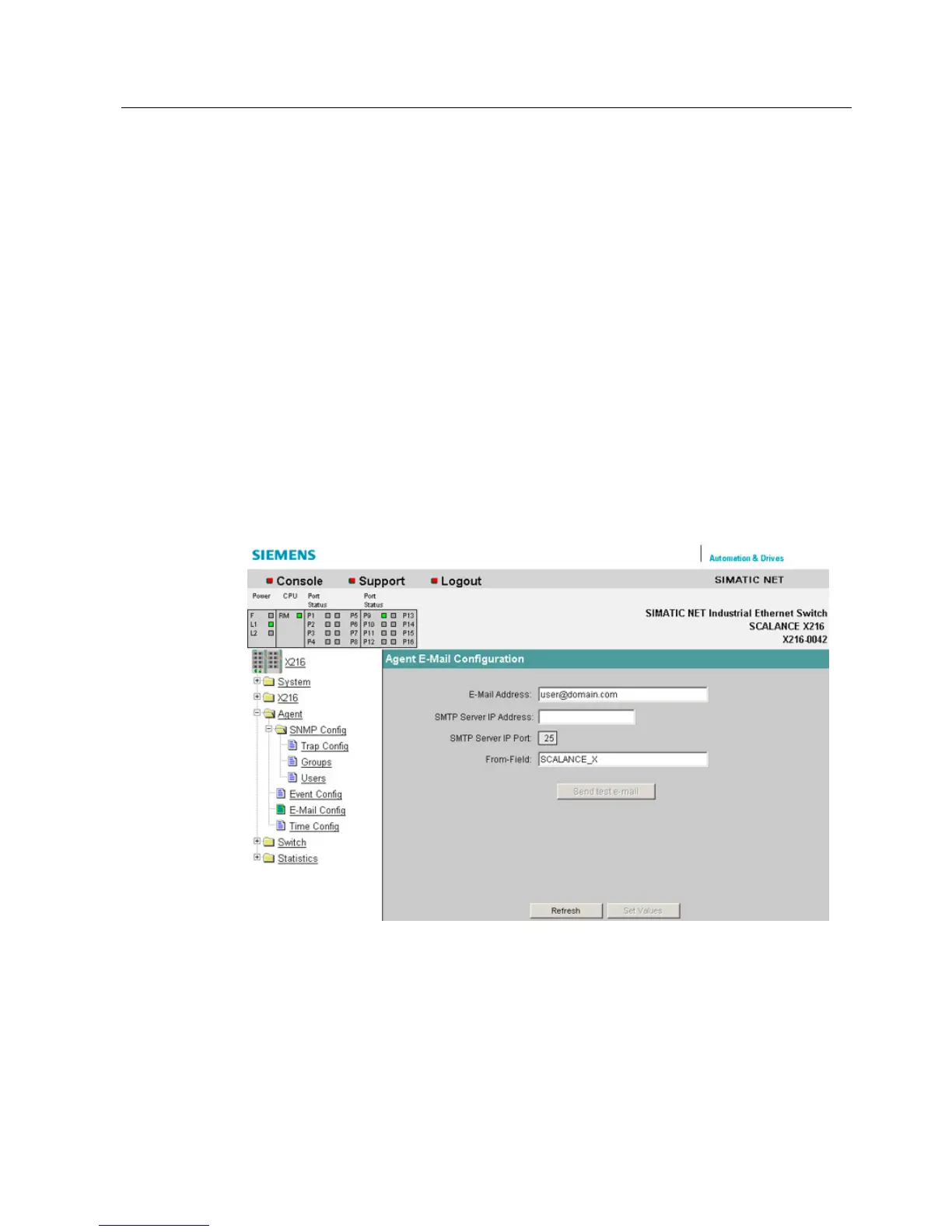
Figure 6-30 "E-Mail Configuration" dialog
E-Mail Address
Here, you enter the E-mail address to which the IE Switch X-200 sends an E-mail if a fault
occurs.
SMTP Server IP Address
Here, you enter the IP address of the SMTP server over which the E-mail is sent.


 To Next Page
 Loading...