Configuration / diagnostics using remote mechanisms
6.3 Configuration using Web Based Management (WBM) and Command Line Interface (CLI)
SCALANCE X-200
Operating Instructions, 12/2011, A5E00349864-19
169
6.3.5.4 The "System I&M" WBM menu
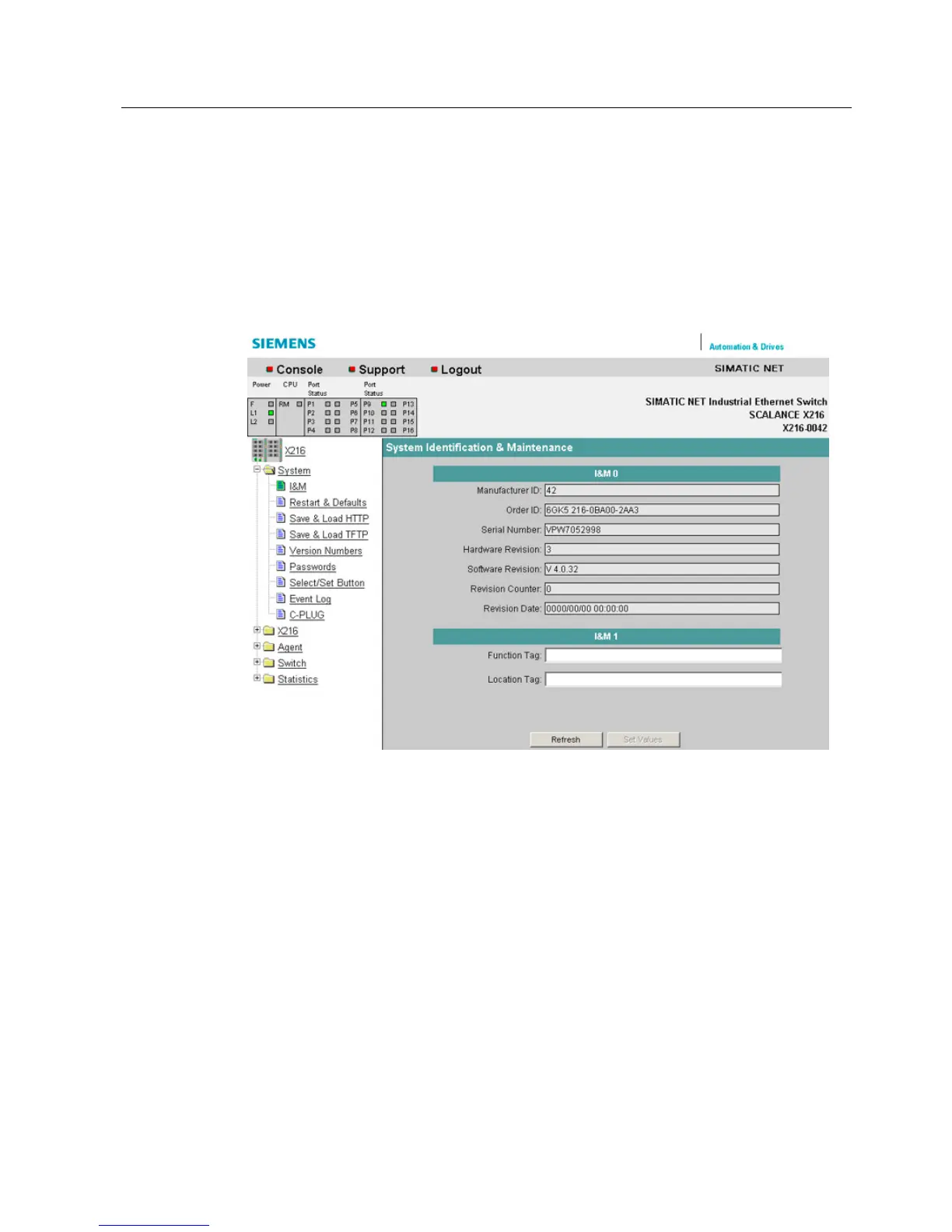
System Identification & Maintenance
The following dialog shows information on the parameters for Identification & Maintenance.
The following screen contains information on device-specific vendor and maintenance data
such as the order number, serial number, version numbers etc.
Figure 6-10 System Identification & Maintenance
I&M0
Here, you can see the individual parameters for Identification & Maintenance.
I&M 1
Function tag
Here, you can enter the function tag (plant designation).
Location tag
Here, you can enter the location tag (location identifier).


 To Next Page
 Loading...