SIGLENT
64 SDM3045X Digital Multimeter
Statistics
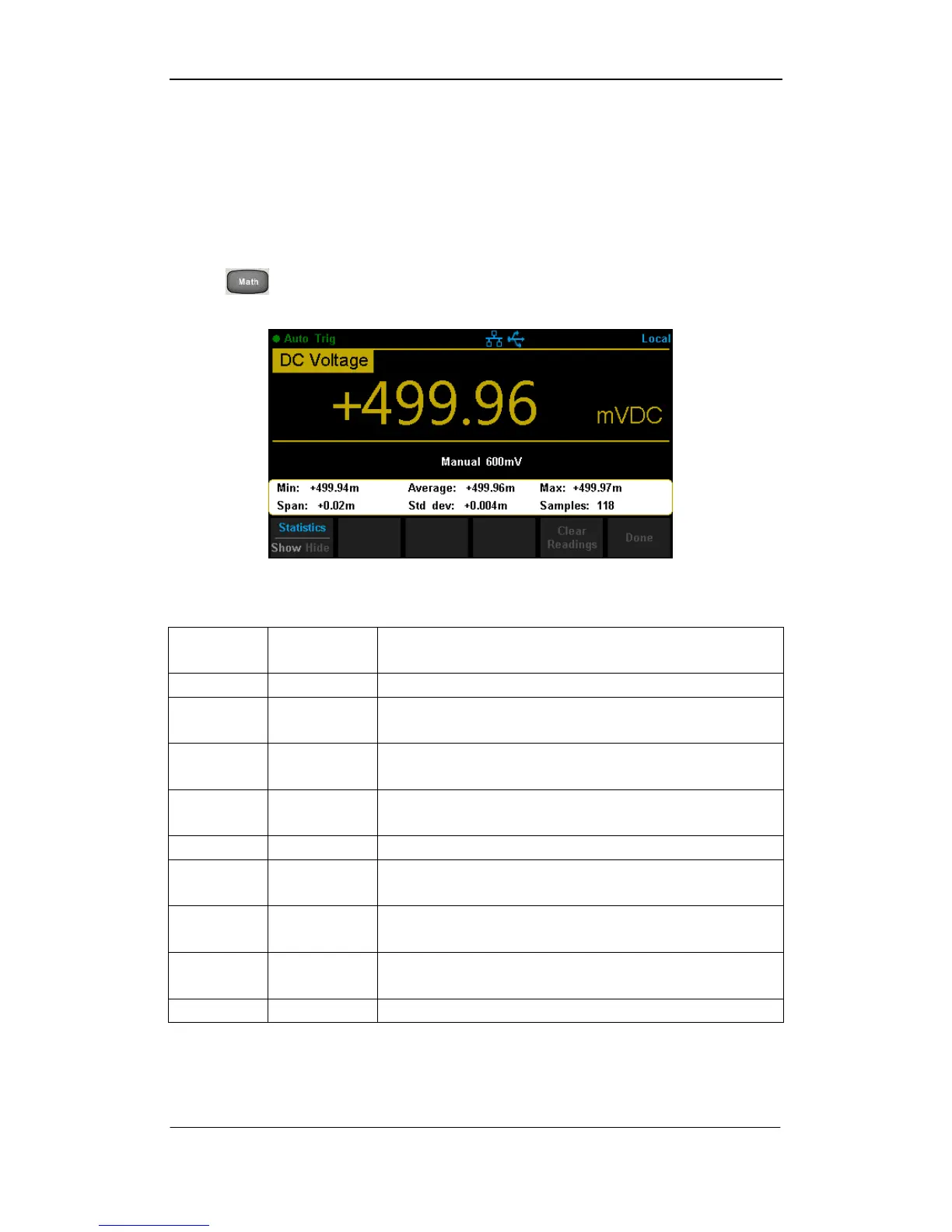
There are many kinds of reading statistic functions, including: Max, Min,
Average, Standard deviation and so on.
Press →【Statistics】→【Show】 to enter the interface shown in the
following diagram.
Diagram 2- 58 Statistics
Table 2- 22 Statistic Measurement Menu Function Description
Show or hide the statistics function interface.
Show the minimum statistics value of current
measurement.
Show the average statistics value of current
measurement.
Show the maximum statistics value of current
measurement.
Show the span of current measurement.
Show the std dev statistics value of current
measurement.
Show the maximum statistics value of current
measurement.
Clear all current readings and restart statistics.
Return to the higher level menu.



 To Next Page