SIGLENT
SDM3045X Digital Multimeter 35
To Measure Temperature
The Multimeter supports for two types of temperature sensor: TC and RTD.
The method to connect and measure Temperature will be introduced in details
as the following steps.
Operating Steps:
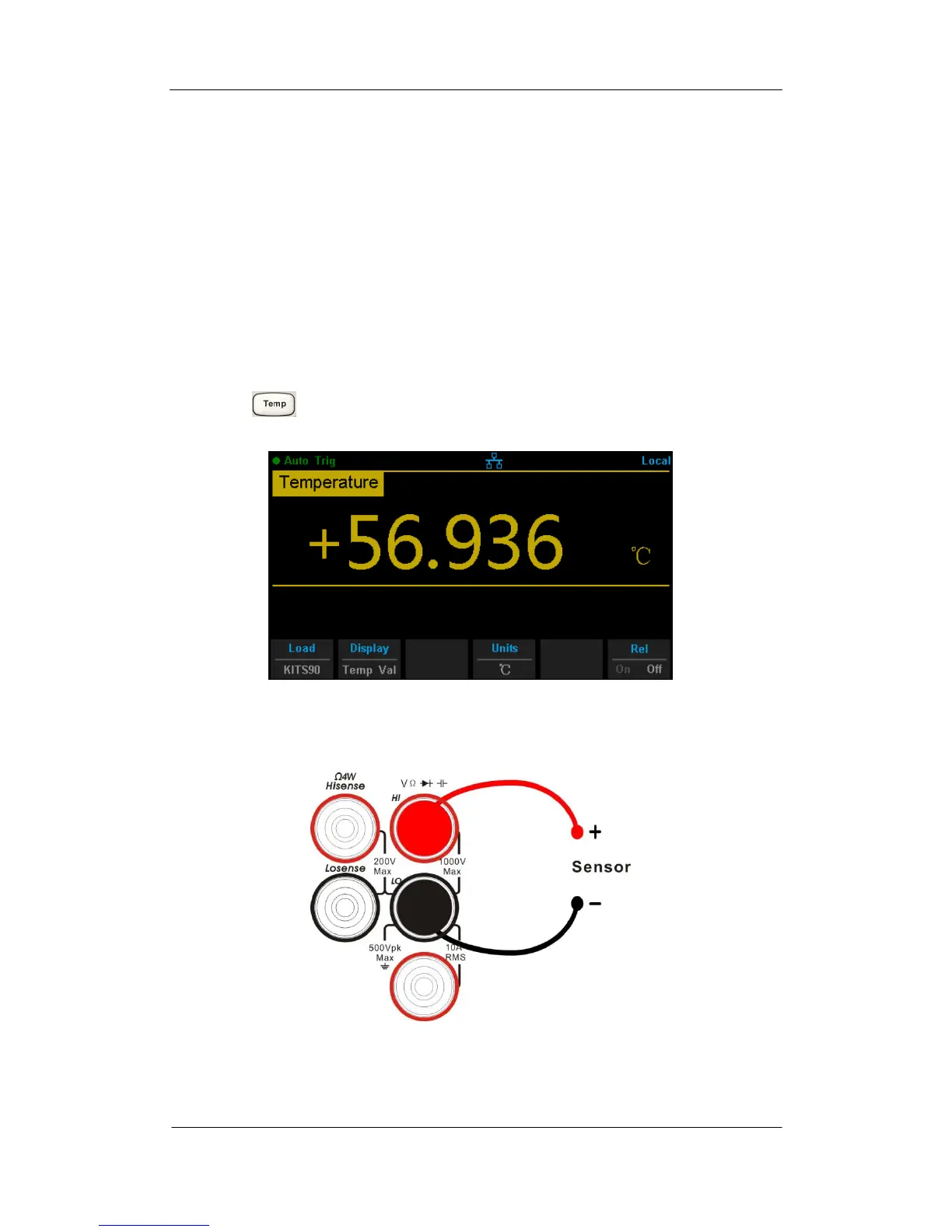
1. Press on the front panel to enter the Temperature measurement
interface, as shown in Diagram 2- 27.
Diagram 2- 27 Temperature Measurement Interface
2. Connect the red lead to terminal Input-HI and black lead to terminal
Input-LO as the following diagram.
Diagram 2- 28 Sketch Map for Measuring Temperature



 To Next Page