SIGLENT
88 SDM3045X Digital Multimeter
Example 6: To Use Hold Measurement Function
Reading Hold can help user to obtain a stable reading and hold it on the
display of Front Panel. The reading would be held all the same although
testing pen had been moved away. Then we will introduce how to keep the
readings displayed on screen.
Operating Steps:
1. Press on the front panel to select DC Voltage measurement
function and choose a proper voltage range.
2. Connect the red lead to terminal Input-HI and black lead to terminal
Input-LO as Diagram 2-4.
3. Press and to open Hold measurement function interface.
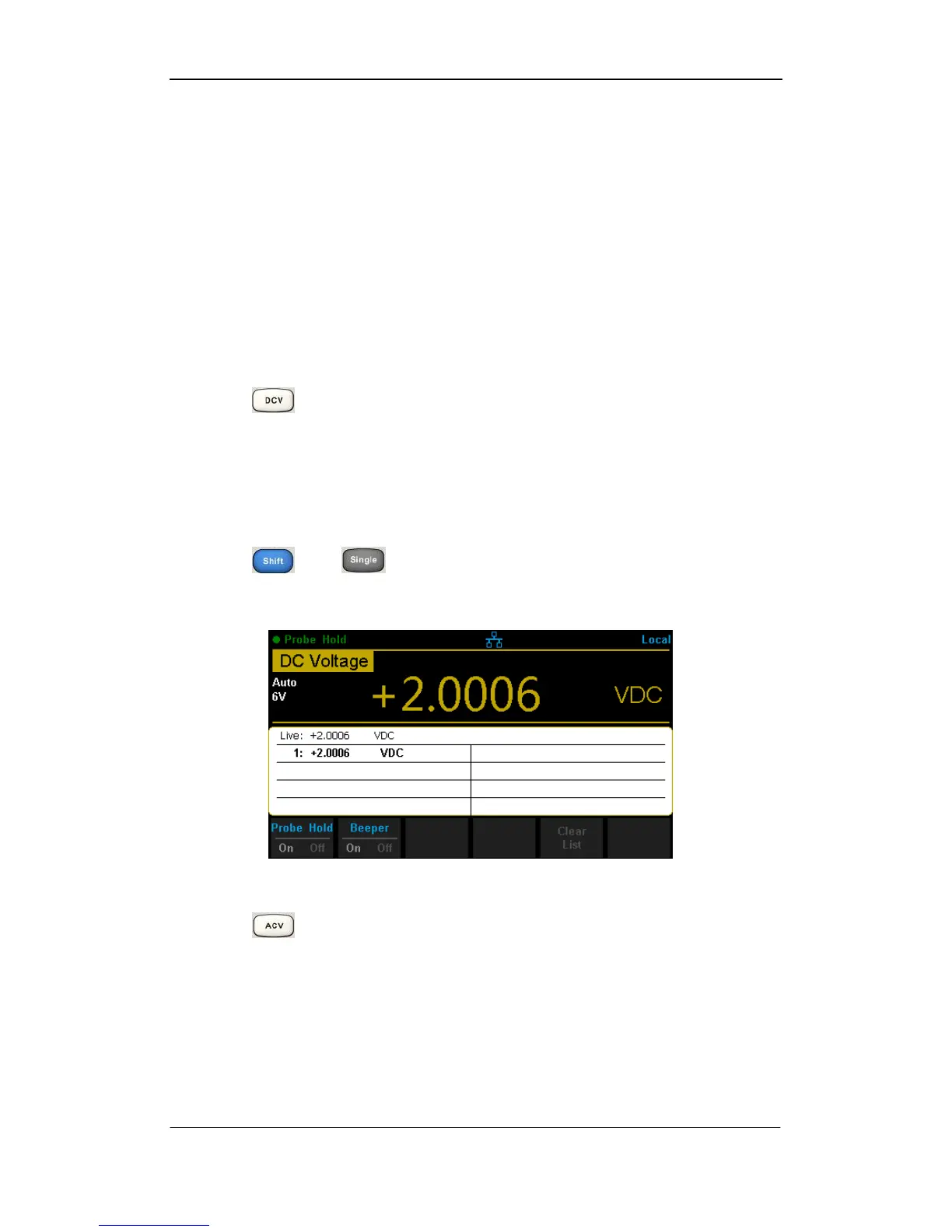
By the time, the screen will record the result of measuring DC voltage, as
shown in the following diagram.
Diagram 3- 11 Result 1
4. Press on the front panel to select AC Voltage measurement
function and choose a proper voltage range.
5. Connect the red lead to terminal Input-HI and black lead to terminal
Input-LO as Diagram 2-9. By the time, the screen will record the result of
measuring AC voltage, as shown in the following diagram.



 To Next Page