SIGLENT
80 SDM3045X Digital Multimeter
Example 1: Reading Statistic Functions
Introduce how to realize the statistic function during measuring. When
continually measuring few readings, the Multimeter will update statistic values
constantly.
Operating Steps:
1. Press on the front panel to select AC Voltage measurement
function and choose a proper voltage range.
2. Connect the red lead to terminal Input-HI and black lead to terminal
Input-LO as Diagram 2-9.
3. Set the Statistics function parameters.
Press →【Statistics】to turn on the statistics function.
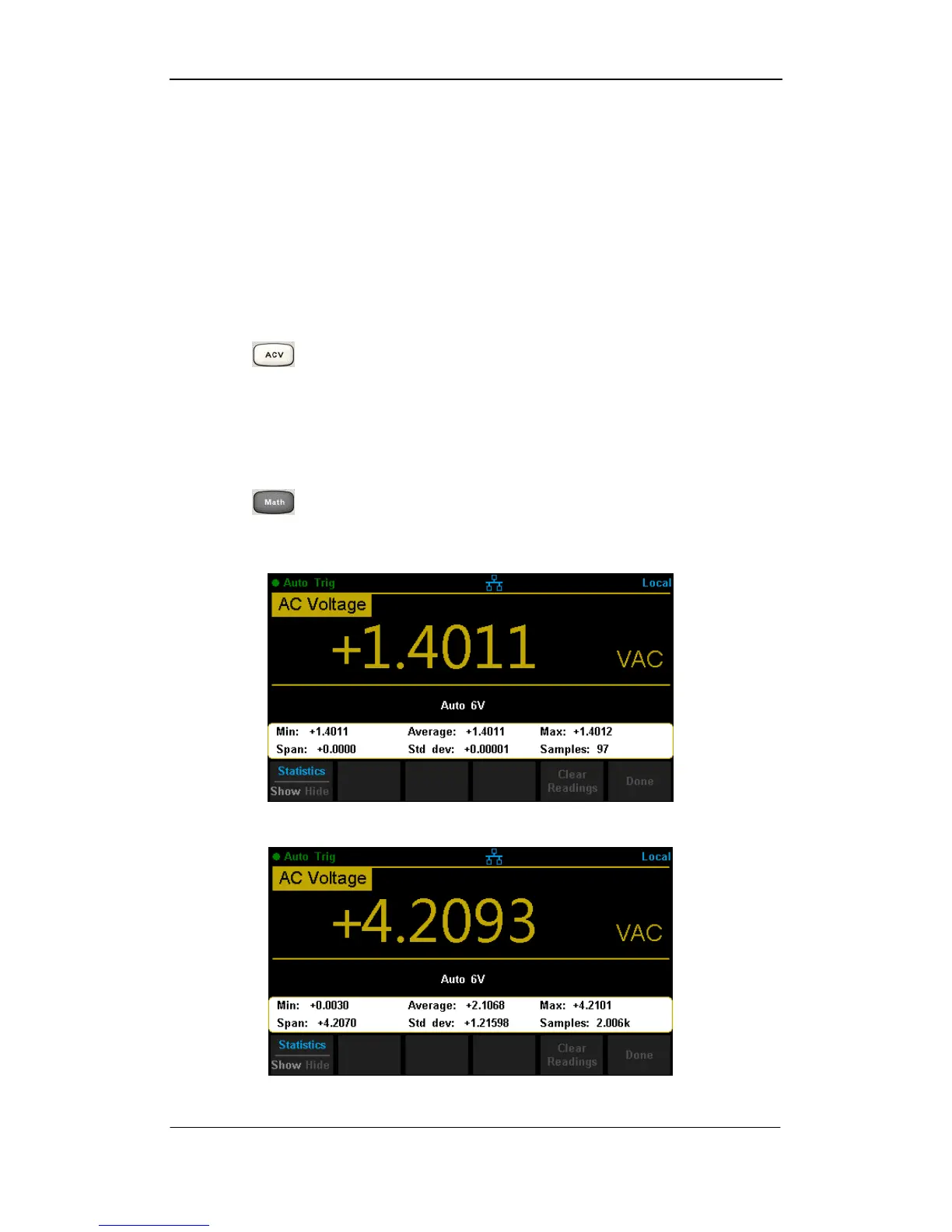
4. Lead test leads into the circuit and start to measure. Statistics will update
with the increasement of samples, as the following diagram shows.
Diagram 3- 1 Statistics 1
Diagram 3- 2 Statistics 2



 To Next Page