SIGLENT
SDM3045X Digital Multimeter 81
Example 2: To Eliminate Leads Impedance
Relative Operation could eliminate impedance errors from leads when
measuring smaller resistance.
Operating Steps:
1. Press on the front panel to select 2-Wire Resistance
measurement function.
2. Connect the red lead to terminal Input-HI and black lead to terminal
Input-LO as Diagram 2-14.
3. Choose a proper resistance range according to the scope. The default is
Auto Range.
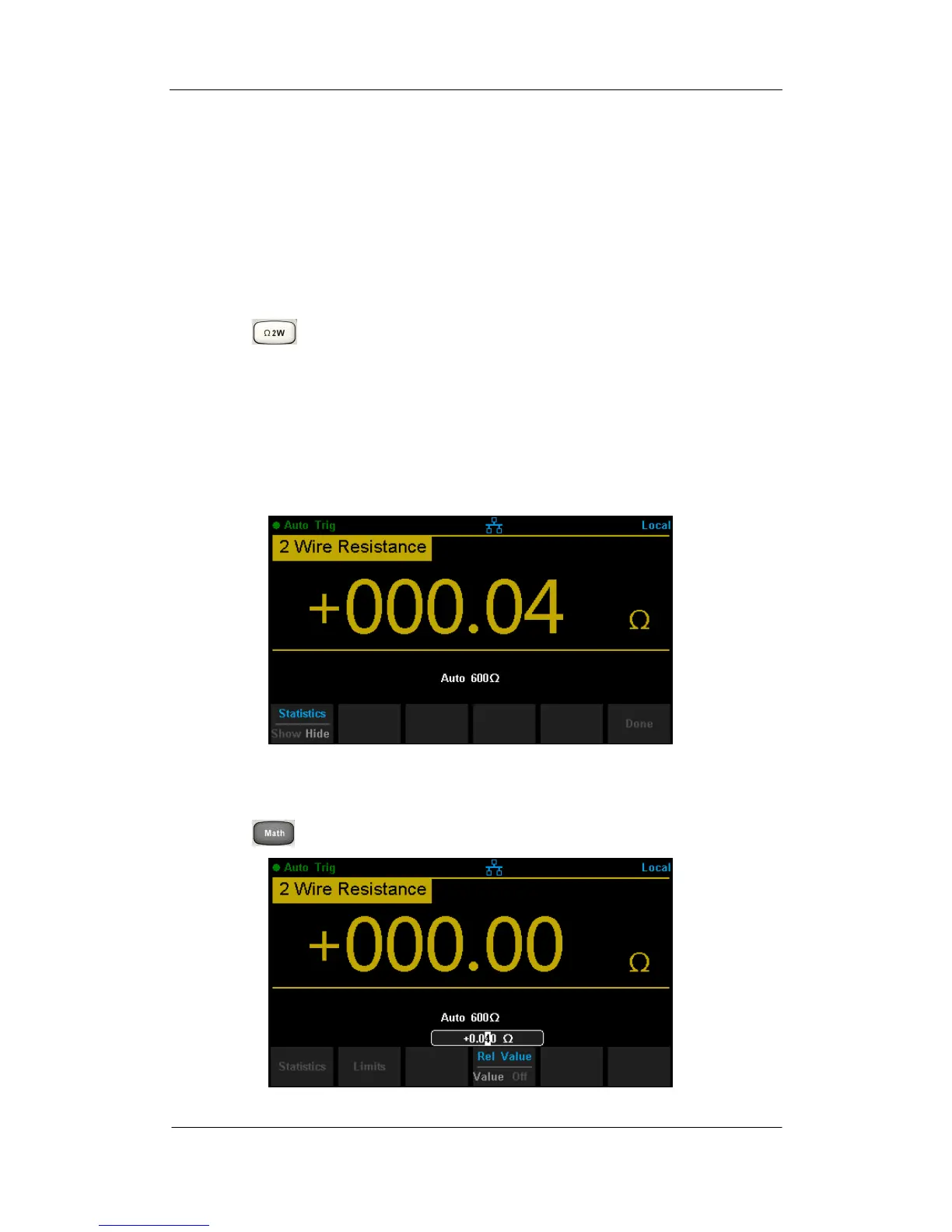
4. Lead impedance will be shown on the screen as follow after connecting
with two leads together.
Diagram 3- 3 Test Lead Impedance
5. Set parameters for Relative operation.
Press →【Rel Value】set relative value as current measured value.
Diagram 3- 4 Set Relative Value



 To Next Page