SIGLENT
78 SDM3045X Digital Multimeter
Hold Measurement Function
Hold Measurement function provides users with a stable reading on the
screen of the front panel. When the test leads are put away, the reading is
still held on the screen, which makes users can view measured history data.
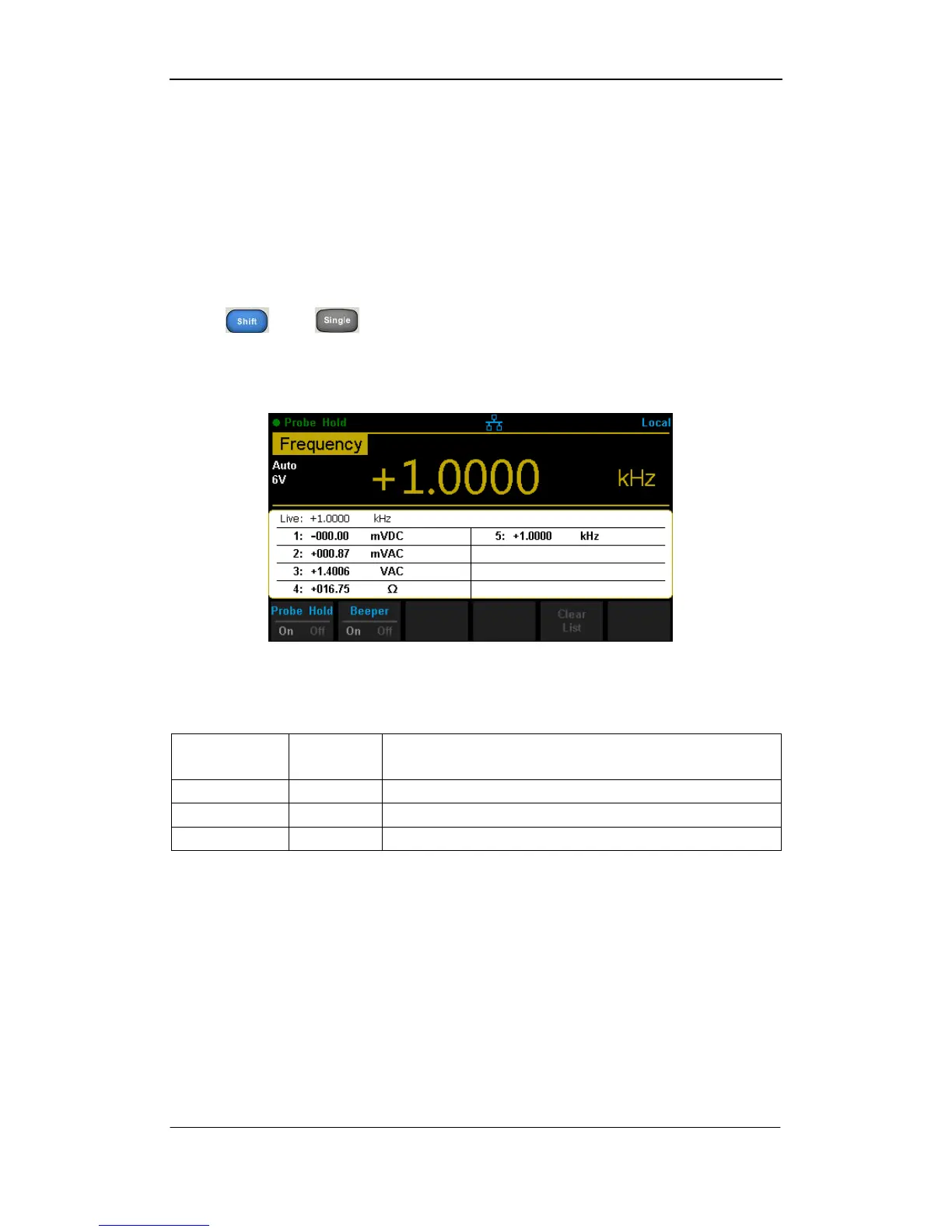
Press and to open Hold measurement function interface, the
black field just above the screen will show “● Probe Hold”, as shown in the
following diagram.
Diagram 2- 70 Hold Measurement Function Interface
Table 2- 31 Hold Measurement Function



 To Next Page