SIGLENT
86 SDM3045X Digital Multimeter
Example 5: Limits Test
Limits Operation hints you the signal is overstep its range according to the
selected High and Low Limit parameters; meanwhile the beeper makes a
sound to alarm (if sound is on.)
Operating Steps:
1. Press on the front panel to select AC Voltage measurement
function and choose a proper voltage range.
2. Connect the red lead to terminal Input-HI and black lead to terminal
Input-LO as Diagram 2-9.
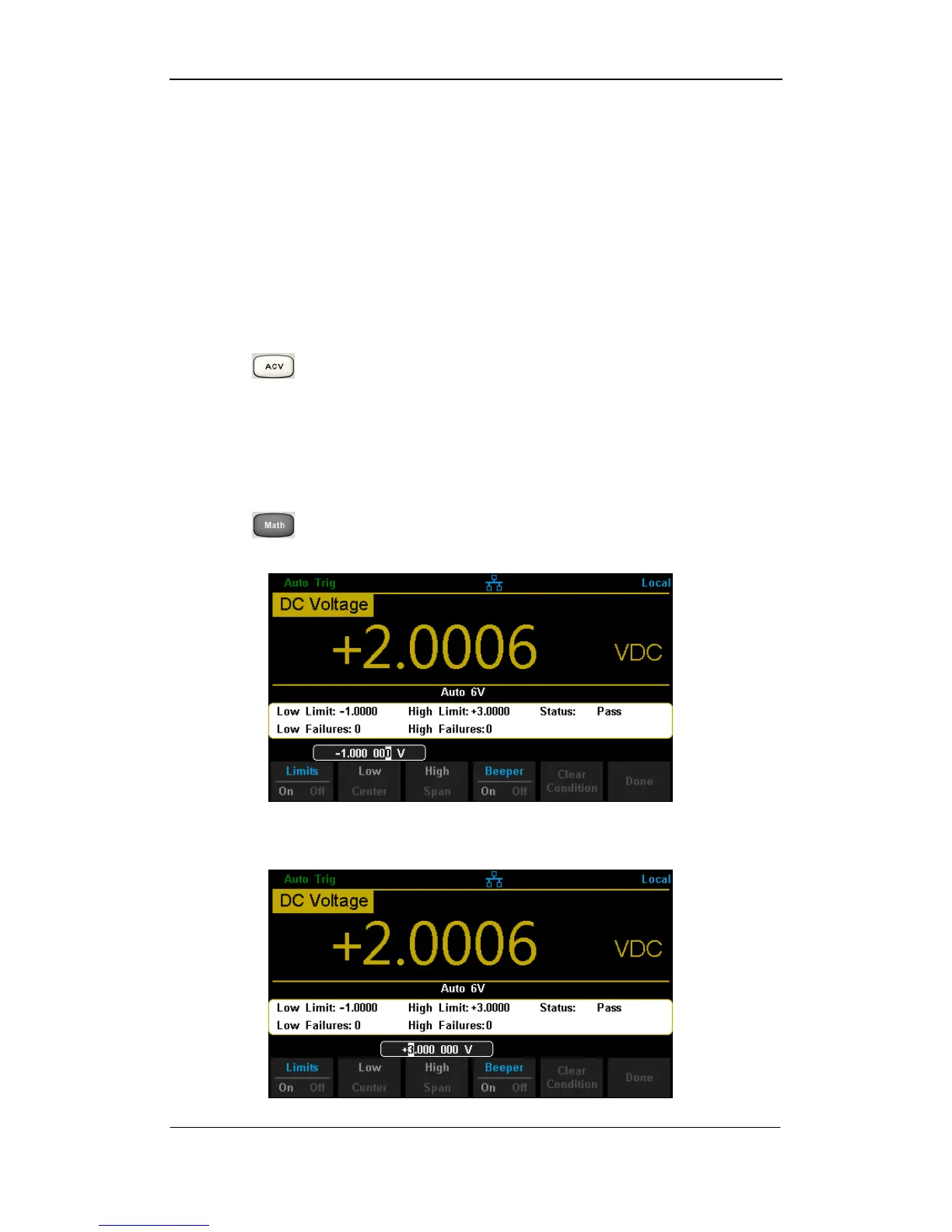
3. Press →【Limits】to set the Limits parameters.
Press【Low】to set the low limit value.
Diagram 3- 8 Set the Low Limit Value
Press【High】to set the high limit value.
Diagram 3- 9 Set the High Limit Value



 To Next Page