SIGLENT
66 SDM3045X Digital Multimeter
Limits
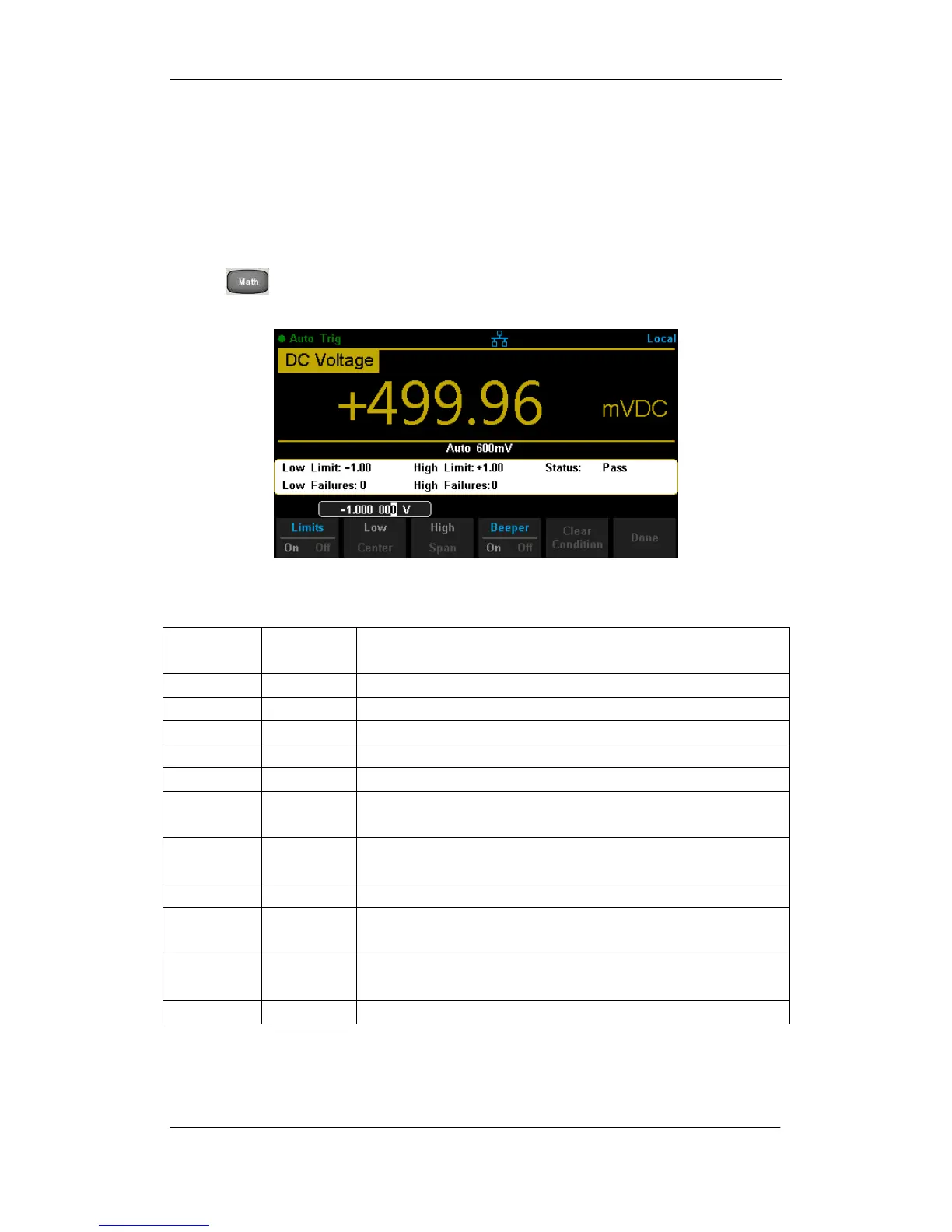
Limits function is available to prompt signals beyond ranges according to the
upper and lower parameters.
Press →【Limits】→【On】 to enter the interface shown in the following
diagram.
Diagram 2- 59 Limits
Table 2- 23 Limits Measurement Menu Function Description
Turn on or turn off the Limits function.
Set the desired lower limit.
Set the desired center value
Set the desired upper limit.
Show the status of limit test.
Show the times that reading is lower than the limit.
Show the times that reading is higher than the limit.
When the beeper is on, if the reading is lower or
higher than limits, the instrument will beep once.
Clear all current readings and restart to test.
Save all changes and return to the higher level menu.



 To Next Page