SIGLENT
SDM3045X Digital Multimeter 33
To Test Diode
If input voltage is under Threshold the Beeper will beep persistently. The
method to test Diode will be introduced in details as the following steps.
Operating Steps:
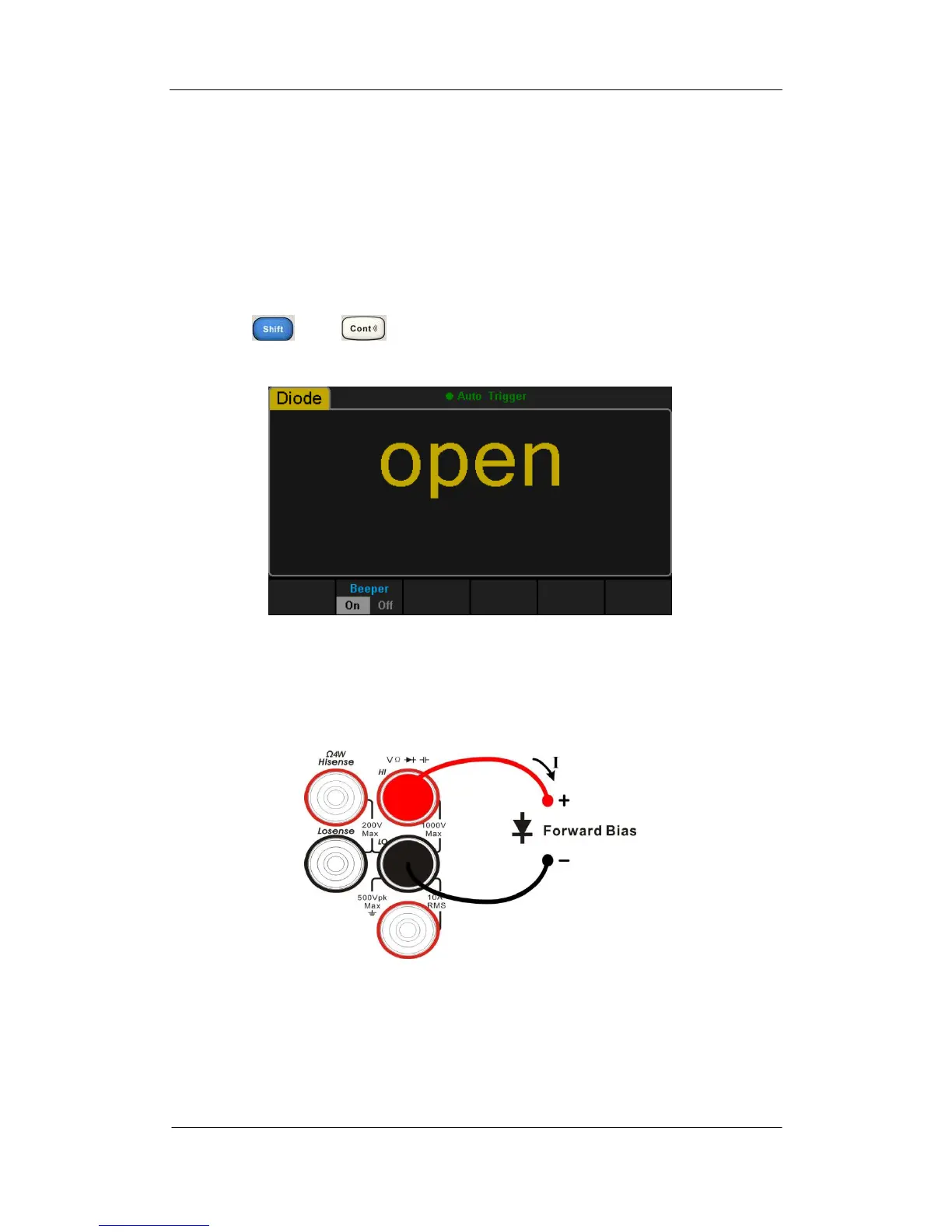
1. Press and on the front panel to enter the Diode test
interface, as shown in Diagram 2- 25.
Diagram 2- 25 Diode Test Interface
2. Connect red lead to both terminal Input-HI and anode of the Diode and
black lead to both terminal Input-LO and cathode of the Diode as the
following diagram.
Diagram 2- 26 Sketch Map for testing Diode
3. Set the Threshold.
The default value is set as 2V before leaving factory. The value can be
changed by using direction keys. You also can execute the Diode
measurement directly without modification.



 To Next Page