107
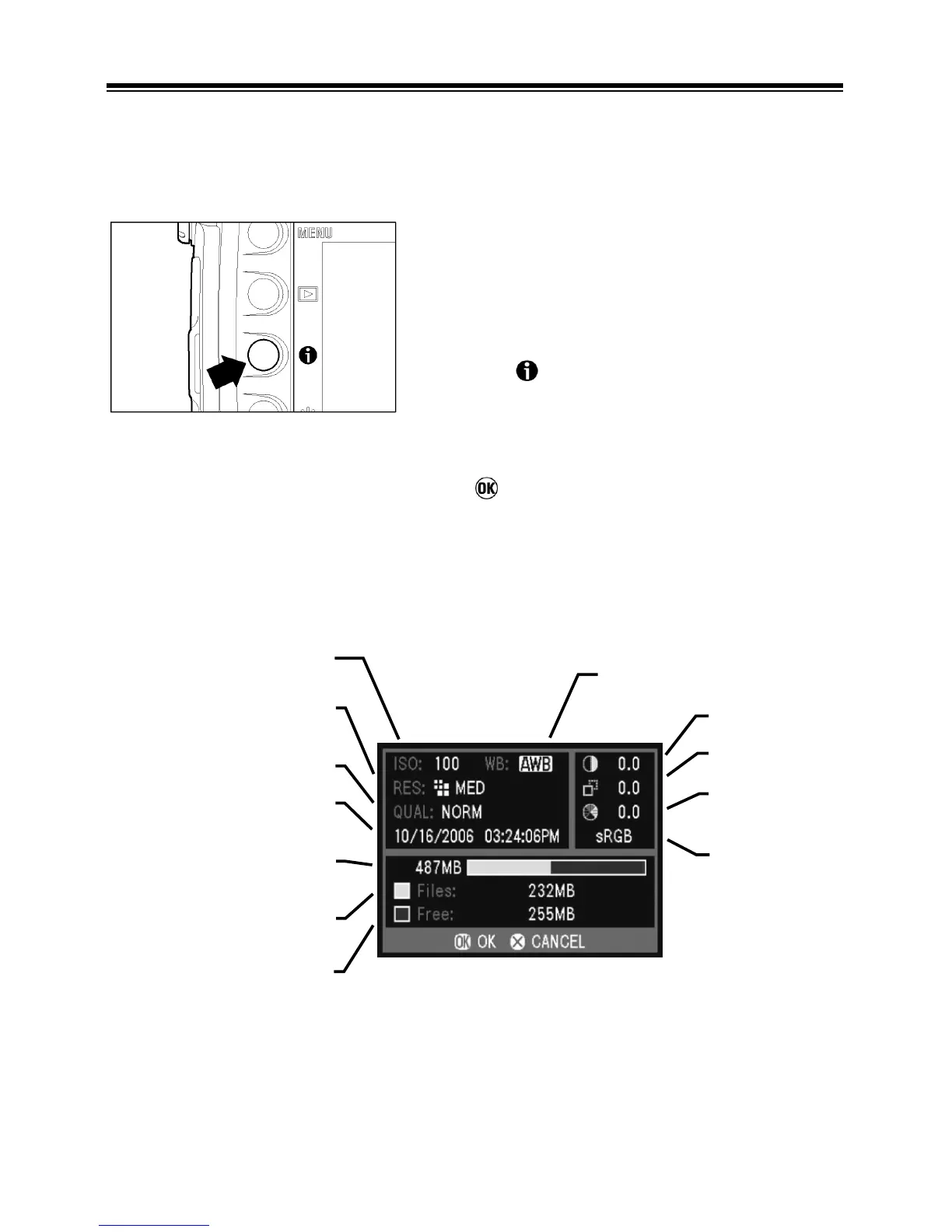
CAMERA INFO PAGE
The Camera Info Page can be used to get at-a-glance information about
image-capture settings (like ISO, resolution, and white balance) and CF card
status.
TO VIEW THE CAMERA INFO PAGE
1
Make sure the camera is turned on.
2
Press the button to open the camera info
page.
3
Once you are done reviewing your settings,
press
to close the Camera Info Page and
return to the main menu.
White Balance
Contrast
Sharpness
Saturation
Color Space
Remaining capacit



 To Next Page