24
MOUNTING AND REMOVING THE LENS
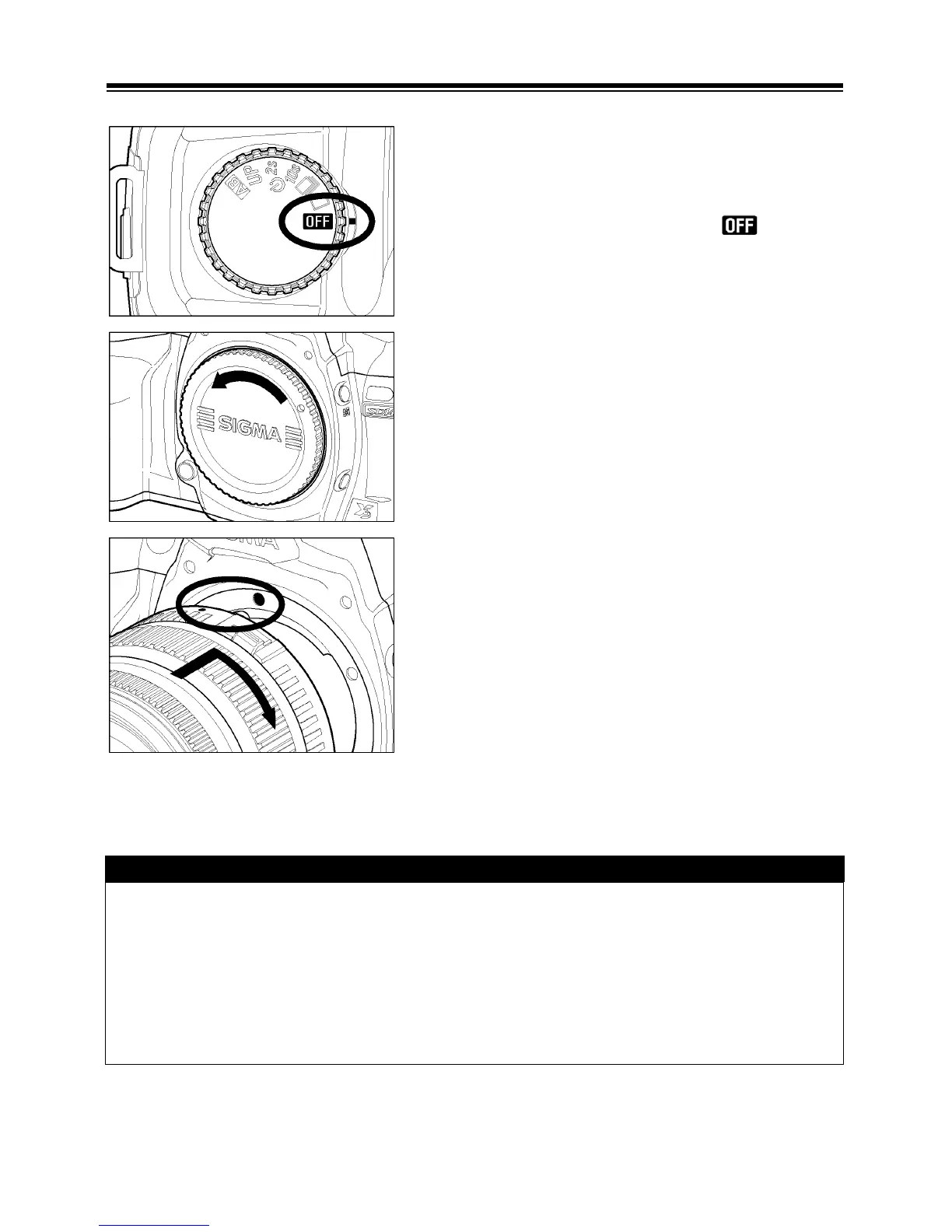
1
Make sure to turn the “D”-Dial to position
(Power Off position)
2
Remove the camera body cap and the rear cap
of the lens’.
3
Align the red mark on the camera’s mount with
the red dot on the lens. Insert the lens into the
mount of the camera, and rotate the lens
clockwise until it clicks into the locked position.
CAUTION !!
• To ensure a proper connection, do not hold down the lens lock button while
mounting the lens.
• The SD14 camera contains a dust protector, located inside the lens mount.
The dust protector is a very delicate device. Take care not to cause scratch
its surface. Touching or pushing it with your fingers can easily damage it. If
there is dirt or dust on it, please refer to the Maintenance section of your
manual (P.109).



 To Next Page