76
REVIEWING IMAGES
The pictures captured by the SD14 can be reviewed in various ways.
To review images captured by the SD14 camera press the button on the
back of the camera. The last image recorded on the CF card will be displayed on
the color LCD monitor in Single-Image View.
TO REVIEW IMAGES
Press
button on the back of the camera to
turn on LCD monitor and display image.
• Pressing
again will turn off the LCD
monitor.
TIP
• If no new images have been captured in the meantime, the last reviewed
image will be displayed instead.
• If there are no images on the CF card an error message will be displayed
(see P.118 for more information).
• Since the SD14 camera does not have a separate "playback mode" for
looking at captured images, it is always ready to take pictures, even while
displaying captured images.
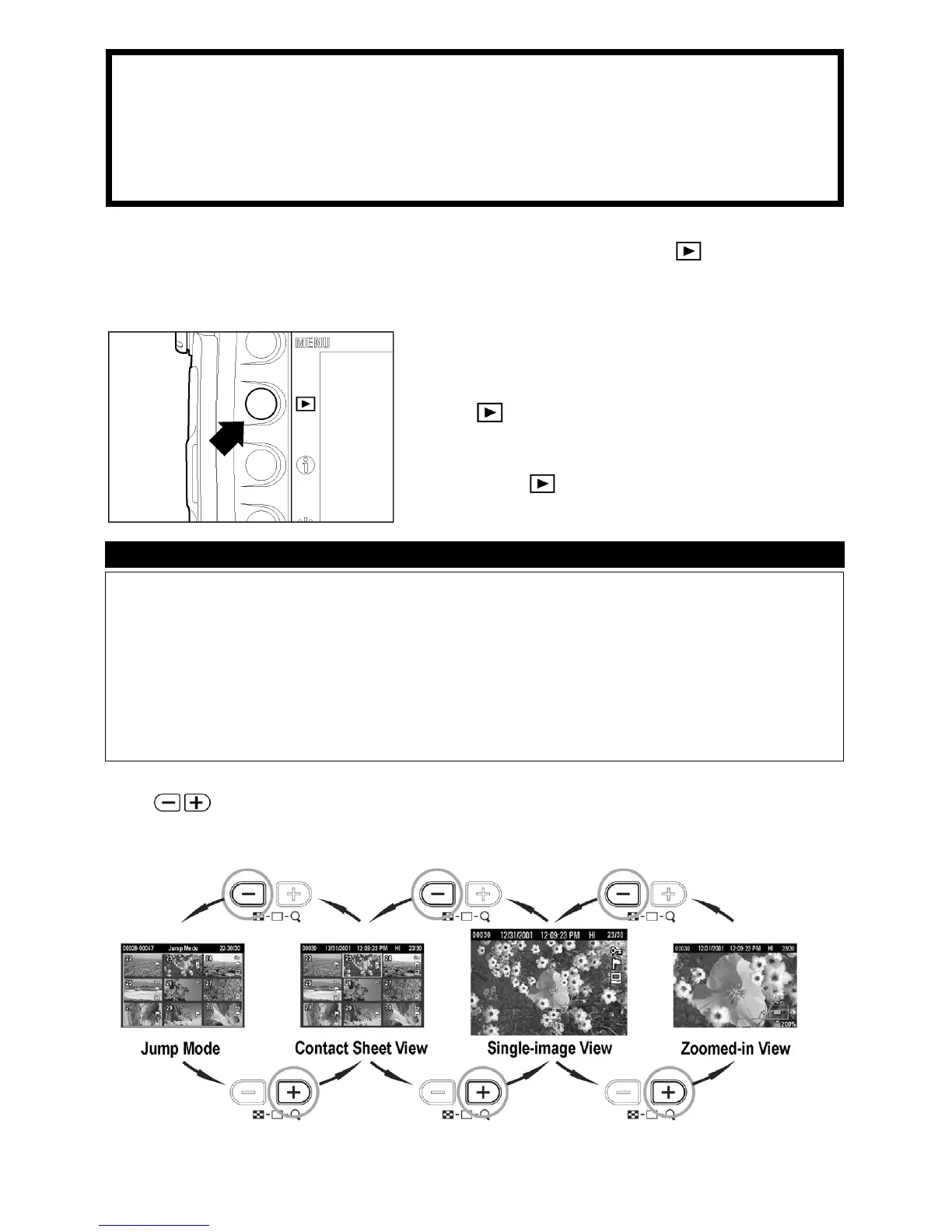
The
Controller is used to change between different review options as
shown.



 To Next Page