42
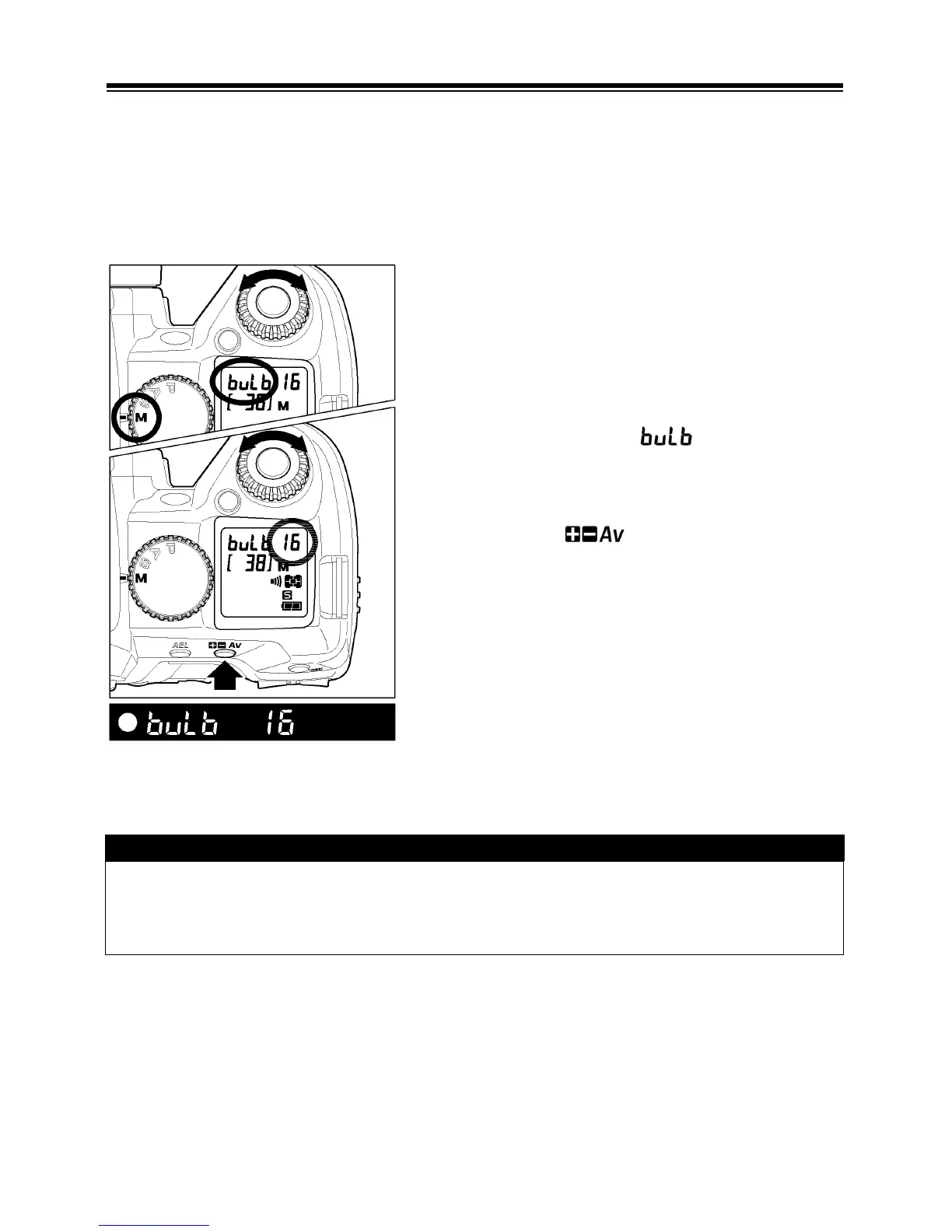
BULB SETTING
When long time exposures are required (for shooting night scenes or very dark
subjects) the use of the “Bulb” setting is recommended. Please use a tripod,
when taking pictures with this setting. Bulb photography can be performed only
when ISO sensitivity is set to ISO100 and 200. (Please refer to P. 5 7 about setting
ISO sensitivity.)
1
Set the “D”-Dial on the “Drive Area” (P. 14 ).
2
Set the “Mode”-Dial to the “
M
” position.
3
Rotate the “C” -dial until is displayed on
the top LCD panel’s shutter speed location.
4
While pressing button, rotate the “C”
-dial to select the desired aperture.
5
Depress the shutter button fully to take the
picture.
CAUTION !!
• It is not possible to use Bulb photography for more than 30 seconds. The
shutter will automatically close about 30 seconds after the shutter button was
pressed.



 To Next Page