36
SHUTTER BUTTON
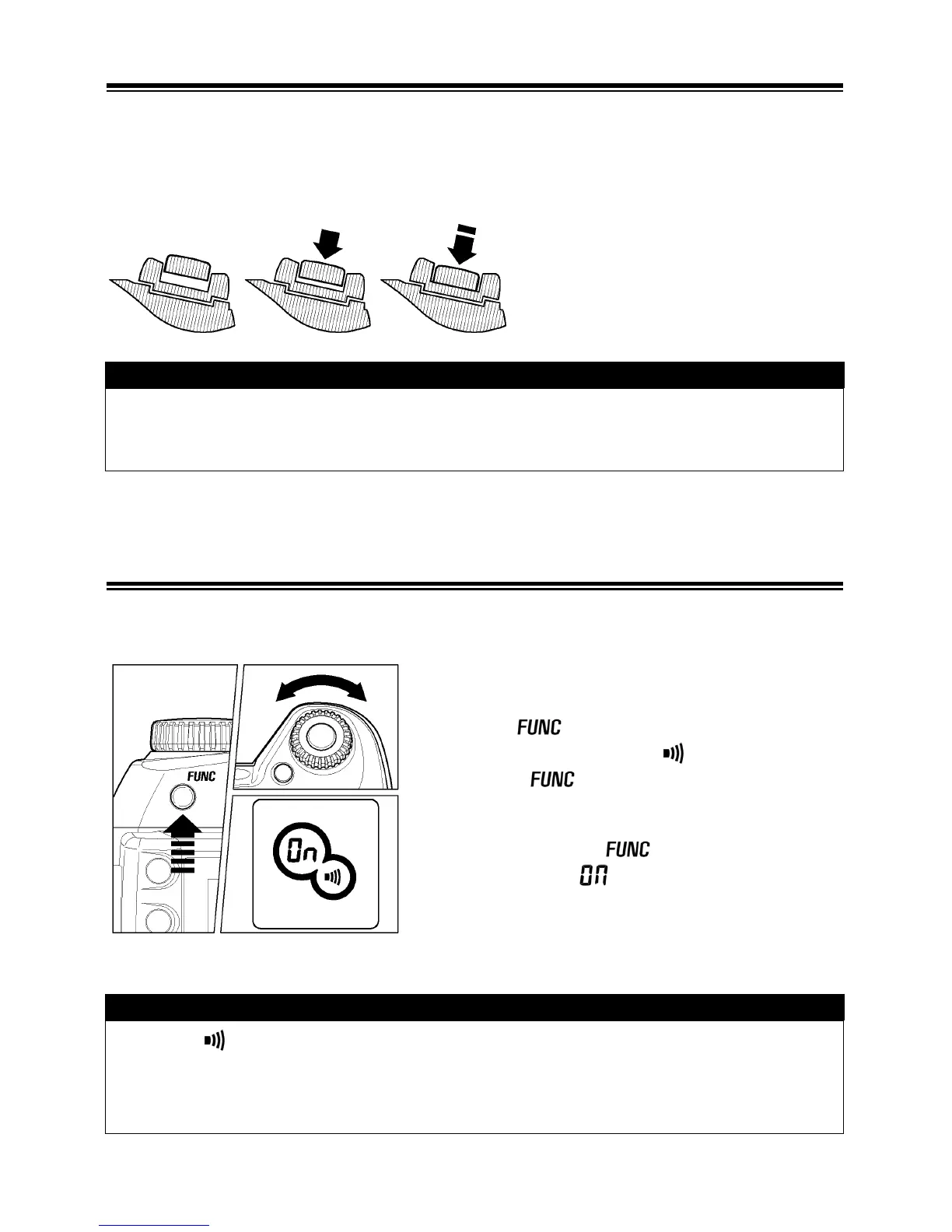
The shutter button of the SD14 cameras has two positions. When you press the
shutter button “halfway down”, the camera’s autofocus and Exposure Systems
activate. When you press the button “all-the-way down”, and the shutter will
release to take a picture.
TIP
• Before you start to take pictures, we recommend that you operate the
camera, to become familiar with the “halfway down” position and other
features of the camera.
SETTING THE ELECTRONIC SOUND
The camera will inform you with an electronic “beep”, when it has confirmed
focus. It is possible to disable this electronic beep, if you desire.
1
Press the button 5 times and hold. The
LCD panel will show the
symbol. Do not
release the
button.
2
Press and hold the button and turn the
“C”-dial. Select
to enable the “beep”
sound or “ - - ” to cancel it.
TIP
• When is shown on the LCD panel, the electronic beep is on. If no
symbol shown the beep is off.
• The electronic beep cannot be turned off when you use the self-timer mode
or a remote control.



 To Next Page